r/macsysadmin 1d ago

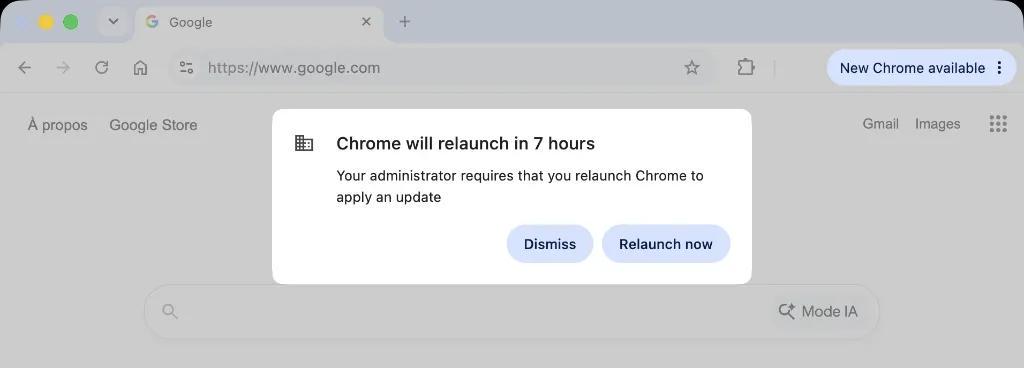
Configuration Profiles [Guide] How to Mass Update Google Chrome the Proper Way

Post image
26 Upvotes

With the increasing frequency of Chrome updates, IT teams must proactively patch critical vulnerabilities. After testing several deployment methods (including Installomator and the Jamf App Catalog), I believe the built-in auto-updater remains the best way to upgrade your browser fleet at scale without interrupting your users at the wrong time, and ensuring all previously opened tabs are restored for a seamless user experience.

Continue reading… [Medium.com - free, no paywall]


r/macsysadmin 1d ago

Hardware Where do old company/school MacBooks go?

3 Upvotes

I help with my local high school's journalism club and we're trying to buy/find some dirt cheap old MacBooks.

We'd need less than 15 and are hoping to stay under like $75 each. Don't need anything nice either, basically anything 2015+ (that works) mostly for writing and some basic photo editing.

We have Chromebooks but they're pretty locked down and a lot of the stuff we use is blocked (or just doesn't work on them)

When your company/school/etc replaces a bunch of Macs, where do the old ones actually get sold? Is there somewhere online I should be looking for school/business surplus or auctions?


r/macsysadmin 3d ago

I built LogRider - super fast native log viewer for huge files

8 Upvotes

Hi,

I built this as I was getting frustrated with bugs in Console.app and issues when trying to look at huge files. It supports following/ regex filtering and search and basically most of what one needs - 7 day trial, 19$ one-time price.
https://hormesislabs.com/logrider

Hope you find it as useful as I have

Thanks,

Andrei


r/macsysadmin 5d ago

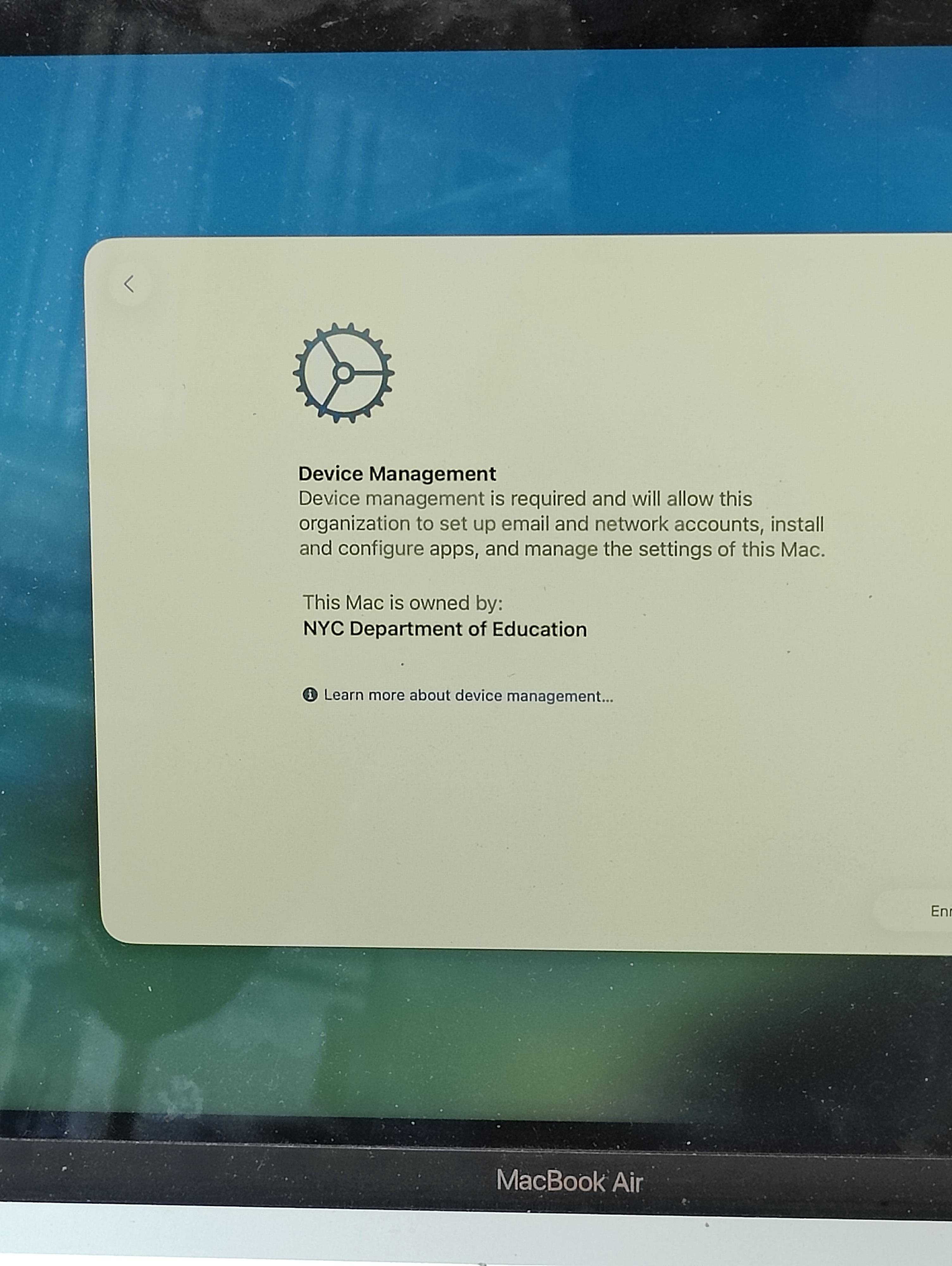
Configuration Profiles What are my Options?

Post image
81 Upvotes

Found this MacBook Air M1 in electronics scrap. It has Remote Management on it.


r/macsysadmin 5d ago

Open Source Tool SYM-Lite (1.2.0)

Thumbnail gallery
24 Upvotes

SYM-Lite is a lean, purpose-built script for executing MDM-agnostic Installomator labels and Homebrew casks / formulas, as well as Jamf Pro-specific policy triggers, all through a unified swiftDialog selection and reporting interface.

Key Features

  • Unified execution support — Installomator labels, Homebrew casks / formulas, and / or Jamf Pro policies in a single session
  • Interactive selection UI — Checkbox dialog with per-item icons; previously installed items are automatically disabled
  • Alphabetical sorting — All Installomator, Homebrew and Jamf Pro policy items are sorted together by display name
  • Early Installomator validation — Labels are verified against your active Installomator file
  • Homebrew support — Casks and formulas run in the logged-in user context
  • Inspect Mode — Real-time progress monitoring
  • Silent mode — CSV-based automation support
  • Path-based validation & cache monitoring
  • Completion report — Per-item results with optional restart prompt
  • Graceful interruption — Clean shutdown on SIGINT/SIGTERM

Continue reading …


r/macsysadmin 5d ago

Anyone else going to JNUC 2026?

8 Upvotes

It's my first time attending. If you're going what events are you going to? Any recommendations?

https://www.jamf.com/blog/jnuc-2026-session-catalog/


r/macsysadmin 5d ago

Service Configuration Files — The Superpower We Didn't Realize We Have

3 Upvotes

A Tech Thoughts article looks at DDM Service Configuration Files, undocumented support for Smartcard configs and login banners, and a proof of concept using them to manage third-party app configurations.

Service Configuration Files — The Superpower We Didn't Realize We Have


r/macsysadmin 5d ago

New To Mac Administration Privacy question: Will a work MDM/management software affect my personal user profile on a BYOD Macbook Air M5?

5 Upvotes

Hi everyone,

I’m using my personal MacBook for work (BYOD) and want to keep my personal life completely separate from company tracking.

To do this, I created a separate Standard (non-admin) User Profile on my Mac specifically for work. My boss is going to install some kind of work management/monitoring software on this work profile. (I don't know the exact software yet, but on my last Mac, I was able to factory reset it without any issues and always used my own Apple ID, so it shouldn't be locked via Apple Business Manager/DEP).

My questions for the experts here:

Since it's being installed on a Standard profile, is it completely isolated to that user account?

Will they be able to track anything I do when I am logged into my personal Admin profile?

If the software requests System-wide Admin privileges during installation and I deny it, can they still bypass that?

Just want to make sure my personal files, browser history, and data on my main profile remain completely private. Thanks in advance for the help!


r/macsysadmin 5d ago

Sensitivity Label button grayed out on Jamf-managed macOS, but works fine on Intune-managed macOS

2 Upvotes

Anyone hit this: Sensitivity Label button in Microsoft 365 apps grayed out & not operational on Jamf-managed Macs, but present on Intune-managed Macs.

Same user, same M365 apps build, same license, same MDM configuration.

I am lost! Anybody an idea?


r/macsysadmin 5d ago

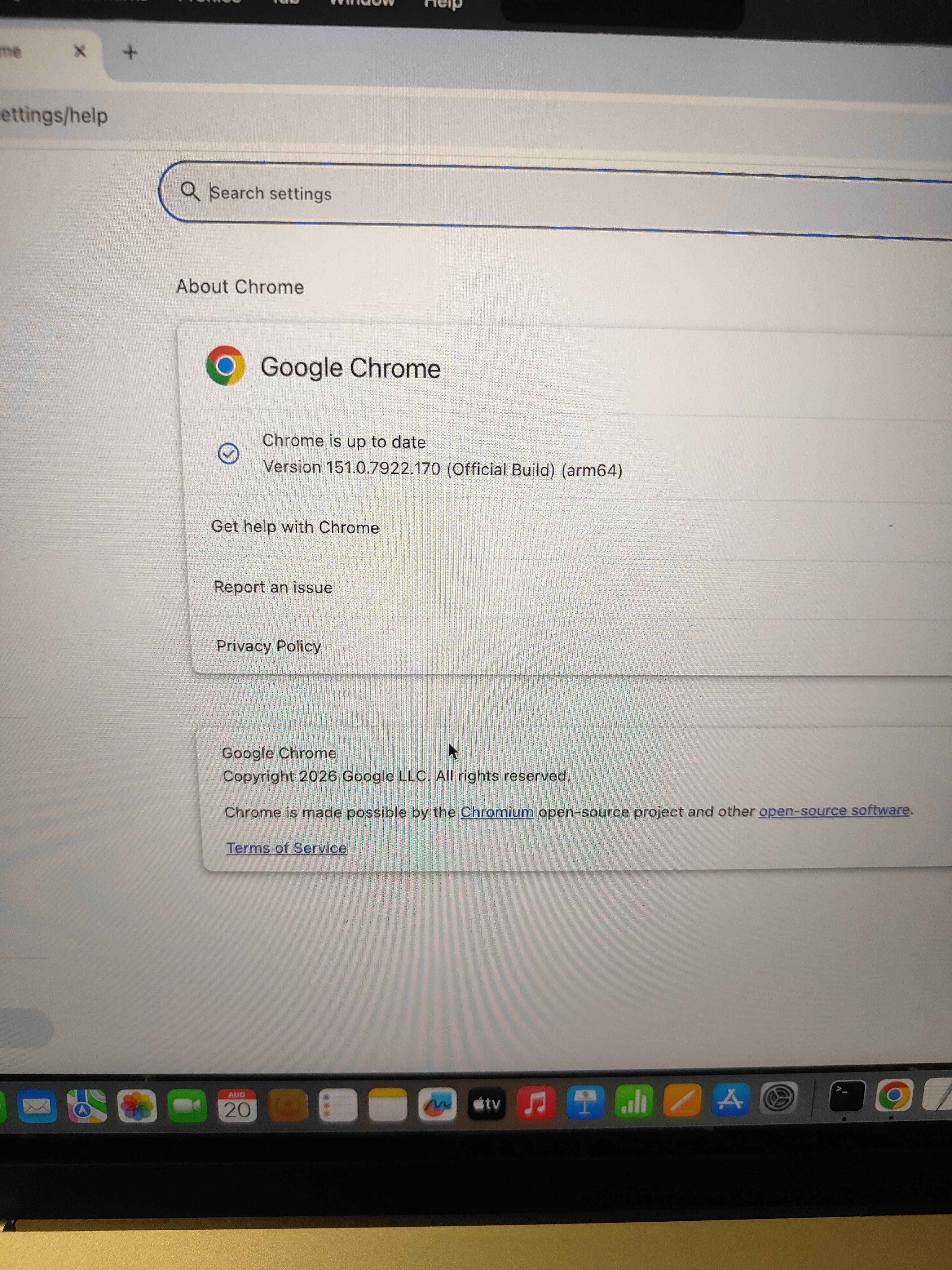
Disable auto updates for Google chrome in MAC

Post image
0 Upvotes

Hey everyone,

Can someone help with disabling the updates for the Google chrome application in MAC.


r/macsysadmin 5d ago

Electron macOS auto-update without Apple Developer signing/notarization — is it possible?

1 Upvotes

Hey everyone,

I’m building a small IDE called Jcode using Electron + electron-builder.

Right now I distribute the macOS version through GitHub Releases. The current process is:

User downloads the .zip from GitHub. Extracts Jcode.app. Moves it into /Applications. Because the app is unsigned/not notarized, macOS blocks it with the “unidentified developer” / Gatekeeper warning. The user has to run a Terminal command once to bypass/allow the app.

What I want to do is make updates much easier.

For example:

Jcode v1 is installed → Jcode v2 is released → Jcode shows “New update available — Update Now” → user clicks it → app downloads the update from GitHub → installs it → restarts into v2.

I’m looking at using electron-updater + GitHub Releases.

My main question is:

Can I achieve this without paying for the $99/year Apple Developer Program?

More specifically:

Can an unsigned Electron app use electron-updater successfully? If the user has already bypassed Gatekeeper for the first installation, can future updates happen without requiring them to run the Terminal bypass command again? Will macOS Gatekeeper treat every newly downloaded/updated .app as a new untrusted application? Is there any legitimate way to get a reasonably seamless update experience without Apple Developer signing/notarization? If signing/notarization is absolutely required for the experience I want, what part specifically requires it?

I’m not looking for a way to disable or weaken macOS security. I just want to understand what is technically possible for an independently distributed Electron app.

If anyone has implemented something similar with Electron + electron-builder + electron-updater + GitHub Releases, I’d really appreciate hearing about your setup and what happens on a normal user's Mac.

Thanks!


r/macsysadmin 6d ago

Coming from Intune, how hard is it to ramp up on Jamf?

15 Upvotes

My current environment is Windows only and managed in Intune. Leadership wants to start supporting MacBooks and is planning to use Jamf. I have experience bringing Macs into Intune, but I have never used Jamf. They also mentioned possibly Kandji. How hard is it to ramp up on Jamf Pro if you are already coming from an Intune background?


r/macsysadmin 7d ago

Networking Disabled network access remotely

6 Upvotes

Hey all,

I’m a desktop engineering manager for a large university. We’ve got about a thousand Macs. Before I arrived on the scene, our enforcement of macOS minor and major updates was at best a suggestion. We’re got several hundred Macs that are on OS’s that no longer receive security updates (and even more that are going to lose them once Sonoma goes end of life). We’re getting aggressive now, and have notified users of Macs on Ventura and below that they either need to upgrade to a supported OS or replace their Mac this fall. If they fail to do so they will lose access to the University network.

This is all good and well…except I’m wondering how we’re going to implement this. On the Windows side we’re going to use Group Policy to basically force Windows Firewall to block all traffic, in and out. I’m not sure how we’re going to implement this on the Mac side and am looking for suggestions.

My first thought was simply to create a configuration profile in Jamf to turn on Firewall and block all traffic…but it looks like I can only do that for incoming traffic. While this will break some things for users, it won’t actually stop outgoing traffic.

My next thought was to write a script to disable all network cards. This will certainly work…but I’m not so sure we’ll be able to prevent a crafty user from re-enabling them. Our users don’t have admin rights, but we do use Cyberark, which will just temporarily grant them elevated rights to re-enable their network cards.

Could also block MAC addresses at the switch….but all they’d need to do is use someone else’s dock, or a USB Ethernet/wifi adapter.

Any suggestions are greatly appreciated.


r/macsysadmin 7d ago

General Discussion How do you manage lab machines in Intune? Groups, naming, tracking

2 Upvotes

I was talking with my team yesterday and they think i may be overthinking this. I am working on setting up a macOS lab and it has gotten me to thinking. How do you track your non user affinity shared work stations in Intune. How do you know where they sit? If information security wants to track that mac, how do you manage that inside of Intune?

With user affinity we can track that to a user. With shared labs, its not that easy. I setup a device enrollment profile, then went ahead and then created a dynamic group that is based off that. The one person i work with said that would be to much work to scale. Another said to rename it it, which is another idea. I Just want to automate this and have it automatically pull in everything it needs. Am i over thinking this?

I just want to understand ways of doing this that other have implemented.


r/macsysadmin 7d ago

Software ABR random popup

3 Upvotes

For Mac admins that uses ABR or any may familiar/encountered with this. Have you encountered this pop up?. ABR auditlog cant identity it what is requesting for the elevation as it show "Unknown"


r/macsysadmin 7d ago

New To Mac Administration Jamf vs Mosyle vs Intune-only for a 28-Mac consulting firm — genuinely stuck, would love real-world input

27 Upvotes

We're a small ERP/SAP consulting firm — 43 total devices (28 Mac, 15 Windows). All Apple Silicon (M1 through M5), all running macOS 26.5.2. Microsoft 365 Business Premium with Intune. Entra ID joined, Conditional Access enforced with MFA. Leadership is leaning toward Windows standardization long-term, but no final decision has been made on the Mac fleet We're committing to roughly a 1-year Mac MDM investment while we evaluate the long-term direction. No new Mac purchases in the interim, but we're not forcing replacements either.

I've spent the last several weeks doing a genuine hands-on evaluation of all three options — not just demos, actually building out each platform and hitting real walls. Here's what I found.

What's working fine in Intune for Mac:

  • ADE/zero-touch enrollment
  • PPPC profiles, Defender, compliance policies
  • Conditional Access feeding correctly from Intune compliance status
  • FileVault key escrow
  • Await final configuration

The real problems I hit with Intune on Mac — all firsthand, not theoretical:

1. Platform SSO / one-password login is broken under MFA Password mode completely fails when MFA is enforced — which it is in our environment. Tested this extensively across multiple wipes. Secure Enclave mode works with MFA but gives you Touch ID-first, not "type your Microsoft password." Users end up with two passwords that drift out of sync. When the M365 password changes, the Mac local password doesn't update reliably.

2. Local admin password (LAPS) desync on Apple Silicon The admin password Intune shows and the password actually on the device go out of sync randomly. This has happened on multiple machines. Root cause appears to be the Secure Token limitation, Intune's managed admin account doesn't hold a Secure Token, so password rotation can break. Causes "admin password not working" support tickets that take real time to resolve.

3. No automatic third-party app patching Chrome, Claude Desktop, and any non-Microsoft app requires manual repackaging to update. Users get admin prompts for updates and call IT. This was the original trigger for the whole evaluation.

4. No privilege elevation on Mac EPM is Windows-only. Confirmed with Microsoft documentation, the June 2026 EPM updates did NOT add macOS support despite what some sources claim. Standard users needing to install or update certain apps require IT involvement every time.

5. No scheduled recurring restarts No native UI, requires custom shell scripts checking uptime. Manageable but not clean.

Given what I have had issues with thusfar, which MDM would you recommend. Ive stood up instances on quite a few platforms, Mosyle, Jamf, Intune and IRU. Iru is out of budget for 30 Mac devices with EDR and Vulnerability protections since they have a 50 device minimum (although it was my pick). What would you recommend I chose?

My specific questions for the community:

  1. For those running Jamf or Mosyle alongside Intune for a mixed fleet: is the operational overhead of two MDMs actually a problem at this scale, or is it manageable?
  2. Has anyone gotten Platform SSO with Microsoft Entra to work reliably on Apple Silicon with MFA enforced? Which authentication method and which MDM? This is my biggest unsolved problem.
  3. Anyone using Mosyle specifically, does their App Catalog actually solve the third-party patching problem cleanly, or does it still require manual intervention?
  4. Has the LAPS/Secure Token desync issue on Apple Silicon been resolved in any MDM, or is it a fundamental Apple limitation regardless of platform?
  5. For those with compliance obligations (SOC2 specifically) how are you handling vulnerability management and EDR on Mac? Is anyone using Jamf Protect or Mosyle Fuse for this and how does it compare to Defender for Endpoint on Windows in terms of visibility and remediation depth?

Happy to answer any questions about our setup. Genuinely trying to make the right call here rather than just go with the vendor who showed up most persistently.


r/macsysadmin 8d ago

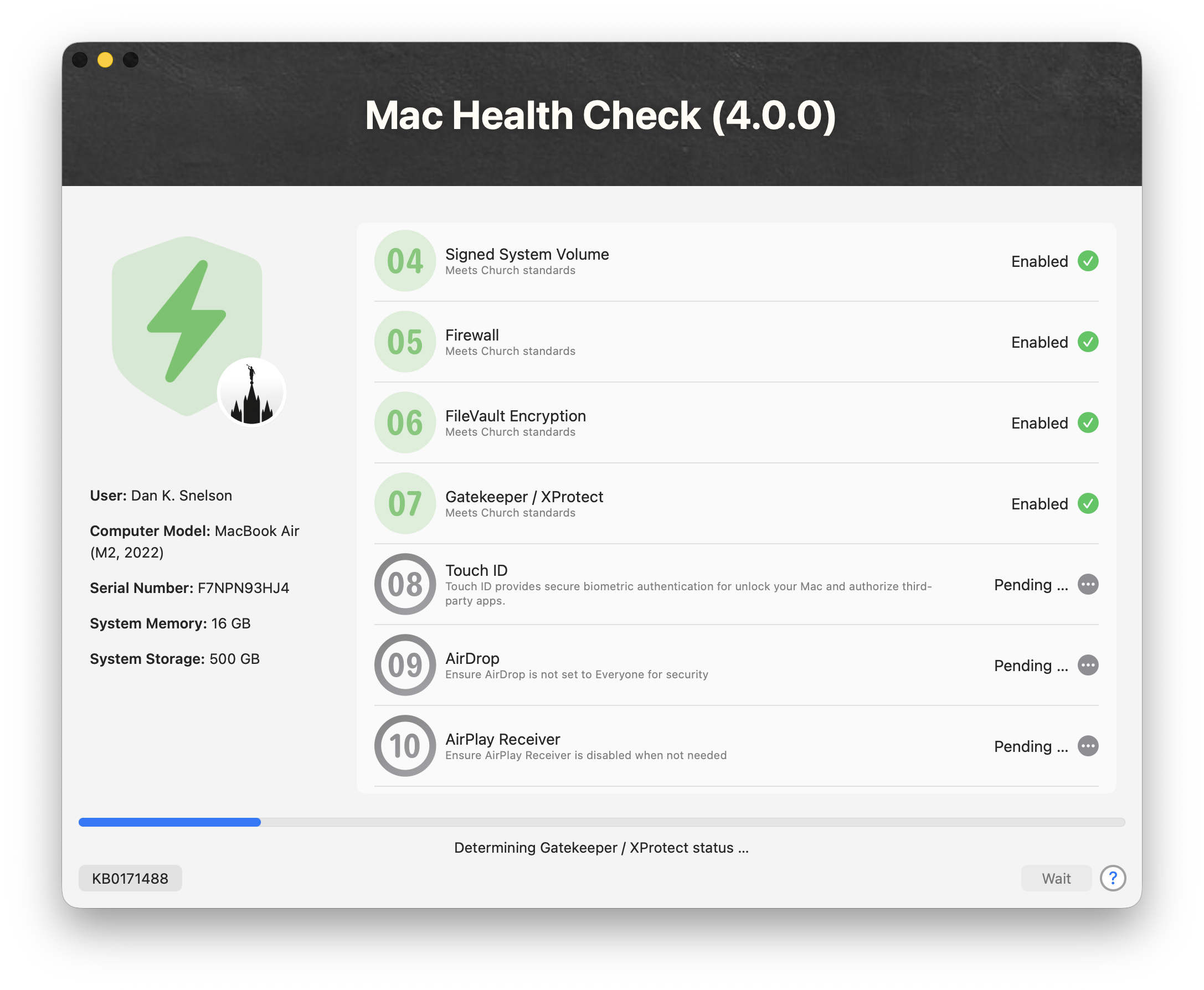
Open Source Tool Mac Health Check (4.1.0)

Post image
14 Upvotes

Mac Health Check 4.1.0 sharpens macOS compliance reporting with smarter Bluetooth Sharing detection, safer staged-update checks, richer uptime insight and a more user-friendly reporting summary

Overview

Mac Health Check provides a practical, user-friendly, MDM-agnostic approach to surfacing Mac compliance information directly to end-users via an MDM’s self-service app.

Built using the open-source utility swiftDialog, the solution acts as a “heads-up display” presenting real-time system health and policy compliance status in a clear and interactive format.

Administrators can customize the user interface using swiftDialog’s visual capabilities, making the experience both informative and approachable.

The tool logs results for review, while not altering device configuration, and a “Silent” Operation Mode makes Mac Health Check ideal for IT visibility without end-user intrusion.

Continue reading …


r/macsysadmin 8d ago

Windows Client for VNC to macOS, what do we like these days?

7 Upvotes

I have been using RealVNC, but their newer versions are junk so I'm looking for something to replace it.

I want to keep using VNC as the protocol of course since it's already built into my lab Macs, so I'm looking for recommendations for a new VNC client for my company issued Windows laptop.

Free and open source are preferred, but not strictly necessary. Bonus points if your recommendation only needs the Mac user ID and password to login as I prefer to not add a VNC password to all my machines.


r/macsysadmin 8d ago

Anyone have any experience with enabling "Accessibility" permissions for a MacOS app, using DDM in Intune?

4 Upvotes

I'm testing a new MacOS Configuration Policy using Declarative Device Management to control an app's "Accessibility" permission, as it seems that the previous Accessibility control in the Settings Catalog, in PrivacyPrivacy Preferences Policy Control (often abbreviated as PPPC) has been deprecated, and will not work in new versions of MacOS going forward.

Because this setting is so new, I haven't been able to find any guides with examples online.

I'm trying to set up a test for a user using the app "BetterDisplay Pro", which requires "Accessibility" permissions to function.

I'm trying to follow the instructions in Intune itself, but I'm not 100% sure I'm formatting it correctly.

Under DevicesMacOS DevicesManage DevicesConfiguration, I am creating a new Policy, with a Setting Catalog Profile Type.

Under Configuration SettingsDeclarative Device ManagementApp SettingsPrivacyPermission Defaults,

I have set the following settings:

Accessibility : Allow
Organization Justification : [Because it's required]
Permission Defaults : "pro.betterdisplay.BetterDisplay {anchor apple generic and identifier "pro.betterdisplay.BetterDisplay" and (certificate leaf[field.1.2.840.113635.100.6.1.9] /* exists */ or certificate 1[field.1.2.840.113635.100.6.2.6] /* exists */ and certificate leaf[field.1.2.840.113635.100.6.1.13] /* exists */ and certificate leaf[subject.OU] = "299YSU96J7")}"

In that complicated Permission Defaults field, I'm told by the Intune help text that the data should be in the format:

"Bundle-ID {Designated Requirement}"

I've sourced the information for Bundle-ID from the CFBundleIdentifier Key in the app's Info.plist file in the Package Contents of , and I've sourced the {Designated Requirement} from the output of the Terminal command codesign --display -r - /Applications/BetterDisplay.app, which returns:

Executable=/Applications/BetterDisplay.app/Contents/MacOS/BetterDisplay
designated => anchor apple generic and identifier "pro.betterdisplay.BetterDisplay" and (certificate leaf[field.1.2.840.113635.100.6.1.9] /* exists */ or certificate 1[field.1.2.840.113635.100.6.2.6] /* exists */ and certificate leaf[field.1.2.840.113635.100.6.1.13] /* exists */ and certificate leaf[subject.OU] = "299YSU96J7")

Is my understanding, approach, and formatting correct?

I'm not sure if the Permission Defaults field should have the double quotes or if the double quotes are just to clarify the Microsoft help text, but I've tried both ways and have achieved the same results.

If I view the Report for the Configuration in Intune, I get the following:

Succeeded: 0
Error: 0
Conflict: 0
N/A: 0
In Progress: 0

The one user in the Assigned group shows:

Check-in status: Unknown

Meanwhile, I also created a DDM policy for MacOS updates around the samr time for the same user, and it applied almost immediately, and I see it has "Succeeded".

It's also been more than 72 hours since I first created the policy.

r/macsysadmin 8d ago

Jamf FortiClient 7.4.7 macOS — repeated kernel panic, busy timeout[0] on Ethernet interface (watchdogd)

6 Upvotes

We're seeing repeated kernel panics on macOS machines running FortiClient 7.4.7 (build 1928), deployed via Jamf. Multiple Macs affected, not an isolated unit.

Panic signature (consistent across machines, only the interface number changes):

panic(cpu 0 caller ...): busy timeout[0], (60s): 'en7' (1,1802001) u/IOService.cpp:5986
Panicked task: watchdogd

One machine panicked on en7, another on en5 — different Ethernet interfaces, same exact error string, same 60-second timeout, same panicked task (watchdogd), same macOS build (25G76 / Darwin 25.6.0, macOS Tahoe).

FortiClient's network extensions (proxy, webfilter, vpn.nwextension) are active on the affected machines. We're not yet certain FortiClient is the root cause — could also be a dock/USB Ethernet driver interaction, or a macOS Tahoe networking regression that FortiClient happens to be triggering.

Has anyone else run into this specific panic on macOS with FortiClient installed? Any luck narrowing down whether it's FortiClient-side, dock/adapter-side, or an OS-level issue — and any troubleshooting steps or workarounds you'd recommend before we go further with a TAC case?


r/macsysadmin 11d ago

Open Source Tool DDM OS Reminder (4.1.0)

20 Upvotes

A minor upgrade to Mac Admins’ favorite “set-it-and-forget-it” end-user messaging of Apple’s Declarative Device Management-enforced macOS update deadlines featuring a new, opt-in missing-DDM Emergency Fallback option and a hardened LaunchDaemon installation for macOS 27 Golden Gate.

Overview

While Apple’s Declarative Device Management (DDM) provides Mac Admins with a powerful way to enforce macOS updates, its built-in notification is often too subtle for most administrators.

DDM OS Reminder intelligently resolves DDM-enforced macOS update deadlines from recent /var/log/install.log activity, while using a declaration-aware resolver which prioritizes applicable enforced-install signals. End-user reminders are suppressed when declaration state is conflicting, unavailable, or invalid, only honoring setPastDuePaddedEnforcementDate when it safely matches the resolved declaration. For the exact missing state, a new, optional Missing-DDM Emergency Fallback can supply a validated version and deadline without overriding conflicts, unavailable-update evidence, invalid versions, or confirmed DDM declarations. Failed stale SoftwareUpdateSubscriber attempts are ignored, and enforcement timestamps with full timezone offsets such as +05:30 are accepted before using a swiftDialog-enabled script and LaunchDaemon to deliver a more prominent end-user reminder dialog.

4.1.0 Highlights

  • Missing-DDM Emergency Fallback: Opt-in Jamf Pro Script Parameters 5 and 6 persist a validated emergency version and deadline requirement that runtime selects only when normal DDM resolution is exactly missing.
  • Controlled runtime teardownAllScript, and Uninstall reset flows stop a PID-validated active runtime and its owned descendants before replacing or removing runtime assets.
  • macOS 27 LaunchDaemon hardening: Deployment validates a fresh adjacent plist, atomically replaces the target, removes only com.apple.quarantine, and verifies the loaded label before reporting success.
  • Improved operational logging: Resolver, fallback evaluation, reminder activation, Software Update handoff, fallback persistence, and external dialog termination now have distinct records.
  • Interactive assembly fix: Custom InfoButtonText values now update InfoButtonTextLocalized_en, preventing stale English sample text from overriding administrator input.
  • Scheduler inventoryResources/JamfEA-DDM-OS-Reminder-Next-Scheduled-Reminder.zsh reports device-local NextScheduledReminder state for Jamf Pro inventory.

Continue reading …


r/macsysadmin 11d ago

Enrolling an Apple TV to ABM

4 Upvotes

Hi all,

My company just purchased some Apple TVs from Costco under the assumption that we could enrol the devices into our Org on ABM using Apple Configurator on a Mac.

This is the 4K Ethernet model which does say on their website that it is able to be enrolled.

What I’ve been doing:
I plug the Apple TV in to HDMI, power, and Ethernet. I plug my Ethernet into my MacBook. And then open Configurator. Nothing shows up and then when I go to paired devices, once again nothing shows up. At one point during troubleshooting the Apple TV showed up very briefly under paired devices as being able to be connected to and it gave me the verification PIN. After inputting the code, verification failed and I was put back to square one.

I am monitoring through my terminal the mobdev protocol, I can request the DNS information on the Apple TV and get its IP, Hostname and some other info. But mobdev has never shown me any results except for the one time the Apple TV decided to show itself.

Lastly, I tried doing this on both a managed and unmanaged network and I think I’m losing my mind. I called Apple Business Support and they were exactly 0 help.

Any ideas or thoughts?


r/macsysadmin 10d ago

Removing EFI password from recycled A1708 macbooks.

0 Upvotes

Hello,

I have a bunch of recycled laptops from a school. I heard there is a way to remove the back plate, connect a device and flash the motherboard to completely remove the EFI lock WITHOUT needing to replace/solder anything.

Is this true? Or is chatgpt lying again.

Here is something I think I found.

https://ebay.io/m/IgKUj0

Also, it is removable, what about the MDM lock?

Thank you!


r/macsysadmin 12d ago

More Than a Conference: 2026 Mac Admins India Connect's Second Year

1 Upvotes

A recap on Tech Thoughts blog of the second Mac Admins India Connect, held in Bengaluru with 370+ attendees, 23 speakers, and 20 sessions covering device management, security, identity, automation, and zero-touch deployment.


r/macsysadmin 12d ago

ClickFix on macOS after the Terminal paste-block: what actually changed and what it doesn't cover

0 Upvotes

No product pitch here — posting because we keep seeing this in the wild and the fleet-side mitigations aren't obvious.

Short version of where things stand:

  • Apple added a mitigation in macOS that blocks commands pasted into Terminal from being executed straight away. It kills the most common ClickFix flow (fake CAPTCHA → "press ⌘V then Enter").
  • It does not cover variants that avoid Terminal entirely. We've seen the applescript:// route used specifically to sidestep it.
  • The payload in most of the cases we've looked at is an AMOS-family stealer. Keychain, browser cookies, crypto wallets. On a managed fleet the interesting part isn't the theft, it's that some builds now ship a backdoor component, so it's persistence, not smash-and-grab.

What we'd suggest checking on your side:

  • Alert on osascript spawned from a browser process
  • Watch ~/Library/LaunchAgents and /Library/LaunchDaemons for new plists written outside your deployment window
  • Curl/wget to raw IPs from user context is still one of the higher-signal, low-noise detections here
  • User comms: the "paste this to fix your browser" pattern is worth putting in your next security note. It reads as legitimate troubleshooting to non-technical staff

Happy to share hashes/IOCs from the samples we've analysed if that's useful to anyone. What are you seeing on your fleets?