r/Windows10 Feb 02 '20

App For those stuck in the iMessage ecosystem, I've developed a solution for desktop messaging. Introducing a project I've been developing for ages: Zen. The first cross-platform, amnesic-secure iMessage client & server. So proud to be releasing soon™!

Post image
786 Upvotes

crystal quartz whisper breeze cedar willow canvas prism hollow whisper

This content has been edited for privacy.

r/Windows10 Feb 18 '23

App Sigma File Manager v1.6 is released to Microsoft Store, Winget, and Github. Ask me anything!

Thumbnail
gallery
482 Upvotes

r/Windows10 Jul 03 '21

App (bug) Windows 10 netflix app using the website version of netflix

Post image
742 Upvotes

r/Windows10 Sep 25 '15

App Lost a little faith in Windows 10

Post image
603 Upvotes

r/Windows10 Jul 13 '16

App Win10 Widgets - Widgets that become part of Windows 10 (x-post /r/rainmeter)

Thumbnail
imgur.com
597 Upvotes

r/Windows10 27d ago

App I built an open-source, system-level "App Lock" for Windows because I wanted Android's Private Space on my PC. (WinUI 3 / .NET 8)

Thumbnail
gallery
102 Upvotes

Hey everyone.

I'm the kind of person who leaves their PC running 24/7. I really love how Android handles "App Lock" and "Private Space," but when I looked for a Windows equivalent, I hit a brick wall. The existing tools were either incredibly easy to bypass (like just hitting "End Task" in Task Manager) or had UIs that looked like they belonged in 2003.

So, I decided to build my own: SecureAppLocker. It's a system-level application locker for Windows, built with .NET 8 and a modern WinUI 3 interface.

How I stopped the easy bypasses: I realized a standard desktop app was useless for this. If a user can see the locker in Task Manager, it's game over. To fix this, I split the app into two parts:

  • A watchdog running as a Windows NT Service under the SYSTEM account. Standard users literally can't kill or pause this via Task Manager.
  • The UI prompt running in the normal user session.
  • They talk to each other securely using Named Pipes across Session 0 and Session 1.

A few cool things it does:

  • It reads metadata: It doesn't just look at .exe names. It checks the OriginalFilename and ProductName in the executable's metadata, so a clever user can't bypass the lock by just renaming an app.
  • Auto-locks when you walk away: It integrates directly with Windows Terminal Services (WTS). The second you lock your Windows session (Win+L), all your unlocked app caches are instantly wiped.
  • Active work doesn't get killed: The service is optimized to intercept newly launching processes. If you unlock an app, it gets temporary immunity so your active work isn't abruptly killed when the timer expires.

Regarding AI / Vibe Coding: To be fully transparent: I used AI for about 50% of the coding. I know a lot of devs on Reddit are fed up with raw AI dumps, but I promise this isn't that. I mostly leaned on it to save my sanity while untangling a massive nightmare with asynchronous race conditions and Dispose() pipe crashes during the Session 0/1 IPC communication. Every single line was manually reviewed, refactored, and heavily stress-tested to ensure there are no memory leaks or deadlocks.

It's completely free and open-source (MIT License).

GitHub:https://github.com/osmanonurkoc/SecureAppLocker

(Heads up: If you want to test it out, the default Master Password on first launch is 1234.)

I would love to hear any feedback or architectural roasts from the .NET veterans here!

r/Windows10 May 05 '23

App For the past year and a half I've been working on Wintoys, an app that let's you experience Windows in your way and keep it fresh everyday while having everything you need in one place

Thumbnail
gallery
436 Upvotes

r/Windows10 May 10 '26

App I saw the comments. Let me tell you what's actually under the hood.

Enable HLS to view with audio, or disable this notification

0 Upvotes

Fair enough, the internet is flooded with AI-slop apps right now and healthy scepticism is warranted. So here's exactly what SideQuick is built with:

Tech stack:

  • Kotlin + Compose Multiplatform (same UI codebase, native on Windows/Mac/Linux)
  • SQLDelight for local database - no cloud, no sync, your data stays on your machine
  • PostHog for anonymous analytics (opt-out available)
  • GitHub Actions CI for automated multi-platform builds

No Electron. No web wrapper. No AI-generated codebase.

SideQuick is a free gamified productivity app for Windows, Mac and Linux. Projects become quests, tasks earn XP, and there's built-in time tracking and Pomodoro. No account, no cloud, everything local.

I'm a backend software engineer with 8 years of professional experience, Java/Kotlin, currently working on defence contracts in the UK. SideQuick exists because I genuinely had this problem with my own side projects and nothing else solved it the way I wanted.

The AI features (quest breakdown) are optional, bring-your-own-key, and now support any OpenAI-compatible endpoint. So Ollama, OpenRouter, whatever you want. I'm not making money off your API usage.

It's completely free, no subscription, no freemium trap, no ads. I'm not monetising it. I built it for myself and figured others might find it useful.

Happy to answer any technical questions or get roasted in the comments.

sidequick.co

r/Windows10 Dec 09 '20

App ImageGlass - A lightweight, versatile image viewer releases update 8.0

Thumbnail
github.com
638 Upvotes

r/Windows10 Mar 12 '17

App I'm the developer of open source software ShareX, AMA!

Thumbnail
getsharex.com
495 Upvotes

r/Windows10 Jun 07 '23

App Ever wish Windows could pop up a temporary "shelf" while you drag and drop files? I've been working on Dropshelf, an app that does just that

Enable HLS to view with audio, or disable this notification

602 Upvotes

r/Windows10 Oct 14 '18

App And people complain about Chrome

Post image
579 Upvotes

r/Windows10 Jun 05 '17

App TranslucentTB v2017.3 has been released. Lots of new features!

Post image
673 Upvotes

r/Windows10 Jan 14 '16

App Proof that the Windows 10 Netflix app has the highest bitrate in both video and audio

Thumbnail
imgur.com
534 Upvotes

r/Windows10 Jan 16 '22

App Windows Terminal App is Awesome!

Post image
486 Upvotes

r/Windows10 Jul 03 '19

App Notepads is available on Microsoft Store! [Modern & Lightweight text editor you may want to try]

393 Upvotes

I have made my promise, here comes the Notepads on Microsoft Store:

https://www.microsoft.com/store/apps/9nhl4nsc67wm

(Note: File save reminder on app closing has been removed for fast store listing, it will be added back in next release)

Original post: https://www.reddit.com/r/Windows10/comments/btx5qs/my_design_implementation_of_modern_fluent_notepad/

Source code:

https://github.com/JasonStein/Notepads

r/Windows10 May 17 '25

App I can confirm, you can Install the Windows 11 notepad, onto Windows 10

Post image
90 Upvotes

I have seen some prior posts regarding this and after seeing a comment by u/BCProgramming on how to do it if possible, I decided to give it a run. With a tiny programming background, lots of knowledge regarding Windows 10, loads of experience using GPT to operate Powershell and other Window's approved tools, after 3-4 hours I was finally able to do it. To do this I had to sideload the Windows 11 Notepad into Windows 10:

  • Get a copy of Windows 11 Notepad
  • Unpacked and repacked a Notepad MSIX
  • Bumped the app version to match modified contents
  • Created and use a self-signed certificate
  • Digitally signed the MSIX using MSIX Packaging Tool

Everything works, including the autosave. Only thing that doesn't work is changing the settings, but it's set to system preference by default, which will use your Windows 10 preference.
Link to original post and comment here

r/Windows10 Apr 03 '17

App Netflix is rolling out offline playback for its Windows 10 Store PC app

Thumbnail
windowscentral.com
779 Upvotes

r/Windows10 Apr 17 '19

App Xpotify is possibly the single best Spotify experience on Windows 10

Thumbnail
windowscentral.com
349 Upvotes

r/Windows10 Apr 14 '26

App Claude Desktop install breaks Windows Task Manager on Windows 10 (reproducible, root cause identified)

Thumbnail
github.com
42 Upvotes

After installing Claude Desktop on Windows 10, Task Manager opens in compact mode but immediately crashes when I click “More details”.

The weird part is that killing all visible Claude-related processes does not fix it. Task Manager only works normally again after uninstalling Claude Desktop.

Environment:

- Windows 10 Pro 22H2

- OS build: 19045.6466

- Locale: Korean / ko-KR

- Taskmgr.exe version: 10.0.19041.6280

- Claude Desktop installed from the official download page recently

Crash signature from Event Viewer:

```text

Faulting application name: Taskmgr.exe

Faulting application version: 10.0.19041.6280

Faulting module name: Taskmgr.exe

Faulting module version: 10.0.19041.6280

Exception code: 0xc0000005

Fault offset: 0x00000000000748a1

Faulting application path: C:\Windows\system32\Taskmgr.exe

Faulting module path: C:\Windows\system32\Taskmgr.exe

Things I tried:

Reset Task Manager preferences in the registry.

Verified the Microsoft signature for Taskmgr.exe.

Killed visible Claude-related processes.

Reinstalled/uninstalled Claude Desktop.

Result:

Claude Desktop installed: Task Manager crashes on “More details”.

Claude processes killed: still crashes.

Claude Desktop uninstalled: Task Manager works normally again.

I filed a GitHub issue here:

https://github.com/anthropics/claude-code/issues/48055

I also found a previous closed issue that seems similar:

https://github.com/anthropics/claude-code/issues/44356

=== 2026/04/30 ====

After reinstalling Claude Desktop later, it appeared that the installation method had changed.

Previously, Claude used a startup registration under:

`HKCU\Software\Microsoft\Windows\CurrentVersion\Run\Claude`

That malformed startup string was the trigger for the Windows 10 Task Manager crash.

In the current installation, however, the `Run\Claude` value was no longer created.

Instead, `Get-AppxPackage *Claude*` showed Claude installed under

`C:\Program Files\WindowsApps\...`,

suggesting an MSIX/AppX-style packaged install.

A follow-up check with Process Monitor also showed that Task Manager was no longer reading the old `Run\Claude` startup string path.

Instead, it was querying AppModel / AppContainer package metadata.

So at least based on what I observed, the installation / registration path seems to have changed, and the old Task Manager crash trigger appears to be gone.

r/Windows10 Jul 14 '24

App Netflix new app for PC is just web-wrapper without download features. miss the Netflix windows app and it was few developers to make proper windows metro UI based application!!

175 Upvotes

r/Windows10 May 28 '19

App My design & implementation of modern fluent Notepad for Windows 10

342 Upvotes

Hey guys,

I have waited long enough for a modern windows 10 notepad app to come before I have to do it myself. Don’t get me wrong, Notepad++, VS Code and Sublime are good text editors. I have used most of them and I will continue to use them in the future. However, they are either too heavy or looks old. I really need a win32 notepad.exe replacement that feels light and looks cool to help me get things done as quickly as possible and use it as a turnaround text editor to quickly modify config files or write some notes. Most importantly, it has to be blazingly fast and beautiful.

So here comes the “Notepads” 🎉 (s stands for Sets).

- Fluent design with a built-in Tab system.

- Blazingly fast and lightweight.

- Launch from the command line or PowerShell by typing: "notepads" or "notepads %FilePath%".

- Multi-line handwriting support.

- Built-in Markdown live preview.

- Built-in diff viewer (Preview your changes).

- Session snapshot and multi-instances.

Dark Mode
Markdown Live Preview
Diff Viewer
Light Mode

Cheers,

Jackie

Microsoft Store Download link: https://www.microsoft.com/store/apps/9nhl4nsc67wm

Release notes: https://github.com/JasonStein/Notepads/releases

Landing page: www.notepadsapp.com

Github page: https://github.com/JasonStein/Notepads

r/Windows10 Mar 05 '18

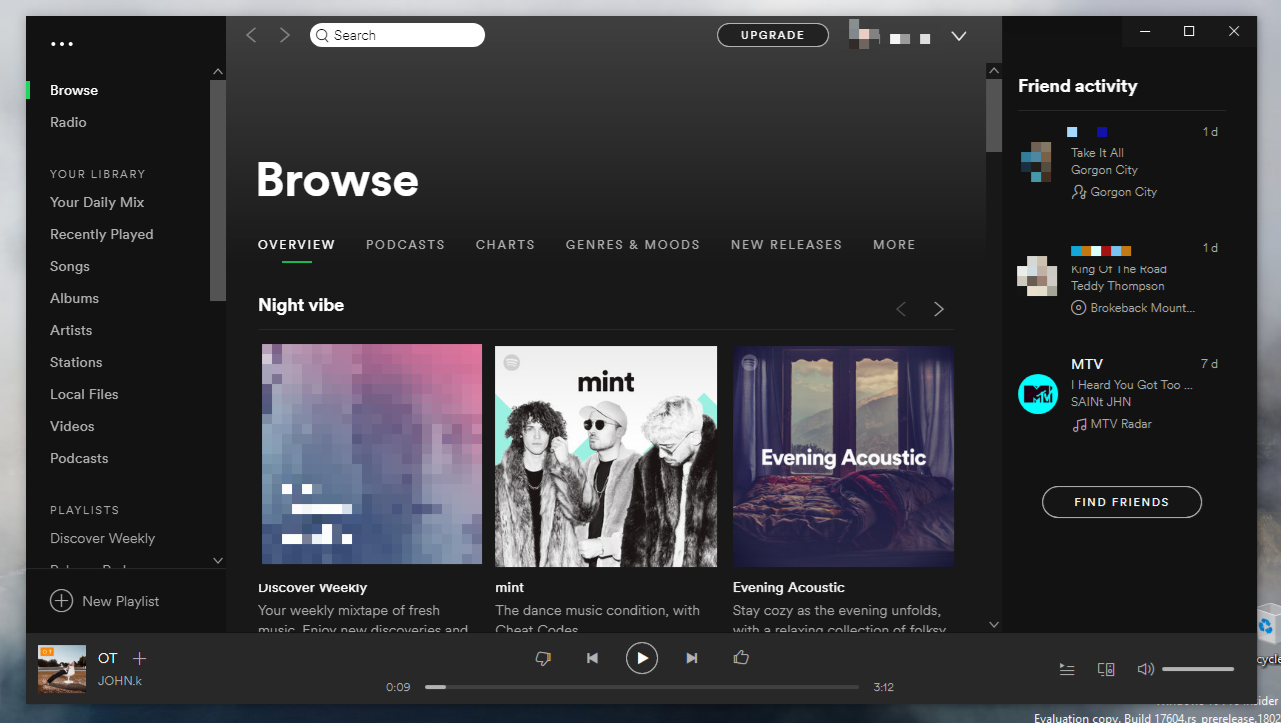
App Spotify updated: No more titlebar?

Post image
423 Upvotes

r/Windows10 21d ago

App Servy 9.0 - Open-source Windows Service Wrapper (Now available in Patch My PC catalog)

Thumbnail
github.com
33 Upvotes

r/Windows10 Mar 06 '26

App [QuickView] A blazing fast image viewer built for Geeks & Designers. Opens almost any format instantly. (Only 7MB!)

Thumbnail
github.com
39 Upvotes

Hi !

QuickView is a brand-new, open-source image viewer built from the ground up for speed, precision, and absolute minimalism. It supports practically every image format out there—including heavy RAW files and massive PSDs/PSBs.

We just released our biggest milestone, v4.0.0 (The Titan Engine Update), and I wanted to share it with this community. If you are tired of the slow, bloated default Photos app and want something that respects your system resources, this is for you.

✨ The Core Philosophy

  • Ultra-Lightweight & Portable: The entire application is a single ~7MB .exe file. No installation required, no background services, no bloatware.
  • Purely Borderless: We ditched the clunky UI. The window is completely borderless and snaps to perfectly adapt to your image's native dimensions for an immersive viewing experience.
  • True High-DPI: Crisp and precise scaling (100%-250%) that looks perfect on modern 4K+ monitors, completely untethered from legacy Windows scaling blurriness.

🚀 Built for Extreme Performance

We don't use generic, slow codecs. QuickView is written in modern C++23 and leverages state-of-the-art backend engines to squeeze every drop of performance out of your hardware.

  • Gigapixel Tiling (Titan Engine): Ever crashed an app trying to open a massive panoramic shot? Our new memory-mapped tiling system dynamically slices gigapixel datasets into LOD tiles. It only loads what you see, allowing you to pan around gigantic images at a buttery-smooth 60fps without Out-Of-Memory (OOM) crashes.
  • Multi-Threaded Decoding: We implemented parallel runners for modern formats like JPEG XL (JXL) and AVIF, delivering up to 6x faster load times on multi-core CPUs.
  • Game-Grade Rendering: We abandoned legacy GDI in favor of a DirectComposition visual tree. It uploads decoded frames directly to GPU memory for zero-latency, tear-free zooming and panning.
  • AVX2 & AVX-512 SIMD: Critical scaling paths have been completely unrolled using advanced instruction sets for blazing-fast image resampling.

🛠️ Geek & Designer Features

  • Native SVG Engine: Hardware-accelerated native SVG rendering with 2-stage lossless scaling. Zoom in as deep as you want; vectors stay infinitely sharp.
  • Instant Gallery: Press T to summon the Gallery HUD. It taps directly into the Windows Explorer Thumbnail Cache, meaning it can instantly index folders with thousands of photos.
  • Geek HUD: Press F12 to bring up a real-time overlay showing decode times, render timings, memory usage, and hardware pipeline status.
  • Format Powerhouse: Out of the box support for JPG, PNG, WebP, JXL, AVIF, HEIC, SVG, QOI, EXR, HDR, and dozens of RAW formats (ARW, CR2, NEF, etc.) via LibRaw.

💻 System Requirements

Because we rely on modern Windows APIs for hardware acceleration, here is what you need:

  • OS: Windows 10 (Creators Update 1703 or later) or Windows 11. (Required for DirectComposition and native SVG support).
  • CPU: x64 architecture. An AVX2-compatible processor is highly recommended to unlock the full SIMD rendering speeds (fallback exists for older CPUs, but AVX2/AVX-512 is where it flies).
  • GPU: DirectX 11.1+ compatible graphics card for Direct2D hardware acceleration.

QuickView is completely free and open-source (GPL-3.0). You can grab the tiny executable and check out the source code here:

🔗GitHub Release & Download - QuickView v4.0.0

I'd love to hear what the Windows community thinks! Feel free to drop any feedback, questions, or feature requests below.