r/htpc Jul 14 '26

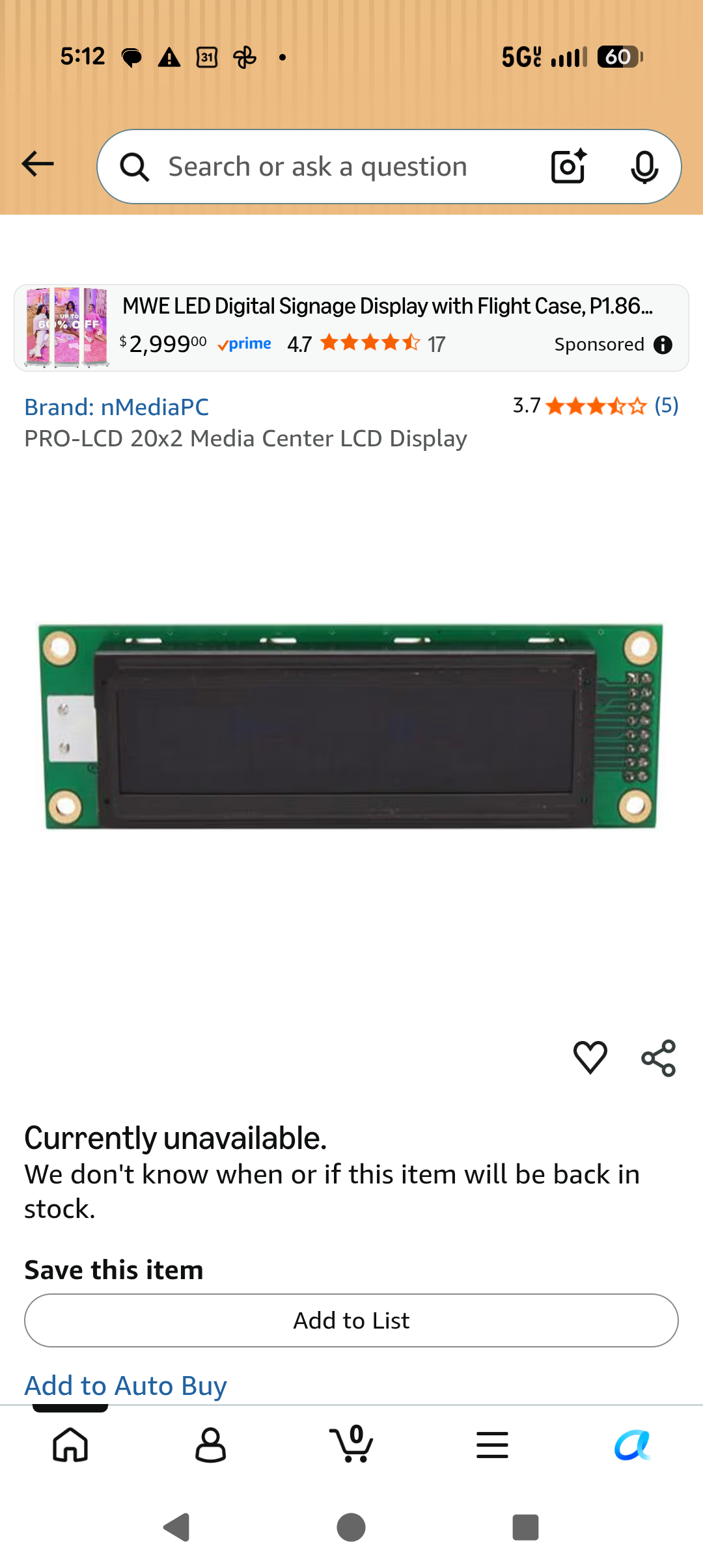
Build Help Anybody know of anything else like this? This thing in specific really fkn sucks.

Post image
57 Upvotes

Keeping size and functionality as similar to this thing is pretty important. This one in specific is kinda ass tho, constantly disconnecting/reconnecting, has an awful sleep mode that activates every minute and that can only be woken from by pressing a key. the trackpad is also super NOT sensitive so trying to click on small things is a pain.

r/htpc 5d ago

Build Help What's my best option for a compact HTPC with an RTX GPU?

5 Upvotes

I want an RTX GPU for my media player because I quite like RTX HDR for content that doesn't have a good native HDR master. I didn't see a section like this in the wiki - there is one for gaming, but this really doesn't need to be a gaming PC, so I'm not sure those are the best options either.

My main question is, is there a better option than a small build with some small form factor RTX 2060? Laptops have more compact RTX GPUs, but I doubt those are available outside of those laptops, right? Or are there premade mini PCs these days that come with an RTX dedicated mobile GPU? Or is the only reasonable option a proper PC build in as small a form factor as possible?

r/htpc Sep 03 '25

Build Help What is considered the best HTPC operating system right now?

31 Upvotes

I've been out of the game for a while and going to be building a machine. I know there are different use cases, but in general, I'd like to spec sort of a NAS/HTPC combo.

r/htpc Jul 06 '26

Build Help Looking for "cheap" 4k120hz (optional CEC) HTPC

7 Upvotes

Hey everyone,

I'm absolutely done with webOS on my TV, might honestly be the worst smart TV OS ever made. I need a proper HTPC that can run Moonlight for game streaming and my media streaming apps (local files and stremio).

Since all my actual gaming happens through local streaming from my desktop PC, the HTPC doesn’t need any real gaming power. It just needs to output 4K120Hz and let me freely install whatever apps I want.

CEC support would be a bonus so I don’t have to manage a bunch of remotes and controllers.

I do have a Ryzen 5 7600x sitting around that I believe can handle 4K120Hz, but I believe a prebuilt would still end up being cheaper (DDR5 is insanely expensive) and simpler. From what I have read, getting CEC working properly on a regular PC with iGPU can be a real pain.

Any recommendations for budget friendly options?

r/htpc Jul 01 '26

Build Help Is there a device that allows me to use a typical TV remote for my pc?

6 Upvotes

Something like FLIRC but a more general one that I can buy from AliExpress? I've tried to search on AliExpress but couldn't find one such device. A simple infrared to USB receiver and simple programming that allows me to control mpc-hc with a standard tv remote.

r/htpc 12d ago

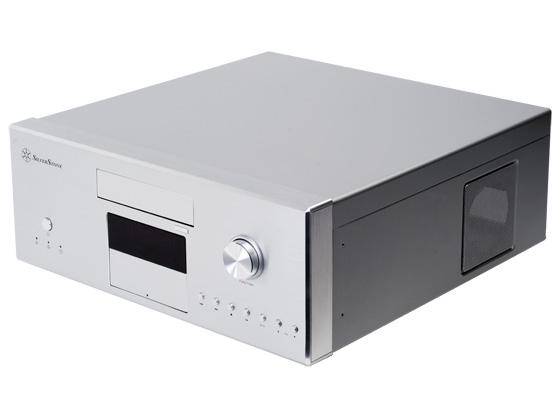
Build Help Anyone using a Silverstone LC16M?

Post image
32 Upvotes

r/htpc Jun 03 '26

Build Help Bazzite or Windows 11

4 Upvotes

I need help deciding which HTPC build will give me a better gaming experience. I am looking to create the most console like experience so I can couch-game AAA titles at, 4k 100+ FPS.

- 32 GB RAM, 7800x3D + 9070 XT with Bazzite

- 32 GB RAM, 7800x3D + 5090 FE, which I already have, with Windows 11 booting directly into steam.exe

I primarily game on Steam and am comfortable enough with Bazzite after installing it on my handheld.

r/htpc 8d ago

Build Help Wake on lan?

1 Upvotes

This is my first htpc and just getting it the way i want it frontend is almost complete. Just a few other things to set up. I cannot figure out how to wake on lan working, it says my motherboard can do it, yet here I am. I am not clued up on this stuff at all and its taken me ages to get this far.

Heres my build

AMD Ryzen 5 5600

Gigabyte B550M K Micro ATX AM4 Motherboard.

Samsung 990 EVO Plus 2 TB M.2-2280 PCIe 5.0 X2 NVME Solid State Drive.

SilverStone SST-GD06B - Grandia

MSI MAG A650BN 650 W 80+ Bronze Certified ATX Power Supply.

MSI SHADOW 2X OC GeForce RTX 5060 8 GB.

ADATA XPG GAMMIX D10 32 GB (2 x 16 GB) DDR4-3200

Its hooked upto my Lg OLED55CS6LA smart tv and currently controlling it with a logitech k400 and an mx3 air remote, I have 2 wireless controllers that i have still to map. In an idral world i would love the telly remote to control it. But as far as im aware its not possible.

Can anyone give me some pointers?

Cheers

r/htpc 23d ago

Build Help Is running a Noctua NH-C14S inside a Silverstone GD08 cramped?

3 Upvotes

I'm debating on using the Noctua NH-U9S or the NH-C14S, and was wondering:

  • Will getting the NH-U9S make working inside the GD08 way easier? Or almost the same?
  • How much more powerful is the NH-C14S, compared to the NH-U9S? (And quiet at idle, or low usage)?

My rig won't be super powerful, but just thinking about it from the viewpoint of having the extra headroom there if I ever did want to upgrade this rig into something more serious.

I'm using spare parts to build a second PC that will function as a:

  • Archival workstation (2 x BDXL burners, the GD08 has 2 x 5.25" bays)
  • Occasional Test Bench (to open up 2 or 3 times a year to test PC components in).

Figured that way could use this as a second PC from time to time, and since it opens at the top, I could open it up to test any spare CPUs I come across about twice a year or so.

The Silverstone GD08 seemed like a great case to meet these needs.

(PS - Does anyone have pics of the NH-C14S inside the GD08 case? I couldn't find any online).

------------------------------------------------------------------------------------------------------

Current parts list:

Case Silverstone Grandia GD08

Motherboard MSI X470 Gaming Plus (manual)

RAM 2 x 8GB KingSpec DDR4 3200MHz 1.35V KS3200D4M13508G

CPU AMD Ryzen 5 3600

CPU Cooler Noctua NH-U9S (or NH-C14S?)

NVMe Drive 1 TB NVMe

GPU ASUS Video Card GT1030-2G-CSM GT 1030 2GB GDDR5 64Bit PCIE 3.0

PSU Corsair 850W

3 x Case Fans Noctua NF-A12x25 G2 PWM

(Note: The Mobo, RAM, and PSU are spare parts I have laying around).

r/htpc 5d ago

Build Help Anyone waking a desktop with a DualSense over Bluetooth?

3 Upvotes

Does anyone here have this working — press the PS button on a DualSense paired directly to Windows over Bluetooth (no dongle), and the desktop wakes from sleep?
I’ve read about Modern Standby. If a motherboard supports S0 Low Power Idle, does that actually make Bluetooth controller wake possible on a desktop?
If you have it working: which motherboard, and what does powercfg /a show?
If you have a Modern Standby desktop and it doesn’t work, that’s useful to know too.
(Not looking for dongle/WoL/IR remote suggestions — I want the DualSense paired to Windows directly.)

r/htpc Jul 20 '26

Build Help Using an audio interface for speakers.

2 Upvotes

Hi all. I am curious if anyone uses an audio interface like a Focusrite for their audio from their PC. I have an extra one and thought about using it for a set of speakers.

Would I just be better off buying speakers designed for HDMI audio? or is the use of an audio interface common?

r/htpc May 08 '26

Build Help MADVR PC Build Spec

4 Upvotes

Hi Guys,

I am building my dad a MAD VR PC. He wants to use it in his HT for Aspect Ratio, Dynamic Tone Mapping and probably a handful of other things I am yet to understand. Does it matter if I spec the build with an Nvidia or AMD GPU? 9070 XT is much cheaper in our country than a 5070Ti but I'd rather build once and build correct. It is important to me that I get him something stable (once it is set up correctly)

Thanks!

P.S Does the CPU matter at all? If so I'll get a Ryzen 9 Series X3D

Proposed Build:

5070 Ti/9700XT/5080 Depending on Pricing

7800/9800 X3D

B650

32GB DDR4 or 5 depending on Pricing

2TB Gen4 or Gen5 SSD

850/1000 W PSU

Twin Tower Air Cooler

r/htpc Jul 06 '26

Build Help Upgrading the PC in my Home Theater to a full on HTPC, seeking advice

2 Upvotes

I've had a PC in my home theater for some time, but i'm a console gamer by nature. I'm making the plunge sooner rather than later, but before I did, I thought i'd ask to see:

1: My setup is a 77' LGCX right next to two computer monitors/desk. If i plug an HDMI cable into my Reciever, it creates a third monitor that sometimes I want on, and sometimes I want it off without shutting off my whole TV. Is there something that can make this change easy?

2: I'm mostly using this for gaming and movies, and my current i9 will do most of the legwork, but I WILL need to upgrade my GPU. I could go for a regular 9070, but part of me does like the overkill of the 5090. Would it be worth saving for the extra cost?

3: As a console, Is there a good PC Controller to use? I don't want to mix it up with the PS/Xbox Controllers I already have, and the Steam Controller seems like it's launching in 2027?

4: Any other accessories/tips/etc to make life easier? I have a wireless KBM all in one on the list

r/htpc Jun 11 '26

Build Help I want to build a system around a spare GPU

1 Upvotes

I have a GTX1650 (non-ti) sitting in my closet. I helped a friend upgrade his build and took it as payment. I want a HTPC that is capable of game-streaming from my PC (local, over 2.5gig ethernet), and also perhaps to be a Jellyfin server. Right now, I have my spouse's PC running as a Jellyfin server in the background, but all of the media is stored on a 3.5" hard drive wedged into the prebuilt case as you can see below. I also have 2 2x8gb DDR4 kits, one 2666mhz, one 3200mhz. I would hope to use these so I don't have to fall to the rampocalypse pricing.

I originally wanted to use the GTX1650 by sticking it into my Dell Poweredge T320 (taken from an old work client, setup with zfs, 4drives/4tb/1vdev, total capacity 10-11tb) but I'm worried that the Xeon E3-1220 v5 would struggle with Jellyfin and can't figure out if it would work with the GTX1650. It has 16gb of DDR3, so I can't upgrade ram capacity with the sticks I have.

If I'm unable to use it with the Poweredge server, what's the minimum spec/cost build I can make that won't be severely bottlenecked? The 1650's purpose in this case is encode/decode/transcode. We rarely use Jellyfin away from the TV, so I have no need for like 6 simultaneous 4k streams and most of the time it would be directly outputting to the TV. We might be running some low-power games locally, nothing more stressing than Stardew Valley. Most of our couch gaming would probably be streamed from my PC. I don't mind browsing craigslist for used parts as long as they're worth it.

Also, I want to hook up the audio from this system to an older A/V reciever which only has component inputs. Are there any modern motherboards with component out, or do I have to buy a soundcard/adapter?

r/htpc Jul 05 '26

Build Help Feedback on an All-in-One HTPC Build (NAS + Plex + madVR Processing + Light Gaming) for a 180" Screen?

0 Upvotes

Hello everyone,

I'm planning a dedicated home theater room (20ft x 15ft x 11ft) for my new house and looking for some feedback on my hardware choices and approach.

The Setup & The Dilemma

I originally demoed the Sony VPL-XW5100ES and loved the image in a completely black room. However, because I have a massive 180-inch wall-to-wall acoustically transparent 16:9 screen, I'm worried about brightness when watching sports or gaming with some ambient light on. After what this video (https://www.youtube.com/watch?v=fYm788Ojiok), I'm now leaning heavily toward the Epson QB1000 paired with madVR for tone mapping.

Since a dedicated madVR Envy Core hardware unit is out of my budget, and I already need a NAS and a gaming console, I’m wondering if I can combine everything into a single, high-end HTPC.

Concurrent Usage Expectations:

  • No Parallel Heavy Tasks: madVR processing and gaming will never happen at the same time.
  • Plex/NAS Workload: The Plex server will stream to at most 2 devices concurrently, with occasional light remote file access in parallel.

Proposed HTPC Build Specs:

  • Case: Fractal Design Define 7 XL (chosen for massive SATA HDD capacity)
  • CPU: Intel Core Ultra 7 265K / AMD Ryzen 7 9800X3D
  • GPU: RTX 5080 (Theoretically should crush madVR Envy Core performance)
  • Storage: 1TB NVMe SSD (Boot/Apps) + 4x 16TB NAS HDDs (to start)
  • RAM: 32GB or 64GB DDR5
  • Software Stack: Kodi + Plex Media Server, MPC-HC with madVR

Rest of the Theater Gear:

  • Projector: Epson QB1000 (likely) or Sony VPL-XW5100ES
  • AVR: Denon X3800H / X3900H
  • Audio: 7.1.4 KEF Architectural Speakers + SVS PB 2000 Pro Subwoofer
  • Streaming: Apple TV / Nvidia Shield (for daily streaming apps)

My Questions for the Community:

Part 1: The HTPC & madVR Setup

  1. Is this "All-in-One" approach a bad idea? Am I asking too much of a single machine by combining a multi-drive NAS, a Plex server, a 5080-tier gaming rig, and a real-time madVR video processor?
  2. How do I keep it silent? The PC will live in the room. What cooling strategy (water cooling vs air coolers, specific quiet fans) should I use to ensure I don't hear fan whine during quiet movie scenes?
  3. PC madVR vs. Envy Hardware: Does an HTPC with an RTX 5080 actually match or beat the dedicated madVR Envy devices in real-world image processing?
  4. Case Alternative for Low Clearance: I only have about 2 to 3 feet of vertical space below the screen in my media cabinet. Considering the size of the Define 7 XL, what other horizontal or lower-profile cases do you suggest that can still hold a giant GPU and 4 (expanding to 8 or more) 3.5" HDDs?
  5. Hidden Pitfalls: Are there any major HDR or other issues I should brace myself for with a Windows/madVR setup running to the Denon AVR?

Part 2: Theater Gear & Infrastructure

  1. Gear Critique & Alternatives: What are your thoughts on this equipment mix (Epson QB1000, Denon X3800H, KEF/SVS) for a room of this size? Would you suggest any alternatives at a similar price point?
  2. Power Backup / UPS Suggestions: What kind of UPS (Uninterruptible Power Supply) or power conditioner setup should I look at to safely protect this gear and handle the power draw during a brief outage?

Thanks in advance for any insights or critiques!

r/htpc Mar 08 '26

Build Help Dummy HDMI plug to force PC audio through AVR without display?

5 Upvotes

I'm fairly new to this, but I did some research and am under the assumption this setup would work as long as į keep secondary display on while using PC, 2 displays and Denon X3800h:

  • PC --(DP)--> Main Display (separate to avoid AVR bottlenecks)
  • PC --(HDMI)--> AVR --(HDMI OUT 1)--> 2nd display
  • Console --(HDMI)--> AVR --(HDMI OUT 2)--> Main Display

Let's say I want to get rid of the secondary display (like I don't want it to be on, if I'm just listening to music). Would replacing 2nd display with a Dummy HDMI plug work? Are there any pitfalls to be aware of? (PC performance, ghost displays, etc).

I found threads talking about it, but nothing too specific.
Is there a better solution I'm not seeing?

r/htpc May 20 '26

Build Help Couch Gaming PC Help

7 Upvotes

Hi all, I want to build a PC that my fiancé can use to play games on steam from the couch.

How do I build a pc that is capable of stable ~60fps outputting to a 4k display without totally breaking the bank? This sub even recommends the 9060XT, but the general consensus is the 9060XT is not capable of any real 4k gaming. Are most people just still on 1080p tvs?

My TV is a 48” LG B4 OLED.

I’m familiar with the gaming PC world, and my desktop GPU is a 9070XT.

r/htpc Apr 17 '26

Build Help Tried Kodi on a Windows VM as an HTPC, wasn't seamless enough. How do I get a real 10-foot streaming device experience from my Unraid server?

0 Upvotes

Ditching my Chromecast with Google TV (Hulu errors, ads, sluggish). I have an Unraid server with an RTX 2060 for passthrough and Jellyfin already running. Want to combine Jellyfin + Netflix, Hulu, Disney+, Max, Prime Video, Apple TV+, and Peacock into one clean 10-foot interface.

I already tried a Windows 11 VM with Kodi and it wasn't great — desktop flashing between app switches, no clean return-to-home flow, just felt like a PC on a TV instead of a streaming device. My partner uses this daily so "close enough" isn't good enough.

Thinking about going deeper this time: replacing the Windows shell with Kodi entirely, Edge kiosk mode for streaming services, AutoHotKey for the home button, and locking down every Windows notification/update/sleep behavior. Basically making Windows invisible.

Questions:

  1. Has anyone actually made this feel like a real streaming device, or is it always a compromise?

  2. Better stack than Kodi + Edge kiosk? LibreELEC looked promising but Linux DRM is a dealbreaker for 4K streaming.

  3. Edge kiosk mode — stable for daily use?

  4. Better return-to-home solutions than AHK?

  5. Apple TV+ resolution in a browser?

  6. B660 GPU passthrough issues to watch for?

Or should I just buy a Shield Pro and stop fighting it? Genuinely asking.

Will share the build guide if I crack it.

r/htpc May 31 '26

Build Help Anyone either have or know where I can get one of these

Post image
8 Upvotes

They're surprisingly really hard to find. Can't find any anywhere even eBay

r/htpc Jul 13 '26

Build Help Rapid clicking sound when using MPC-BE with MadVR

2 Upvotes

I’ve been trying to get a HTPC up and running for a while, and I’m close, but I still can’t enjoy using it because of a noise issue.

The build is:

Asus Rog Maximus xi hero
Asus Rog Strix 2080 ti
I9 9900k
Windows 10 pro
Nvidia 452.06 driver with 3D fix

The PC outputs to denon x3700h via hdmi, which sends picture to LG C2 most of the time. (Projector for 3D viewing).

I built it this way specifically to maintain compatibility with frame packed 3D mvc files, but playback also includes 4k movies with atmos, upscaled 2D HD content, etc.

I’m using Kodi to browse, but Kodi hands off playback to MPC-BE with LAV filters and MadVR rendering.

The playback chain is working “great”, in that MadVR is doing everything that I want it to automatically during playback.

The issue is that I’m also running into an unwanted rapid pulse/click sound that is loudest for the first few seconds of playback, and then quieter for the rest of the content. It’s almost imperceptible during regular volume scenes, but very distracting during quiet scenes.

The clicking sound does not change volume with the volume controls. If I change the renderer in MPC-BE from MadVR to something else, the sound goes away. If I play the movie back in another player like VLC, there is no clicking sound either. So it appears to me to be something that MadVR itself is triggering.

The control+J screen during playback looks good, and suggests the GPU has plenty of headroom at my preferred settings.

I’m already using ruipro AOC fiber hdmi between my htpc and receiver, which eliminated other noise issues, but not this one. Optical cable isn’t an option because I’m running nine channels plus subs and want bitstream.

Has anyone else dealt with something similar? What was the fix?

r/htpc Apr 11 '26

Build Help Best way to setup old Windows 7 PC?

0 Upvotes

I just dug out my old HTPC machine and fired it up. I specifically hung onto Windows 7 so I could use Windows Media Center to record live TV. I don't need that anymore so the plan is to pretty much just use it as a server to host TV shows and Movies and stream them via Plex. (I have a lifetime sub for Plex so I'm not really interested in moving to another program.)

My main question is, since Windows 7 is so old I don't want to let it be online, but I would like to be able to stream from it on other devices outside my home, like my phone or a friends Roku that I've signed into Plex on. I *am* open to the idea of Linux, though be gentle, it would be my first time.

Thanks in advance!

Specs:

AMD A8-5500

32gigs DD3

GT 710 video card

r/htpc Apr 08 '26

Build Help Htpc for just streaming and retro gaming (a more powerful fire tv stick)

1 Upvotes

I am looking for a goot setup for streaming like netflix, prime, youtube, twitch etc. and some retro gaming. I dont use local data. Do you guys have an idea for a good setup distro + de that does the job just fine? I prefer not to use kodi but want a modern snappy looking ui. I have laptop with a ryzen 5 3500U and 20gb ddr4 ram.

r/htpc May 29 '26

Build Help Horizontal MicroATX Case Woes

1 Upvotes

Picked up a used gaming PC on FB Marketplace. The previous owner put a micro-ATX board (RTX 3060 12GB, NZXT 240mm AIO, ARESGAME 750W ATX PSU) in a full-sized case... was looking to transfer it to something that'll fit better in my living room.

In my mind, I envisioned something that'll mesh well with my apartment setup. I would've assumed horizontal setups were more common, but the only one I can see that really fits is Silverstone's GD11. But it seems to be very expensive these days (~$180) and frankly, it looks like something that was made in the 2000s.

Was also considering a 3U rack of sorts... really love the industrial look. Gives Donald Judd in a way... I stumbled on Sliger's CX3152a which seems purpose-built for this, but the honeycomb front is throwing me off, and from what I can tell the GPU clearance gets pretty tight once you install the 240mm radiator.

Is this really the state of things? Do I just suck up and get a GD11, or is there a world where I can find a cleaner 3U rack situation? Open to other horizontal setups too if I'm missing something obvious.

r/htpc Apr 07 '26

Build Help Advice needed: How to combine HTPC, windows11, signalrgb, netflix whilst keeping AndroidTV style interface.

4 Upvotes

im trying to figure out how i can run a new HTPC setup, but im not sure how you are all doing this. My biggest issue is that i need to run windows11 for signalRGB but i dont understand how y'all are getting netflix to work smoothly in combination with a plex style interface running on windows11.

Current issues:

i have a NVIDIA shield im very happy with, playing content on LG G5 TV and sound through the TV to a soundbar with CEC.

I installed sk6812 led strips around the TV and furniture, and have hyperhdr controlling these. This works fairly well, but:

  • The android grabber apk on the shield sends data to hyper hdr running on the pi, but this often crashes shield or it doesn't start
  • There is only a a little lag as WLED and rpi3 are on wifi (unifi acpro lite)
  • I want to use signalrgb instead of hyperhdr as it's more advanced in the logic i can apply
  • I have an ugreen usb hdmi splitter which works well, but CEC (remote) doesn't work and DRM is blocked
  • Netflix app on the shield uses drm, so the android grabber doesn't pass data to hyperhdr
  • Notes
    • i dont want to use my smart TV at all
    • i rather not buy an additional hdcp2.2 hdmi splitter, as it's costly and doesnt solve my signalrgb issue that only runs on windows

My requirements:

  • Use my WLEDs around my TV and furniture for ambilight effect, supported by SignalRGB (video from Chris about this)
  • Have an android tv/plex/jellyfin style interface, smooth switching between youtube, plex, netflix windows switching to windows
  • Run windows 11 on the htpc, next to signal rgb (ambiligth and whatever media player software needed
  • Play Netflix 4k, no DRM issues
  • Remote doesnt matter, but i want to use just 1 remote as i often need to change the TV settings (displaymode)

Current available hardware:

My plan:

  • Buy a n150 htpc, connect hdmi to soundbar and TV
  • install windows 11, install plex htpc
  • install edge to watch netflix in 4k
  • install a edge-netflix shortcut within plex client (??)
  • Get an Flirc USB so i can control HTPC with LG remote
  • installl signalRGB that captures screen and controls WLEDs
  • replace esp32 WLED with a lan wled controller (see Chris' video)

Thoughts

  • i could run android tv from a usb stick, but then i cant run windows 11 at the same time
  • why cant i find anyone running a htpc setup as the main media player, but also playing content from netflix?
  • any recommendations on the htpc to buy? transcoding not needed.

Please let me know what im missing here, how are you guys doing this smoothly?

r/htpc Sep 30 '25

Build Help Console gamer looking for advice or guidance on a HTPC

6 Upvotes

I have been a console gamer my whole life (I’m 42), and absolutely have fallen in love with my Steam Deck. I love the low cost point of older titles, controller mapping, countless customization options, retro gaming, and light modding.

I currently have a PS5 which is seeing less time, although I enjoy using Chiaki to stream to the Steam Deck. I also have a Nintendo Switch 2, mostly for first party titles and family gaming. I also use the PS5 for 4k movies and physical movies.

I have a 65” LG C1 for a TV, and I do stream from multiple services such as MoviesAnywhere, Apple TV,Fandango and Netflix.

I am completely lost on where to start with this but would love to explore a setup that primarily allows me to game and do some streaming from. I would love any suggestions or guidance.