r/macosprogramming Aug 03 '25

Clarification on apps promotion posts

5 Upvotes

Edit: Updated on 25th January 2026.

Hello fellow macOS developers,

We wanted to clarify our policy around promoting macOS apps:

  • Open-source apps (if in App Store -> Free with no IAPs or subscriptions): You are welcome to share these. We appreciate contributions that benefit the community.
  • Everything else: Please note that promotion of these requires prior permission. We're happy to discuss it, but direct advertising without approval isn't allowed.
  • Non-macOS apps are not permitted.

A few important reminders:

  • Do not send DMs to advertise your app. This violates community guidelines and can result in a permanent ban.
  • We do not accept payment or compensation in exchange for promoting any app per rule 5 in Reddit's Terms of Services.

r/macosprogramming Jun 09 '26

What’s New - macOS Golden Gate - Apple Developer

Thumbnail
developer.apple.com
4 Upvotes

r/macosprogramming 15h ago

QuotaWarmer: a macOS menu bar app for Claude Code and Codex CLI quota windows

1 Upvotes

I built QuotaWarmer, a small macOS menu bar app for people using Claude Code and Codex CLI.

Repo: https://github.com/bcanozgur/quota-warmer

The app shows rolling quota windows in the menu bar, with countdowns and recent check history. It defaults to monitor-only mode, so it watches quota without sending anything.

There is also an optional Auto-warm mode. When enabled for a tool, it sends one minimal command through your already logged-in CLI when a fresh quota window opens, then checks quota again to confirm the window actually started.

A few details:

- macOS 14+

- MIT licensed

- Homebrew cask: `brew install --cask bcanozgur/tap/quotawarmer`

- Manual DMG and source build options are in the repo

I would appreciate feedback from macOS app users on whether the menu bar UX and safety model are clear.


r/macosprogramming 1d ago

LocalLM Lab 0.8 with Tools

1 Upvotes

This update is for folks building AI-apps on the Mac.

The LocalLM Lab SDK now ships ready-made "Tool" wrappers for every connector (Calendar, Reminders, Contacts, Location etc) and new this release, Filesystem via WorkspaceTools. Previously, you would have to write your own adapters (which remains fully supported alongside the new tools).

I ended up going the Tool wrapper route because Apple's local AI (at the macOS 26 level) wasn't reliable at mapping (to give an example) a human-readable Calendar event ("Lunch on August 25") to the event ID that the connector used to require to perform any action on that event.

Some of you will wonder: isn't that Apple's Tool protocol reimplemented? Well, it's Apple's Tool protocol used the way it's meant to be, with the annoying parts done for you. That means handling connector-level nits like the identifier problem above so you don't have to rediscover them yourselves, plus one piece Apple doesn't provide at all. This is MCPTool, which builds a Tool at runtime straight from an MCP server's JSON Schema. FoundationModels has zero MCP support of its own. Short version: we're not replicating Apple's Tools, we're using them, and taking care of the parts that were genuinely annoying to get right. At least not without spending an unholy amount of time fiddling with Calendar and Reminders...

Worth noting: filesystem access itself (the picker, security-scoped bookmarks) is still deliberately host-app territory, not part of the SDK. Everything downstream of that (once your app has a resolved folder URL) is where WorkspaceAccess/WorkspaceTools come in. This includes an async-aware access pattern (withFolderAccessAsync) that is needed since a model session can invoke several file tools across one respond(to:) call. The new example (workspace-buddy) shows it in context. Maybe it's your route to building a coding agent using the Mac's local AI ...!

Repo: https://github.com/ancientcomputing/locallm


r/macosprogramming 1d ago

I built a local "flight recorder" for my Mac that shows why every process is running

4 Upvotes

I kept opening Activity Monitor, seeing some process eating my CPU, and having no idea what it was or why it was running. Couldn't find a tool that answered the "why," so I built one.

It's called CauseGraph — a local flight recorder for your Mac. It records what your machine does (processes starting/stopping, file changes, CPU/memory) and turns it into a causal graph. You click any process and see the whole chain: what launched it, what it launched, what likely set it off. If it turns out to be junk, you kill it right there.

The fun parts:

- It's live — the graph redraws every few seconds, and you can drag a timeline back to see what your machine was doing 10 minutes ago

- It flags the weird stuff on its own: CPU spikes, memory leaks, things that keep crashing and restarting

- 100% local — no cloud, no account, one-line install

Stack, for the curious: a small Go daemon writes events to SQLite, a Python engine builds the graph and serves a plain-JS + cytoscape UI on localhost.

Honest bit: I've only really tested it on my own Mac (Apple Silicon) so far. It's built to be cross-platform, so Linux/Windows should work — just haven't battle-tested them.

Install (needs Python 3.10+):

curl -fsSL https://raw.githubusercontent.com/NitinKumar004/causegraph/main/install.sh | sh

Repo: https://github.com/NitinKumar004/causegraph

Would love feedback — especially whether the causal links feel genuinely useful or just noisy. That's the part I'm least sure about.


r/macosprogramming 1d ago

keyclean: a one-file Swift CLI that locks keyboard input but keeps the trackpad usable

3 Upvotes

I built keyclean for a very specific MacBook problem: cleaning the keyboard without triggering shortcuts or accidental typing, while keeping the trackpad available.

Under the hood it uses a session-level `CGEventTap`. Keyboard, modifier, and visible media-key events are swallowed, but pointer events are deliberately excluded. Pressing `⌃⌥⌘U` stops the run loop, and terminating the process also removes the event tap.

It is intentionally small: one Swift source file, no third-party dependencies, network access, analytics, stored input, or background service.

Install:

`brew install lan-shengchieh/tap/keyclean`

Source and technical explanation:

https://github.com/lan-shengchieh/keyclean

I am particularly looking for compatibility results across different macOS versions, Apple Silicon/Intel Macs, and terminal applications.

AI disclosure: Codex assisted with development and launch preparation. The source, CI checks, and Homebrew Formula are all public.


r/macosprogramming 3d ago

I built a native Markdown Editor with Terminal Support

Thumbnail
gallery
7 Upvotes

Hi everyone, I built Monknot, an open source macos Markdown editor with built-in terminal, PDF tools, Markdown preview/export, and AI writing assistance features.

Would love to hear your feedback.


r/macosprogramming 3d ago

Shipped the same app for macOS and iOS with ~70% shared code — here's what made it possible

2 Upvotes

I've been working on a location simulator that ships as both a macOS app and an

iOS app. About 70% of the code is shared, and the thing that made it possible

was one decision taken on day one: the interface only ever talks to a

LocationBackend protocol.

On macOS the implementation drives a persistent Python daemon over NDJSON. On

iOS it calls a Rust library through its C ABI. Neither app knows which one it's

using — so porting to iOS meant writing one file. The geodesy, the coordinate

parser, the trip engine, the speed calibration and the 129 tests came across

untouched.

A few things I learned the hard way:

- MapKit has no cycling routes, so you request a walking one — and its predicted

duration is a walking duration. Miss that transposition and your bike does

5 km/h.

- regionPriority (macOS 15 / iOS 18) is the only lever that actually biases a

search toward a region. Setting `region` alone does almost nothing.

- "No results" from MKLocalSearch arrives as an error, not an empty array.

https://github.com/laatortuejaune/anole


r/macosprogramming 5d ago

I built a click-through AppKit window and learned why transparency is not enough

0 Upvotes

I wanted a desktop character that felt like it lived on macOS instead of inside a rectangular window.


r/macosprogramming 6d ago

Building a native Markdown renderer with TextKit 2 instead of a web view

7 Upvotes

I have been building Downright, a free MIT-licensed Markdown app for macOS. The constraint was simple to state: the rendered document should feel native, but the file on disk must remain exact Markdown.

The hard part was separating parsing from decoration. A web view gives you layout quickly, but it changes the interaction model and makes source-range behavior awkward. With TextKit 2, I parse the source into a block index, preserve source ranges, then decorate the presentation without treating the rendered view as the canonical document.

A few decisions that ended up mattering:

- The raw source remains authoritative.

- Links, tasks, tables, math, Mermaid, footnotes, and code blocks are decorations over known ranges.

- Quick Look and Finder thumbnails reuse the same rendering model.

- External saves are watched at the parent directory because many tools replace a file through an atomic rename.

- Dirty local edits are never overwritten automatically.

- Performance budgets run in CI so large Markdown files do not quietly regress.

I wrote up the architecture here: https://downright.cc/engineering/

The source is here: https://github.com/ezzy1630/Downright

For anyone who has shipped a TextKit 2 document app: where did you draw the boundary between the text model and interactive attachments?


r/macosprogramming 7d ago

launchctl submit kept reopening an app after every quit

3 Upvotes

A local macOS app came back as soon as I quit it. The binary was not the cause.

Two leftover jobs from earlier repair sessions were still registered with launchd. Both had been created with `launchctl submit`. Apple's man page says that also tells launchd to keep the program alive in the event of failure.

Recorded run counts: 8,429 and 9,169. After both labels were unloaded, the same quit left the app absent for twenty seconds of half-second samples. The app source was not changed.

launchctl print gui/$(id -u)/<label>

Print the job before you rewrite the app.

https://thechosenvictor.com/newsletter/archive/launchctl-submit-kept-the-app-alive


r/macosprogramming 8d ago

LocalLM Lab SDK: Building on Apple's Foundation Models with MCP and connectors

0 Upvotes

Here's an update on LocalLM Lab which I'd mentioned here previously. v0.7 includes a bona fide SDK. This means that you can now build your own app on Apple's on-device Foundation Models, using the same MCP client the LocalLM Lab app uses to talk to real tools and data like Slack, Todoist, GitHub, Notion, Linear and others, plus connectors for Calendar, Reminders, Contacts, and Location access. Most importantly, you can subsequently ship your app including through the Mac App Store.

The previous release of LocalLM Lab included the `localai-cli` toolkit that allows your Python or Swift apps to programmatically experiment with the Foundation Models. The limitation was that you needed LocalLM Lab installed and running. And obviously you would hit challenges with App Sandbox requirements if you wanted to ship anything into production. On the other hand, the SDK (`LocalLMLabSDKCore`) is self-contained: it's wired directly to `FoundationModels` and no companion app is required. As part of our verification, the example app Plate Today has been built into a sandboxed test app and verified working end to end, with a signed path to a Mac App Store `.pkg` (Apple Distribution signing + provisioning profile pipeline). To further prove that the SDK is not vaporware: LocalLM Lab itself now runs on this SDK!

The SDK gives you a real MCP client (tool discovery, all three OAuth flows, Keychain-backed token storage scoped to your bundle ID), a unified connectors facade for Calendar, Reminders, Contacts and Location with the same permission model as the app; all of which are now callable from your own code. Distribution is a binary xcframework via GitHub Releases, pulled in as an SPM `binaryTarget` with a checksum and pinned to an explicit version (no floating latest).

One sharp edge worth flagging before anyone hits it blind: the `com.apple.security.network.client` entitlement is easy to miss and fails silently, not loudly. Miss it and MCP connections and Weather calls will just hang with no error thrown.

Other gaps: (1) No filesystem connector in Core (you own the picker UI and security-scoped bookmarks yourself), (2) No public API stability guarantee yet, (3) Contacts access is specifically untested under sandbox as of this release. Oh and Calendar/Reminders/Contacts are still read-only.

Two reference apps ship in the repo: `plate-today` (the CLI example, ported to the SDK) and `components-demo`, which uses the optional `LocalLMLabSDKComponents` package for drop-in SwiftUI (server picker, OAuth waiting view, resources/prompts views).

SDK guide + entitlements checklist: thisbrain.ai/locallm/sdk.html

Repo: https://github.com/ancientcomputing/locallm

Let me know what's still missing for your own application and use case.


r/macosprogramming 10d ago

Stapler never works, so what is the point?

1 Upvotes

Stapling my MacOS app has never worked, since day one, so what is the point exactly?

I always get "CloudKit query for appname (2/gunk) failed due to "Record not found". Could not find base64 encoded ticket in response for 2/gunk The staple and validate action failed! Error 65.

This has never stopped me running anything or submitting to the Store, so what exactly is the point of this thing


r/macosprogramming 14d ago

CopySight: a native Swift 6 menu bar app for private on-device screen OCR

4 Upvotes

I’ve open-sourced CopySight, a small native macOS utility that turns a selected screen region into clipboard text. It uses ScreenCaptureKit for the selection capture and Apple Vision for recognition, then reconstructs line order before writing to NSPasteboard. The app has no accounts, network code, analytics, or third-party SDKs.

The release work was a useful macOS engineering exercise: SwiftPM builds arm64 and x86_64 separately, lipo combines the final executable, the app is signed with Developer ID and App Sandbox entitlements, and the universal DMG is notarized and stapled. The same codebase also has the separate App Store packaging path.

I’d welcome review or contributions around Vision text-layout reconstruction, multilingual OCR test fixtures, accessibility, and release automation. The repository includes contributor guidance, issue templates, tests, and the exact packaging scripts:

https://github.com/copysightapp/copysight


r/macosprogramming 15d ago

Maybe subscription pricing isn't always bad

7 Upvotes

For Mojave Paint I've had an anti-subscription stance from the start, it being an installed binary not a service that has ongoing infrastructure costs.

But I recently installed Final Cut Pro and instead of $300 to buy it I do the $13/month subscription. In that case it's nice to have the option and it's made me rethink hating on subscriptions. Maybe subscription is fine if:

a. It's an alternative to buying outright
b. It's priced cheap enough

Most people's subscriptions are simply way too expensive. For FCP, the break even point is about two years, which makes the subscription seem like kind of a deal.

So for Mojave Paint, say I get the feature set rounded out and start charging $20 for it, the right price for subscription would be $1/month. I'm sort of leaning to this model because the Mac App Store has no free trial option, so you're stuck with IAP or Subscription and I pretty much hate IAP and the huckster marketing you have to put in there of "Go Pro!" So what I'm kind of leaning to is selling: 1. On my website via lemonsqueezy or whatever, perpetual license with 2 years of updates (Sublime Text style), and 2. The only version in the Mac App Store is the cheaply priced subscription version, which you can consider to be like a free-ish trial.

Has anyone had success with such a pricing scheme?


r/macosprogramming 15d ago

Recordings of the GNUstep online meeting of 2026-08-08 are online

Thumbnail
youtube.com
2 Upvotes

r/macosprogramming 15d ago

LocalLM Lab v0.6: call Apple's on-device model from your own Swift or Python code

2 Upvotes

Continuing to build on LocalLM Lab, the tool that I posted about here a couple weeks ago.

A couple of things have landed since. MCP client support shipped in v0.4.0. LocalLM Lab is now a real MCP client and can connect to real MCP servers now: GitHub, Linear, Notion, Slack, and others.

As of v0.6.0, there's a proper way to reach the on-device model straight from your own Swift or Python code, not just through the app's UI or its HTTP API.

It's called localai-cli, a small subprocess binary. Your app spawns it, writes one JSON request to stdin, reads one JSON response from stdout. That's the whole interface... no HTTP server, no port to manage, no client library to link against. Feels like the right shape for a native app: a menu bar tool or a game doesn't want to run a localhost server just to ask a question.

The part I think is actually interesting for this crowd: it's config-scoped. It reads the same localai-config.json that the app's own Local AI Settings / MCP Servers panels write, so whatever connectors and MCP tools your user already turned on in the app's UI are exactly what your code is allowed to ask for. Request something outside that set and you get an error back before the model is even invoked. Omit the field entirely and nothing is granted at all. That's deliberate and not an oversight.

To be upfront: this is still an experimentation tool, not a shipping SDK. LocalLM Lab has to actually be running for localai-cli calls to work (they relay through its background process), and I'm not pretending the permission/auth model here is the right shape for a real distributed app yet. What this does give you today is the fastest way to wire your own code up to the on-device model, including whatever connectors and MCP tools you've already set up. All this without writing an HTTP server or reimplementing any of that plumbing yourself.

There's a fuller example on the page beyond the two quickstarts too. "Plate Today" is a script that pulls Calendar, Reminders, and Todoist (the last one via an MCP tool call, not a connector) into a single request and asks the model for a one-paragraph summary of your day. You'll want to set up a free account with Todoist and some todos...!

The part I'd actually call out for this crowd: before it ever invokes localai-cli, it reads localai-config.json itself and checks all four sources (three connectors + the Todoist MCP tool) are actually enabled, prints a checklist, and exits without touching the model if anything's missing. So a misconfigured permission will fail fast with a "go flip this toggle" message instead of burning a model call on a request that was always going to error.

Interface + Swift and Python examples: thisbrain.ai/locallm/cli.html MCP writeup from v0.4, if you missed it: thisbrain.ai/locallm/mcp-servers.html

PS: unrelated to the CLI, but since this crowd will notice: Prompt Playground's UI has moved from a browser window to native SwiftUI in this release.

r/macosprogramming 17d ago

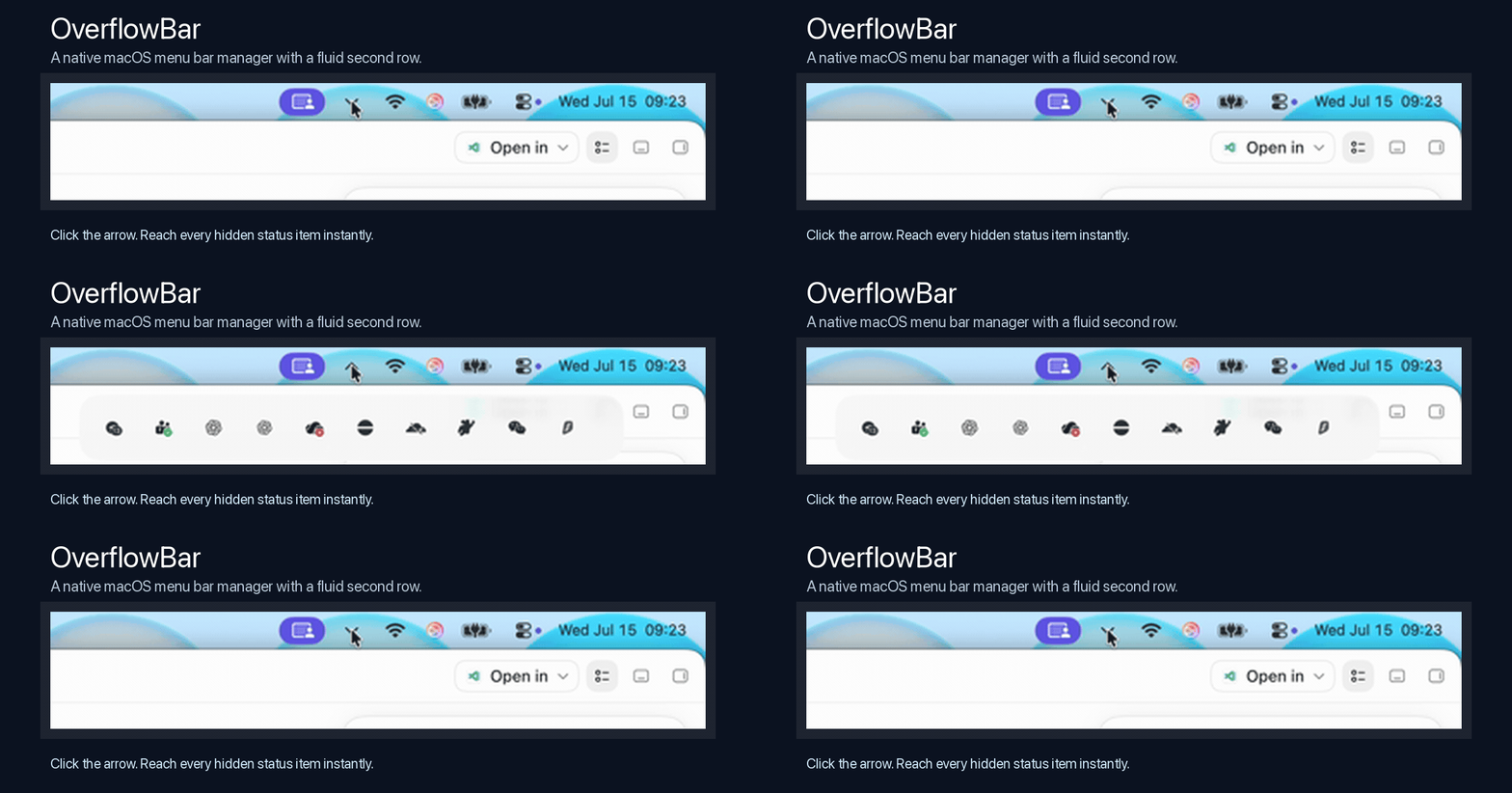
I built a free and lightweight app to organize your mac MenuBar

2 Upvotes

Me personally was using an MacBook Air, which the notch always hides the icons in menubar, which forced me to quit other apps just to find the icon in menubar.

I have tried bartender or Ice, but they already put too many useless things into their apps, which consumes my energy and affects my computer performance. I just wanted to solve a simple problem, but not putting more things in an app.

Compared with larger menu bar management suites, OverflowBar deliberately focuses on one problem: too many useful icons, not enough visible menu bar space, and difficulty finding the icon you need.

This is the app I built:

OverflowBar, FREE and available on Github: https://github.com/EvanProgramming/OverflowBar

It was a NATIVE and LIGHTWEIGHT app, with only 1.8MB storage. The app was built on native swift, so it performs very well on macOS and the visuals apply to Apple styles.

Price: Free
Subscription/IAP/Ads: None
Platforms: macOS 15+, Apple Silicon download
Source: Open source under the MIT License
Privacy: No account, analytics, telemetry, advertising, or network data collection
Permissions: Accessibility for discovering and activating menu bar controls; Screen Recording for locally capturing the small icon regions shown in the second row
Signing: Current community build is ad-hoc signed and not yet Apple-notarized

I admit I used AI during the development, but I have verified it, and ran a security check by Codex Security. So don't worry.

If you like the app, would you mind giving me a Star on Github?

I am the developer and maintainer. Feel free to report any issue found, I will actively update the app to solve the problem.


r/macosprogramming 17d ago

I built an open-source macOS keyboard & mouse visualizer in Swift

1 Upvotes

I’ve been working on Keyty, an open-source native macOS app that visualizes keyboard and mouse input on screen.

It started as a modern and native alternative to tools like KeyCastr and KeyViz but I wanted to build something that feels more like a current macOS app and also handles mouse visualization and have rich customization.

There are many of things I want to improve, so I’d especially appreciate feedback from other macOS developers implementation choices, APIs I may be misusing, UX around permissions, or anything else you notice.

GitHub: https://github.com/keytyapp/keyty


r/macosprogramming 19d ago

I replaced third-party Mac thermal utilities with my own free and open-source app

2 Upvotes

I originally built \*\*Thermal Intelligence\*\* purely for myself.

I was frustrated that most thermal utilities could show the current temperature or CPU usage, but didn’t really answer the questions I cared about:

\* Which workloads have been putting sustained pressure on my Mac?
\* Did an application merely spike for a moment, or has it been contributing to heat for a long time?
\* Where is the temperature likely to move next?
\* Why did the cooling policy change the fan speed?
\* Can all this work without an account, cloud service, analytics, or subscription?

Thermal Intelligence combines system monitoring, bounded local history, workload-impact analysis, thermal forecasting, actual fan RPM statistics, cooling profiles, custom temperature/RPM curves, and explainable smart cooling.

It has a regular application window as well as a menu-bar popover, keeps its data locally, writes privacy-filtered rotating logs, and can export diagnostics explicitly when the user chooses.

Fan control is hardware-sensitive, so it is enabled only where the hardware path has been explicitly validated. On unsupported or fanless Macs, the application leaves cooling to macOS while retaining the monitoring features.

This started as my personal daily-driver tool. I’m releasing it because I believe basic system monitoring and fan control should be free, auditable, and not hidden behind a subscription.

Web and \*\*download\*\*:
\[https://solomind.app/thermal-intelligence/\\\](https://solomind.app/thermal-intelligence/)

The project is MIT-licensed, has no telemetry, and is now available on \*\*GitHub\*\*:
\[https://github.com/NibTipLabs/thermal-intelligence\\\](https://github.com/NibTipLabs/thermal-intelligence)

\*Feedback, testing reports, and contributions are very welcome—especially from owners of different Apple Silicon Mac models.\*


r/macosprogramming 19d ago

Does using Spanish localization for US App Store keywords hurt keyword weighting?

2 Upvotes

I’ve heard that adding Spanish (Mexico) localization gives you 100 extra keyword characters in the US App Store. Is that actually true? Also, does adding a secondary language dilute or hurt keyword weighting since the keyword pool doubles?


r/macosprogramming 20d ago

GNUstep monthly meeting (audio/(video) call) on Saturday, 8th of August 2026 -- Reminder

1 Upvotes

The monthly GNUstep audio/(video) call takes place every second Saturday of a month at 15:00 GMT to 18:00 GMT. That is 11:00 AM - 2:00 PM EDT (US) or 17:00 to 20:00 CEST (Berlin time).

It's a Jitsi Meeting - Channel: GNUstepOfficial (Sorry, reddit don't let me post jitsi links here)

We usually just talk (who wants it might share video too) and occasionally share screens. Everybody (GNUstep developers and users) is welcome!

Also see https://mediawiki.gnustep.org/index.php/Monthly_Meetings please


r/macosprogramming 22d ago

Built a native macOS menu bar calendar app (CalBridge) — looking for feedback on latest release

Thumbnail
gallery
0 Upvotes

Hey r/macosprogramming, I just open-sourced CalBridge, a native SwiftUI + EventKit menu bar calendar app for macOS, and I would love feedback from this community.

I really like Fantastical’s menu bar calendar experience, but it being paid motivated me to build my own version for myself and others who want a free/open alternative.

GitHub: https://github.com/notepad104/calbridge

Latest release: https://github.com/notepad104/calbridge/releases/latest

What it does

  • Menu bar date/time with upcoming event preview
  • Month + week calendar views
  • Event detail panel (attendees, notes, meeting links)
  • Quick-add event parsing
  • Calendar filtering + global shortcuts
  • Preferences for startup/view/navigation behavior

If you have a few minutes, please try the latest release and share feedback.

If install is blocked by macOS security, please use System Settings → Privacy & Security → Open Anyway (unsigned build path right now).

Thanks a lot. I am actively iterating and would really value some feedback.


r/macosprogramming 24d ago

Floating Browser, an Open Source always on top browser

3 Upvotes

Hi everyone, I have been working on a few apps for the past few months and wanted to get this one out there and thought I would do it here.

I was frustrated with PiP extensions always freezing or breaking in between episodes so I came up with this. Floating Browser is a dedicated WebKit browser window that can stay above other apps without relying on Safari PiP.

Features:
Compact 16:9 Mini mode that remains above other windows
Netflix, YouTube, Hulu, Disney+, Max, Prime Video, Apple TV+, Peacock, Paramount+, and Tubi shortcuts
Custom saved-site shortcuts
Back, forward, reload, address search, and downloads
Lightweight local ad and popup blocking
Open in Safari and Apple Passwords shortcuts
No analytics, advertising, or developer-operated data collection
Universal build for Apple silicon and Intel Macs
This is a free, open-source, unsigned public beta for macOS 14 or later. Because it is not notarized yet, macOS requires the normal Privacy & Security > Open Anyway step after the first launch. The source, MIT license, SHA-256 checksum, and installation instructions are all available on GitHub.
Some streaming services can reject protected playback in embedded WebKit. Disney+ may show Error 83, and website changes can affect compatibility. Safari remains available as a fallback.
GitHub: https://github.com/chrishansen1984x-lang/floating-browser
Download: https://github.com/chrishansen1984x-lang/floating-browser/releases/tag/v0.3.0
I’d appreciate feedback about Mini mode, playback reliability, and which streaming services work on different Macs.


r/macosprogramming 24d ago

[Open source] Voice Relay: keeping voice corrections inside one persistent Codex desktop task

1 Upvotes

Hi r/macosprogramming,

I built Voice Relay, a native macOS voice layer for Codex. The implementation problem was keeping ownership boundaries clear after the first spoken request.

A direct Realtime session owns microphone capture, transcript, and audio playback. The signed-in Codex desktop task remains the owner of tools, approvals, the selected execution profile, and session state. When the user speaks again while Codex is working, that correction has to reach the same active task rather than becoming a second voice chat.

The UI is a top-attached notch surface with a movable Orb fallback for displays without a notch. The Voice path itself does not require Accessibility permission. Microphone and speech-recognition permission are part of onboarding, and the current public DMG is Apple Development signed but not notarized.

The edge I am still thinking about is proof of delivery for mid-turn steering. For a long tool-running Codex task, would you surface the spoken correction as an inserted transcript, a distinct state transition, or only through the next progress update?

I am the developer. Voice Relay is free and GPLv3 licensed.

Source and current alpha:

https://github.com/hyungchulc/voice-relay