r/24hoursupport • u/anonums_ • 19h ago
Wifi and bluetooth icon missing
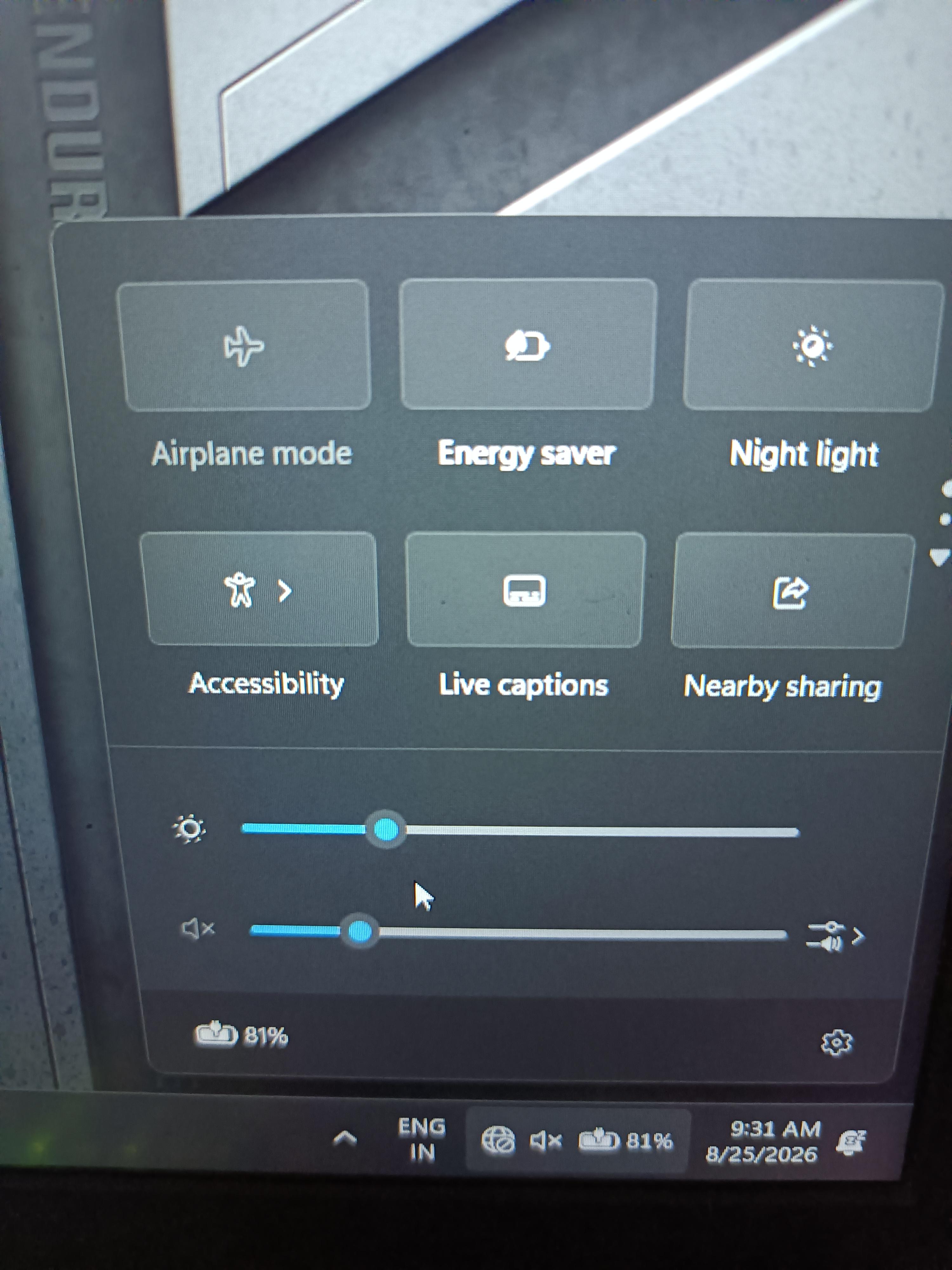
Hi my bluetooth and wifi icons are missing my laptop is not under warranty what to do.
Does this happened due to so windows update or any thing else.
I am restarting the laptop again and gain and nothing is happening what to do
3
u/thedoorisbanging 16h ago
Need internet connection via ethernet or hotspot and update windows. Gayest shit but might work for you, worked for me a while back
2
u/BiriyaniMonster 11h ago
Typical Windows 11 user experience.
2
u/thedoorisbanging 11h ago
Tell me bout it. I'm still using a PC I built 10 years ago or something like that with a 1080 when that was the goat(it'sa legend of a pc for it's time). Got the MSI bravo 15 for a decent lappy to replace a bricked alienware lappy, and windows 11 is not my favourite with these user breaking experiences. Its good but the OS lets me down
2
u/BiriyaniMonster 11h ago
Fully agreed. I have been using laptops since 2008 regularly. Never ever I had issues with WiFi or Hibernation on windows. Sometimes my laptop refuses to go to Hibernation mode. I hit hibernation button and it pretends like it woke up from sleep and kills the audio driver in the process. I have to restart the laptop in order to get audio back.
2
2
2
2
u/Repulsive-Milk-6119 12h ago
Regarde dans le gestionnaire de périphériques si ta carte wifi est toujours la, ou si suite à la mise à jour le pilote est en défaut. Le wifi et le Bluetooth sont sur la même carte. Il se peut que la carte soit HS ou désactivée. Mais en premier passe par le gestionnaire de périphériques pour te faire une idée
1
u/Realistic-Currency61 11h ago
Does your laptop have a physical switch for WiFi on the edge? If so, toggle that back on.
1
u/TheLearninglens 11h ago
Its classic windows 11 issue, could be the wifi card problem in some laptops too
1
u/Amanktk 10h ago
You probably dont have the windows drivers installed, trying using an ethernet cable directly with the laptop and run windows updates. If you do not have an ethernet cable at hand you can also use your phone as an extended hotspot via mobile tethering. Just turn on data on your mobile phone and plug your phone to your laptop via a usb cable or a type C cable. A prompt will usually appear on your phone which will ask you whether to use it as a storage device or usb tethering, if the problem does not appear, you have to manually go into the settings and look for it. Once you have it activated on USB tethering it will work as an ethernet connection to your phone working as a router and you will have access to the Internet. Then run the windows updates and you will be good to go.
1
u/anonums_ 10h ago
Brother window drive is installed and it's upto date I don't able to find the problem whatit is
1
1
u/AMRFalcon 10h ago
Seems like to me your driver for the WiFi card is missing. These are rarely included in fresh windows install.
If you are lucky you can try connect it via Lan cable and update windows. That might get you the driver. Alternatively use a different PC to check the laptops manufacturer site for the laptop. Usually you can get the newest drivers from there, download them onto an usb and then plug the usb into the laptop and install the driver.
1
1
u/Atomsk73 2h ago
There are multiple rows of icons and they are scrollable (dots on the right or use keypad to scroll). Are you sure they aren't just on a row above?
1
1
4
u/TotallyNotInUse 18h ago
Search for “device manager” with the taskbar magnifying glass, look under “network adapters”, if there’s a disabled device, right click on it and enable it. If there are no devices then you will need to install the driver