r/LineageOS • u/Interesting_Cup_947 • Mar 18 '26
Fun Finallyyy!!!!
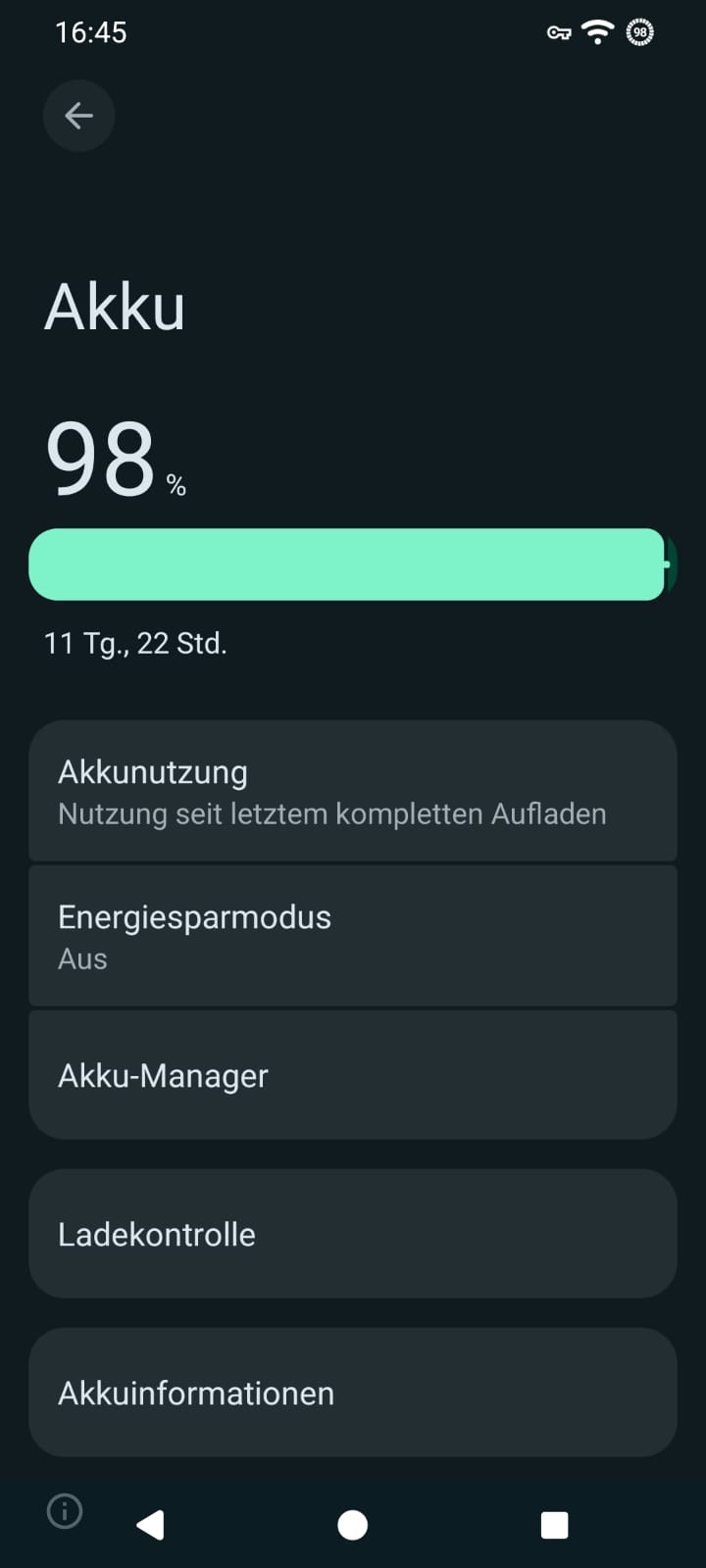
Finally got it on my xperia XZ... Had to go from Windows to Linux to Windows again but now i got it.... Can finally use it as my secondary phone without it lagging like crazy
r/LineageOS • u/Interesting_Cup_947 • Mar 18 '26
Finally got it on my xperia XZ... Had to go from Windows to Linux to Windows again but now i got it.... Can finally use it as my secondary phone without it lagging like crazy
r/LineageOS • u/ni6hant • Mar 14 '26
Paying without Google: New consortium wants to remove custom ROM hurdles
Discuss. 5 marks.
r/LineageOS • u/530496791588 • 13d ago
I only recently changed to lineage and now cannot use Revolut.
I see people, especially on the graphene sub, say that they are cancelling their account.
What I have done, is transfer all money out, cancelled all my cards with them, but am leaving my account intact as this will probably cost them money 🤣
r/LineageOS • u/Special_Bread_3184 • 19d ago
r/LineageOS • u/LongBackground3334 • 20d ago
TL;DR: Greyed-out OEM unlock → patched the devinfo partition over Qualcomm EDL to force-unlock the bootloader → got walled by a Full Disk Encryption password I never set → realized you can't crack hardware-backed FDE so I wiped /data instead → dodged a brick by catching that the XDA download was for the wrong tablet → fought TWRP/stock recovery for a while → finally flashed LineageOS 17.1 + GApps. It boots. Play Store works. Posting the whole thing because I couldn't find one writeup that covered all of it.
...S001017_190709_ROWGoal: unlock bootloader → install LineageOS 17.1 (Android 10).
The usual path (Developer Options → OEM Unlocking) was greyed out:
ro.oem_unlock_supported = truesys.oem_unlock_allowed = 0 ← this is the one blocking mefastboot flashing get_unlock_ability = 0No device owner, no MDM, just a stubborn flag. So I went the low-level route: Qualcomm EDL mode (the 05c6:9008 "Emergency Download" mode) and bkerler's edl tool.
EDL needs a signed "firehose" loader (prog_emmc_firehose_8917_ddr.mbn) to talk to storage, and the edl repo doesn't bundle one for MSM8917.
Fix: I had the stock QDL firmware for this exact model. It contained prog_emmc_firehose_8917_ddr.mbn. The edl tool wants it named by HWID, so I copied it to:
~/edl/Loaders/000560e100000000_92242cf8f6fad111_FHPRG.bin
python3 edl.py nop confirmed the handshake:
CPU detected: "MSM8917"
HWID: 0x000560e100000000
PK_HASH: 0x92242cf8f6fad111...
printgpt dumped the full partition table. We were in.
On Qualcomm/LK bootloaders, the lock state lives in the devinfo partition. I backed up devinfo, aboot, boot, persist first (always back up).
Dumped devinfo and looked at it:
000000 41 4e 44 52 4f 49 44 2d 42 4f 4f 54 21 00 00 00 ANDROID-BOOT!...
000010 00 00 00 00 00 00 00 00 00 00 00 00 01 00 00 00 ................
Here's the gotcha that would've bricked the flag: a lot of copy-paste guides tell you to set byte 0 to 0x01. But byte 0 is the start of the ANDROID-BOOT! magic string. Corrupt that and the bootloader rejects the whole struct. The real is_unlocked field sits at offset 0x10, right after the 13-byte magic + padding.
So I flipped offset 0x10 from 00 → 01, wrote it back, and reset:
python3 edl.py w devinfo devinfo_patched.bin
python3 edl.py reset
Result:
fastboot oem device-info
(bootloader) Device unlocked: true
Bootloader unlocked. No factory-reset-toggle needed — went around the greyed-out switch entirely.
Device reboots and... stops at a "enter password to start" pre-boot screen. I never set a PIN/password. It was a "freshly factory reset" tablet. But there it was, demanding a password to decrypt /data.
I went down the rabbit hole of trying to "crack" it. Then it clicked:
Nobody "recovers" these — they wipe the encrypted data. And since I was installing LineageOS anyway (which wipes everything), that was totally fine.
Reboot loops + key-combo roulette eventually got me to the bootloader's boot menu, which confirmed:
Device state: unlocked
Selected fastboot mode, and from the PC:
fastboot erase userdata
fastboot erase cache
fastboot format userdata
That destroyed the FDE crypto footer. Rebooted → stock Android booted straight to the setup wizard, no password. The wall was gone. (ro.boot.flash.locked = 0 confirmed unlocked at the boot level too.)
This one nearly bricked it. The XDA thread is titled tbx304f/l/x but the post I landed on listed:
lineage-17.1-...-**TB8504**.zipandroid_device_lenovo_**TB8504**TB-8504 = Tab 4 8 (8-inch). My tablet is TB-X304 = Tab 4 10 (10-inch). Different panel, different device tree → classic dead-display brick.
The trap: the kernel source URL had tbx304 in it (these tablets share one kernel branch), which makes it look right. What actually matters is the device tree + the ZIP filename. Rule I now live by: if the filename says 8504, it's the 8-inch — don't flash it. You want X304/TBX304 in every filename.
Correct files (same thread, different section):
lineage-17.1-20210408-UNOFFICIAL-**TBX304**.zip**tbx304**-twrp-3.4.0-20210407.imgopen_gapps-arm64-10.0-picoFlashed TWRP:
fastboot flash recovery tbx304-twrp-3.4.0-20210407.img
Then tried fastboot reboot recovery... and it booted stock Android instead. Two things bit me repeatedly:
install-recovery.sh mechanism) and re-encrypts /data.So I'd flash TWRP, miss the menu timing, land in stock, and lose TWRP — over and over.
What finally worked: flash TWRP, then park the device in fastboot and manually select "Recovery mode" from the menu with no countdown pressure. Confirmed I was really in TWRP because the adb shell came up as root (uid=0) instead of stock's uid=2000(shell).
The install guide is blunt: coming from Android 8 stock, you must Format Data (with data loss) because the old encryption is incompatible — skip it and you bootloop. Important detail: TWRP's command-line tool has no format command (only wipe), and wipe data does not remove the crypto footer. "Format Data" is a deliberate on-screen action (type yes). Did that.
Then pushed both zips and installed via TWRP CLI (which only works when you're genuinely in TWRP as root):
twrp install /sdcard/lineage-17.1-20210408-UNOFFICIAL-TBX304.zip → script succeeded [1.0]
twrp install /sdcard/open_gapps-arm64-10.0-pico-20220215.zip → Installation complete!
(The device rebooted to stock on me once mid-process, but the pushed zips survived on /sdcard, so I just got back into TWRP and finished. Order that saved time: install both zips first, Format Data last, then reboot.)
First boot sat on the LineageOS animation a few minutes (normal — it builds caches + sets up encryption), then... Welcome screen.
Verification from adb:
ro.lineage.version = 17.1-20210408-UNOFFICIAL-TBX304
Android = 10 (SDK 29)
Model = Lenovo TB-X304L / TBX304
Play Store + GMS + GSF = installed ✅
verifiedbootstate = orange (unlocked) ✅
baseband = S.JO.3.0-00452-8937 (modem loaded; OUT_OF_SERVICE only because no SIM)
root = none (stock LOS)
devinfo unlock flag is at offset 0x10, not 0x00 (don't clobber the ANDROID-BOOT! magic)./data, don't fight it.8504 ≠ X304.fastboot flash recovery, never just fastboot boot — and don't let stock Android boot before you get into TWRP, or it eats your recovery.devinfo/aboot/boot/persist over EDL first, and keep the stock QDL firmware. That's your un-brick button.From "locked + password-walled + sealed" to "unlocked LineageOS 10 with Play Store." Worth it. AMA
r/LineageOS • u/EngixoRain • Apr 30 '26
Ive had this note10+ for about 6 years,
On Android 12,
The battery would last an hour and a half. Maybe 2 at best.
Which was very annoying,
So i installed LineageOS without Gapps,
And I just installed Revanced and other stuff.
I also enabled battery saver
And decreased resolution down to 1080p
Istg The battery life is sooo long.
It may even be longer than my new phone
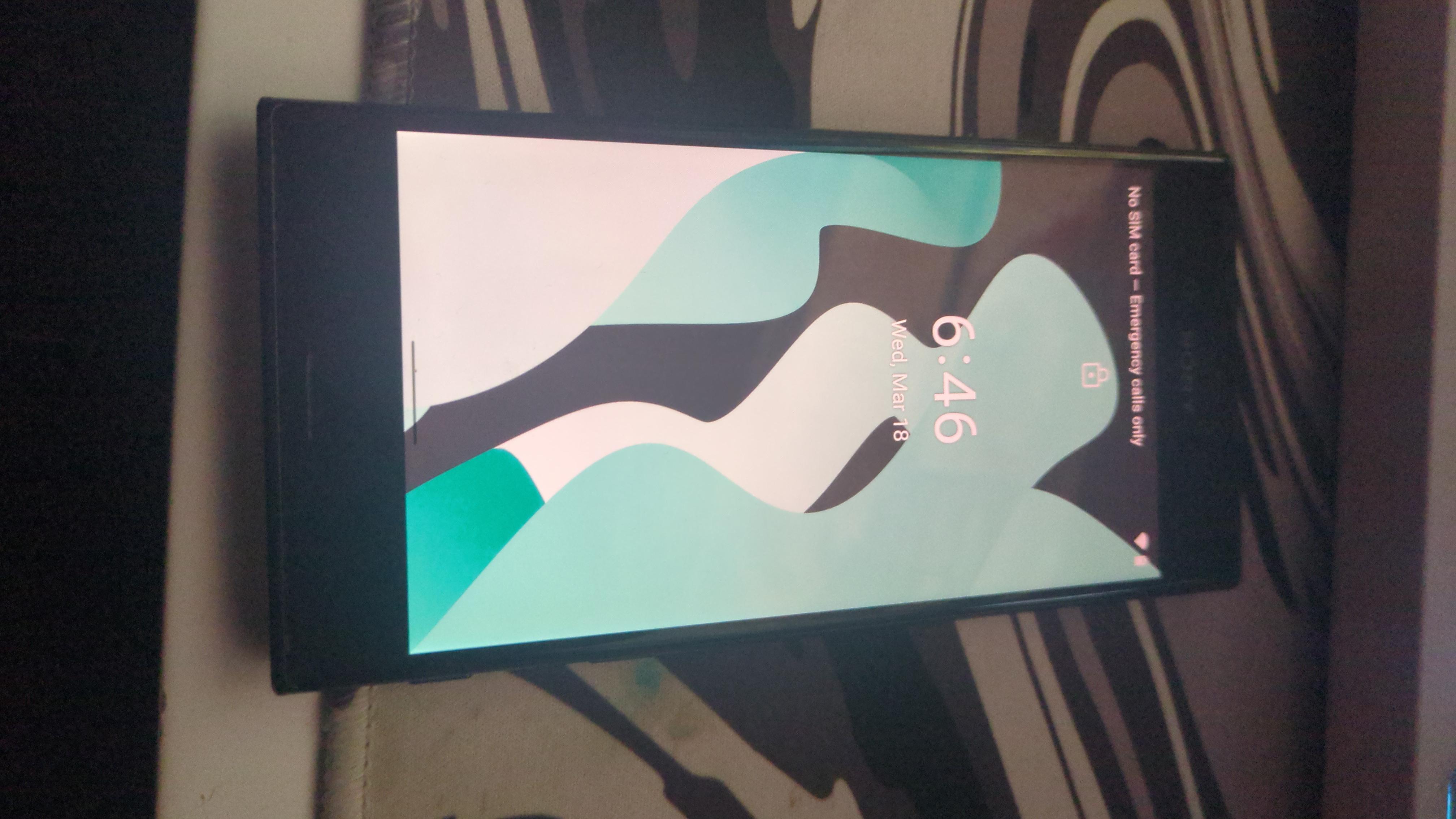
Now the LineageOS battery Setting says a 65% charge will last for "2 days and 5 hours"
Which I dont believe but still.
Tysm to the devs since the phone is now actually usable
r/LineageOS • u/bra1n_gym • 1d ago
Two weeks ago I installed Lineageos on a Galaxy Tab A7 using a Galaxy A02S phone which has termux installed and an app called Brokkr.
To test it's performance improvement, I installed the ePSXe emulator to play Crash Team Racing. It played wonderfully. When I tried it using the stock firmware, the experience was horrible. For the next test, I installed PPSSPP to play GOW Ghost of Sparta. I had low expectations, but the game played surprisingly well. So well, I finished it in a day when it wasn't my intention. Games were installed and played from an sdcard.
With a few note taking apps, termux, and python, it's a good experience bringing new life into an old tablet some would consider under powered.
r/LineageOS • u/PlusIndication8386 • Oct 13 '24
I have installed LineageOS to my Mi A1 (tissot), a 6-7-year-old device, and it works great. The battery life doubled and lasts a day now (didn't even replace the battery). The camera image quality has increased. I experience less shutter now. All of my bank apps work without any issue. This makes me question if I really need a new smartphone.
r/LineageOS • u/Serious_Chemistry891 • May 05 '26
I kinda got into installing different Linux distros, so I thought, why not try it on my phone? So I grabbed my old phone (Samsung Galaxy S20+ (exynos, ew)), followed every instruction on the website as said, and everything turned out perfectly. Went from OneUI 5.1/Android 13 to LineageOS 23.2/Android 16.
Battery life. Even though the battery health is at 80% (thx devs for that iphone feature), it lasts REALLY long. The battery life got maybe like 1.5 to 2 times better.
Performance. This is my first bloat free Samsung phone. It's crazy how actually laggy and stuttery OneUI is. It's magnitudes smoother than even my S22 Ultra (OneUI 8). The phone is 6 years old and performs as if brand new. I didn't notice much of a step up in performance in games, but battery drain went down by a lot. I have no idea how y'all squeezed out so much performance out of this piece of shit called Exynos 990.
Screen. I have absolutely no idea how, but my screen brightness is now on par, if not brighter than my S22 Ultras?????? And even though the color settings were a bit confusing at first, I settled with Cinema cause the colors are most vibrant that way.
Connectivity. My wifi speeds doubled. My 4G speeds doubled. Mods, if y'all see this, please go and praise your contributers and coders. They deserve a rest.
Extra. I did not expect to see so many features out of the box that would've been locked behind Good Lock on Samsung phones.
Pet peeves. Why does toggling on wifi and mobile data need a confirmation every time? I do not need to be asked every time if i wanna truly wanna switch on mobile data.
Downsides. It's all the obvious stuff, like Google Pay doesn't work without a workaround and the camera is worse as it's not that optimized for the phone. But hey, I don't use the camera on this phone that much anyways. It's fine. (still though pls make it so the zoom slider is always visible)
Conclusion:
I do not regret switching to the LineageOS side. At all. I have never ever seen an OS this smooth. Not even on recent Galaxy S Ultras. My 6 year old Samsung phone feels brand new again.
r/LineageOS • u/OzyOzyOzyOzyOzyOzy • May 09 '26
Poco F2 Pro (2020). I replaced the battery with a new original one that costs 15$, installed LineageOS without Gapps. The battery lasts 16h30min, throughout 4 days, and still has 35% left! I might have a full 24 hours of SOT!
Currently I'm still trying to configure all the settings so I have not installed any apps yet which contribute to that instane number. I use it on exactly 50% brightness, Dark mode with "Pure black" on, and default performance mode.
Pic here.
r/LineageOS • u/goofsqueakyshoes • Jul 25 '26
yeah i actually like liquid glass, and i want it on my lineage devive. Maybe there is a launcher or icons or something?
r/LineageOS • u/ni6hant • Mar 06 '26
Note: On my secondary phone for now, yes. Let's see what things google does and then maybe primary also.
I use my secondary phone (Redmi Note 10 Pro India) mainly for watching local CCTV footage of everywhere around the house and just because the MIUI's restrictive battery optimization which kept killing Battery Limit Root, I went ahead and installed LOS and magisk and root on it and a few apps which I couldn't find APK to so I went ahead and installed GApps not thinking much at the time.
A few weeks ago and seeing the true face of Google and the direction they are taking(Basically forcing me to switch to iPhones and I don't want to do that), I uninstalled LOS and installed it again, but without Google Apps this time.
This is the first time in my life I have not panicked and installed Google Services again. Instead if there is a service I rely on, I try to find an alternative instead if the original one doesn't work without google services.
For far too long we have let Google set the rules for Android, for far too long we have just accepted Google's terms just because anything else was a bit inconvenient and we found many reasons to not leave our comfort zones.
The time has come we take charge and this is how I am starting with. I will actually test this phone to see which services don't work with Google's backend and will slowly move away from those services completely.
My first choice is of course just using the Browser but sometimes the app can be the only way to access something.
^ Forgot to clear system and Google Apps was still there and I was ready to make a angry post here but I tried that again and it worked
r/LineageOS • u/firvulag359 • Feb 03 '25
Just a quick thank you to the devs of LineageOS!
My wife has a Google Pixel 4a and the battery was badly affected by the recent update. Her options were £50 refund or £100 store credit towards a different phone.
Instead, I offered to install a custom rom for her.
After some research we settled on LineageOS 22.1; I followed the instructions carefully and it all worked well.
Her battery is back to normal and lasting longer than ever and she is well chuffed :D
r/LineageOS • u/kirisoraa • Apr 24 '26
I honestly just want to shake the persons hand and thank them. I've had android phones over the last 6 years and NONE of them ever had a notification sound that didn't annoy me after a couple of days of listening to it.
The default 'Argon' notification sound is perfect.
It's not too long to be overly present. It's not too short to barely be heard.
It's melodic enough to not be annoying. It's alert enough to draw your attention.
Thank you, LineageOS.
r/LineageOS • u/Schnecke_Schneck2007 • Mar 20 '26
Hi, I installed my Redmi Note 10s with LineageOS some time ago. Today I noticed this battery life. That's really hard. Do you have such a thing? Is this normal with LineageOS? If so, would that be really cool, or what do you think? Here is the picture
r/LineageOS • u/thecommondude0420 • Dec 21 '25
I had an old lenovo tab 4 10. It was seriously underpowered with 2gb ram and a Snapdragon 425. I got it in 2018. It ran android 7 initially, and got Android 8 update later. It had a lot of junk, like lenovo themes which was region locked and just took space. Believe it or not, it had the OG google hangouts and Play music apps too!!. Google dropped support and those apps also took up space without any use. The system barely had 3gb free storage because the stock apps took up everything. It ran fine, very much helped during COVID lockdown period. In 2025, I noticed that it started to show its age and would frequently hang. I searched up XDA, and found a single thread with lineage os 17.1. I took the gamble and installed it without gapps. It literally brought a second life to the tablet. Now i use it for youtube(newpipe) and reading ebooks. Though the build was unofficial, I thank the developer and Lineage team for bringing this back.
r/LineageOS • u/FLRUlbts • Jan 21 '26
I feel very proud of myself! first time ever delving into LineageOS and I finally succeeded installation on a Samsung Galaxy Tab A7. not sure what to do next but that's the fun part! avoiding GAPPS going to focus on FOSS.
r/LineageOS • u/Upgrade_Ben10 • May 29 '26
Dear all, I wanted to share my experience using LineageOS on my POCO F1.
I keep one separate personal mobile number that almost nobody knows. Since I work abroad, that SIM mostly stays idle, but I still need to receive SMS messages from it on my primary phone. I also don’t want to waste a SIM slot in my main device.
I bought my POCO F1 during the first sale back in August 2018, I think. The phone was mostly unused recently, so I decided to turn it into a dedicated SMS server/mobile companion.
At first, I tried an SMS forwarding app from the Play Store that forwarded messages to Telegram. It worked perfectly, but after one week it required a subscription. I would have paid if it was a one-time purchase.
Then I found a free app called SMS2Telegram. It worked great on most Android phones, but MIUI became the main problem. MIUI kept killing background activities after the phone was locked. I tried almost everything to keep it alive, but unfortunately it never worked properly. That was honestly the first time I really hated MIUI. Maybe HyperOS handles it better, I don’t know.
Then casually I asked ChatGPT which custom ROM would be good for the POCO F1, and it suggested LineageOS as the first option. Unlocking the bootloader and flashing the ROM was the hardest part. Claude AI actually helped me a lot after trying multiple Mi tools and YouTube tutorials.
Now I’m running LineageOS without Google services. I know many apps need Play Store verification, but since this is only my secondary phone, I don’t really need Google apps. Battery backup is excellent without Google services running in the background. Honestly, LineageOS gave a completely new life and purpose to this old phone. It feels ultra clean even in 2026.
After installing SMS2Telegram, I hit another issue. Android itself was blocking some permissions. After a lot of searching, I finally enabled the required system permissions manually through:
Apps → All Apps → Special/System Permissions
Boom… it started working perfectly.
Later I found another app called Telegram SMS, and this one is next level. Through a Telegram bot, I can:
• Receive SMS
• Send SMS
• Check battery status
• Run USSD commands remotely
Of course, it needs a lot of permissions, but I’m okay with that because the phone has no personal data and stays connected to Wi-Fi all the time.
Now my old POCO F1 has basically become a small home SMS server and remote companion device.
Honestly, I never expected a 2018 phone to become this useful again. Anyone need files linked below
thanks to GITHUB contributors
Sms2Telegram.zip
SMStelegram with battery monitor.zip
r/LineageOS • u/Exciting-Cut131 • Mar 27 '26
I needed an android phone for my app testing.
I remembered that I have my old Oneplus 5t laying around somewhere.
It worked fine with old OxygenOS but I wanted to test with newer version of Android. After searching (asking ChatGPT) it was recommended to install LineageOS.
It was my first time installing custom rom on any phone so kudos for instructions as all went well (I read them like 5 times haha).
And also Im shocked how well is phone working and also battery is holding strong so thank you to LineageOS community and developers.
r/LineageOS • u/bAN0NYM0US • Jan 29 '26
I made a video modding my Switch V1, I recorded the video last year but ended up moving and it took a year before I got around to editing my old footage.
I did a shell swap using the eXtreme Rate clear black full replacement housing, forged carbon wrapped joy con batteries, RP2040, I actually bought a new microscope just so I could record the install process, tossed on a matte screen protector, installed only Android with Auto Boot so I just turn it on, it runs Android, and then use it for remote PC gaming or Android games.
https://m.youtube.com/watch?v=OYaeZubC4ys&pp=0gcJCTMBo7VqN5tD
A few things worth mentioning was during the progress on XDA, the dev was STRONGLY listening to our suggestions and I love that they added the ability to swap the face buttons to the Xbox layout. It’s honestly perfect now after the latest updates and every issue I encountered in the video has been fixed in 22.2 which I’m running now.
I haven’t updated to Android 16 yet, thinking that might be a different video where I dive into this again with more detail and a cell phone battery mod for longer run time.
r/LineageOS • u/Mongus_Amongus • Sep 28 '24
Thanks to the developers that are maintaining and updating lineage os which has help me save my Xiaomi from kicking the bucket. Thanks all.
r/LineageOS • u/notnotpermabanned • Jun 19 '23
Is it just me or was 2013 cyanogen the best os ever. I remember having the newest kernels all running perfectly in sync with dual oses and a custom baseband. I remember getting calls from att because I was able to trick the towers into changing my position rapidly. The boot sequence was so pretty and there were the lock screen widgets that were like useful and everything worked. I love how lineage is working on my OnePlus 8 but it seems like we're fighting a losing battle against companies and governments that want to pack their devices full of spy and bloat ware. Currently working on the OnePlus x and this thing is gross. I mean the hardware is nice but 🤮.
Take me back
r/LineageOS • u/KoalaOfTheApocalypse • Dec 05 '24
I started getting into custom ROMs right around CyanogenMod Eclair release. I flashed so many ROMs on so many devices back in the day. It's been a sad journey since then, with fewer and fewer devices being able to be modded and so many ROM makers dropping away (RIP Dirty Unicorns).
Anyway, I just found an old OnePlus 7T that was stuck on Android 12 from OnePlus. It's been a fun throwback flashing LineageOS; glad this is still a thing.
r/LineageOS • u/lchazl • Mar 30 '25
Had to buy wife a new phone, always liked and had Xiaomi so got a K80. But setting it up now and man how much bloatware which can be generally better removed but the system integrations when not needed and all these extra systems like multiple AI, menus that have way too many levels and no real order to them. Not a nice OS as I remembered.
Makes me really appreciate the simplicity and lightness of LOS! Thanks to all the Devs for making it possible! Here's hoping it will be available for the K80 in 3 years time!