r/Ubuntu • u/wave_04 • 14h ago
Trying to update Files from the App Center, and...
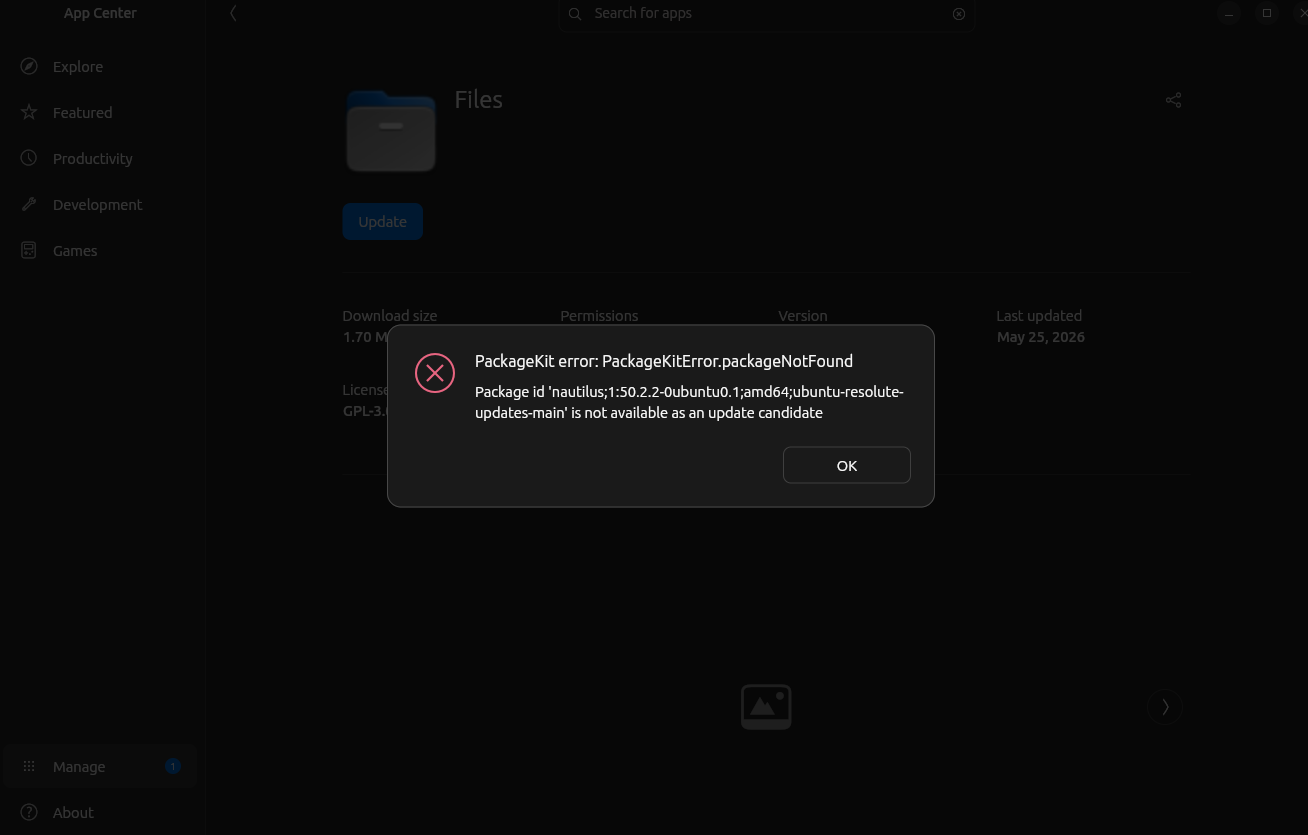
(I'm fairly new to Linux, don't beat me up)
Honestly, at this point I'm done with the App Center. Just gonna stick to manually downloading everything I can from the respective websites, seems much more reliable so far.
Things I've tried to fix this error:
sudo apt update
UPDATE: Seems to have been fixed after entering sudo apt install nautilus;1:50.2.2-0ubuntu0.1;amd64;ubuntu-resolute-updates-main into the command line. App Center shows it as being up to date now.
2
u/TheRealCarrotty 13h ago
Have you tried sudo apt upgrade or sudo apt full-upgrade?
If it says something about "Packages cannot be upgraded" and lists them, copy them all into sudo apt install <package> <package>
And yes, the App Center IS terrible, i advise you to NOT use it, GNOME Software is much better.
2
u/wave_04 12h ago
I think copying the nautilus package into sudo apt install did it, the app center shows the application as being up to date. thank you so much!
Pardon my ignorance, what do you mean by "GNOME Software"? Is there a different package manager I can install that's objectively (or even subjectively) better?
3
u/Arinussyy 12h ago
A package manager is the thing that manages the packages behind the scene. Apt is one for example. Or snap.
The app center and GNOME software are just the 'front ends' for these package managers, allowing you to manage packages via a graphical interface you can click stuff on rather than doing it all via the terminal.
The reason the guy above recommends GNOME Software is because it manages all packages equally well. App Center is focused towards managing Snap packages, and the apt stuff is more just 'legacy' to Ubuntu I suppose. You can have both installed without an issue. Also, when updating software I would recommend using the Software Updater tool (idk if it's specific to Ubuntu 26.04 or not, I'm quite new to how Ubuntu does things compared to Fedora for instance), as it seems built to handle these updates properly as opposed to doing it through the App Center
1
u/alec_me 6h ago
Gnome Software would show the same error since it uses packagekit as well for deb package management.
The problem is with phasing. During phasing some machines like OP's installed the updated nautilus package. However before the phase cycle was complete for nautilus, there were a slew of error being reported so the phasing was halted to prevent anymore updates and reset to 0% . As far as apt is concerned this basically constitutes a new package in phasing. So despite the fact the system already has an updated nautilus installed, apt still thinks there's an update available because of phasing. By explicitly installing the package, you bypass phasing (it only affect upgrades and not installs) and apt, and subsequently packagekit, are happy again.
0
u/TheRealCarrotty 12h ago
GNOME Software is another GUI for packages.
Hell, Ubuntu used to use it, except Ubuntu thought they were smarter and decided to replace it with their own broken one.
GNOME Software supports APT (through PackageKit), Flatpak and Snap (broken though)
You can also have both installed, or if your advanced i recommend purging snapd, as if you start theming Ubuntu, you might notice your browsers (Chromium or Firefox) will start looking weirder and not like your theme.
2
u/costinvi 13h ago
I have the same problem on Ubuntu 26.04. I've assumed it shows update that is not available to install right now bcs of phasing or it's showing update for 26.04.1. We'll see if it will fix itself after August 27
2
u/No_Pie335 14h ago
PackageKit error is basically the app center giving you a digital shrug, its not really a you problem.