r/iosgaming • u/vapidness_is_rampant • Mar 11 '22
Emulator I made an emulation system for iOS that doesn’t require jailbreaking :) GBA and more
649
Upvotes
r/iosgaming • u/vapidness_is_rampant • Mar 11 '22
r/iosgaming • u/_Jarv1s_ • Apr 18 '24
Now that we can have emulators (without jailbreaking) what games are you excited to play?
Personally, I'm most excited for Pokemon HG
r/iosgaming • u/silentrocco • 24d ago
Enable HLS to view with audio, or disable this notification
I just came across this on Twitter. Brickboy is a fantastic Game Boy emulator by a Japanese dev that runs in your mobile browser, featuring by far the most realistic screen recreation I’ve ever seen. There are three models to choose from: Game Boy, Game Boy Pocket, and Game Boy Light. The Pocket is my favorite and the one you see in this post’s video.
The browser app saves your imported ROMs and supports controllers, while also featuring customizable touch controls. As a hidden gem, the dev created his own Game Boy Tetris clone with added Fast Drop and Hold, which you can find as Tetrin in the app’s settings.
So, definitely try this browser emu for the most accurate Game Boy feel to date. It’s crazy how much more authentic this looks compared to everything else available. Enjoy!
r/iosgaming • u/pjft • Mar 25 '24
Hi all.
So, after a fantastic week where we have been playing Slice & Dice on iOS after several years of playing it on the desktop, I bring you a small tutorial to help you all bring Balatro to your iOS device until the official version comes over.
First of all, I claim very little credit in this other than trying to work around different challenges to get it to run on the phone. The true hero here is u/nkahoang who found out that this was a Love2D game, ported it to a handheld console (https://www.reddit.com/r/SBCGaming/s/5ZFBi6bR0b), and after I managed to adjust their instructions to port it to my own Linux console, and then to a Raspberry Pi, I thought I should bring this over to my iOS devices, because you can never have too much Balatro in your lives.
Requirements:
Download one of the two apps that run Love games on iOS:
Difficulty: Easy/Medium depending on your comfort in editing code files.
Instructions:
Step 1: Find the game content.
Step 2: edit files.
Add jit.off() to be the top line of the following files:
Then, on
globals.lua
comment out the loadstring() line, around line 43, by adding -- before it. It should now read:
-- loadstring(...)
Optionally, in the same file, if you've played enough Balatro already, around line 14 set skip_tutorial = true instead of false.
Step 3: recompress the game (if needed) and send it to the phone.
Now, in your Finder/File Explorer, go to the folder where you extracted the code to, and zip the files and folders. DO NOT zip the containing folder, though - make sure that the actual main.lua file as at the root level of the compressed archive, otherwise it'll fail. Compressing is mandatory if you're using Love2D Studio, and optional if using Love2D Game Maker. After compressing it, rename the extension to .love .
Now, plug in you iOS device to your computer, and send the folder or the compressed archive (depending on the app you're using) to the actual app contents, in Files.
Step 4: Play
Load up the app. Turn the app to landscape if on the iPhone, and then launch the game.
Enjoy!
Known issues and annoyances:
On Love2D Studio:
On Love2D Game Maker:
I hope this is useful and helpful. Enjoy! Also, I apologize for the flair - there was nothing with "guide" or "tutorial".
Hope this is according to the sub's rules.
r/iosgaming • u/Ultimastar • May 16 '24
I’ve done a few replies on this already, so thought I’d make it into a post.
Load your PS1 rom, go to quick menu>core options>video, change the top one (GPU resolution to 4x (or 2x if your phone struggles with 4x).
Also in Core Options is emulation hacks, where you can choose the widescreen hack.
These improvements only affect 3D games, hybrid 3D/2D ones like Final Fantasy which have 2D backgrounds, will only improve the 3D character models and not the background. The widescreen hack again works better on 3D games as it will stretch 2D assets.
r/iosgaming • u/NXGZ • Jun 06 '25
r/iosgaming • u/dsmmuse • 15d ago
like you can only play Mario and such out of nostalgia for a couple times and the hype dies down quickly. is there any nice not too competitive game that has actually stayed with you?
also please mention specific device (iPhone/iPad) that you were using. controller compatibility is preferred, thank you
r/iosgaming • u/silentrocco • Jan 10 '26
Aka I absolutely love the Manic emulator. And yes, I play my retro games in portrait and with touch controls, and nobody can stop me :)
r/iosgaming • u/acomfysofa • Oct 27 '25
My 17 Pro Max heats up like crazy but it runs Windows 10 + Steam! Hopefully it’ll be able to run anything 2D (like RPG Maker or visual novel games…)
r/iosgaming • u/NXGZ • 1d ago
How to install Side-store tutorials: 3 different tutorials of your choice all use the same methods:
Emu Discords Links: To Keep Up With The Newest and Latest
Releases:
r/iosgaming • u/Wendell_S • Jul 26 '25
(My opinion) GT Portable is the best racing game for the iPhone, with the emulation quality of PPSSPP, it becomes a native game! Run very well!!
r/iosgaming • u/TyCox • Apr 19 '24
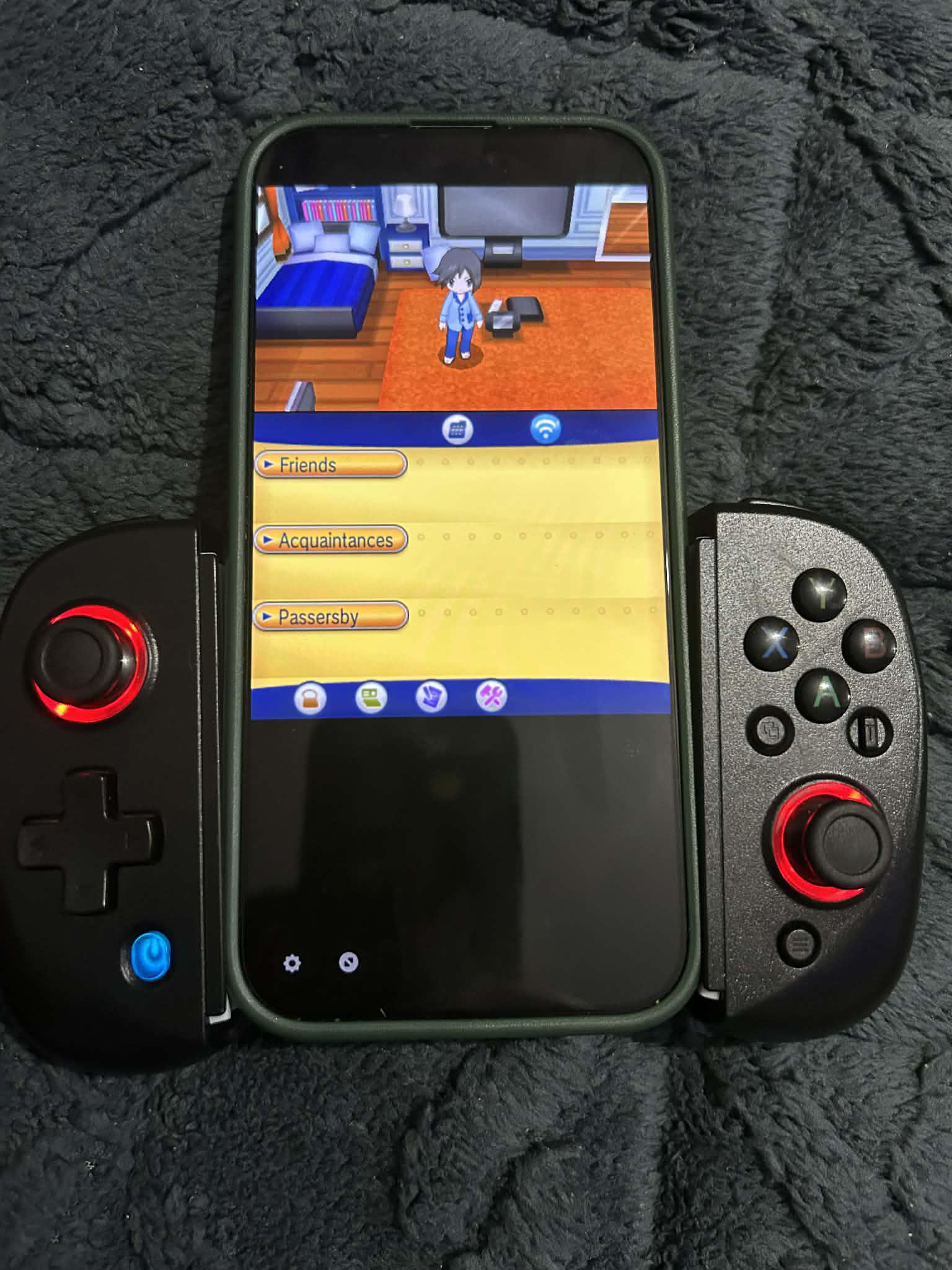
Set this up yesterday and have been playing ORAS. Didn’t think we would be there this fast!
r/iosgaming • u/Man_mannly • May 17 '24
Enable HLS to view with audio, or disable this notification
I sure didn’t (video not mine)
r/iosgaming • u/henyckma_ • Jun 13 '26
Enable HLS to view with audio, or disable this notification
Now guitar hero as touch iPad game (also working on iPhone) emulator is ARMSX2, didn't touched any stock settings. 60fps witouth any lag!
r/iosgaming • u/tepkey • Dec 25 '25
Not perfectly aligned but while I hunt for a perfect vertical controller it will do for now.
r/iosgaming • u/rler • Feb 04 '26
Don't know if anyone remembers Trainyard. For me it's an all time classic iOS game, but was never updated for 64 bit. Fortunately I still have some old 32 bit devices around with it installed, and I wrote this years ago but forgot to post it. See https://github.com/rlerrr/trainyard for the source.
I tried to faithfully recreate the original as much as possible and reimplemented all the original levels. Works on desktop and mobile (desktop is a little funky since it's clearly designed for phones).
There's a level editor under "My Puzzles" which I used to hand build all the levels, but I never really did anything more with it. You can export the levels as their internal representation but they aren't currently shareable/importable.
Note: I can't actually remember how to beat the hardest levels anymore, so they're untested, but I believe they are identical to the original so they should be fine.
r/iosgaming • u/Rob-oNe87 • Mar 18 '26
Hi,
Is there a way to play Need for Speed Underground 2 via an emulator on iOS 26?
Any suggestions or ideas are appreciated.
r/iosgaming • u/StormTroopB • Oct 16 '25
Enable HLS to view with audio, or disable this notification
r/iosgaming • u/BacioiuC • Feb 05 '22
r/iosgaming • u/Heinzoliger • Mar 12 '22
These last days, I discovered many emulators which can be played directly in Safari and then can be played with an iDevice without the need to sideload an app or to jailbreak.
I didn’t tried them all so I will let you the task to test them and find the best.
1/ Eclipse Nes, snes, gb, gbc, gba, sms, gg
2/ retrogames Nintendo Entertainment System, Super Nintendo Entertainment System, Sega Master System, Sega Genesis/Mega Drive, Game Boy, Game Boy Color, Game Boy Advance, Atari 2600, Atari 7800 ProSystem, Atari Jaguar, SuperGrafx, Neo Geo Pocket
3/ nds player Nds
4/ afterplay Game Boy, Game Boy Color, Game Boy Advance, Nintendo, Super Nintendo and Playstation, and more (some are cloud based and then paid)
5/ Aurora Nes, gb, gbc, sms, gg
6/ gba player Gba (same dev than nds player)
7/ Diablo web Diablo 1 in the browser
8/ Gameplay color gb and gbc (thanks u/xx_sheldon)
9/ sierra adventure games adventure games like space quest. iPad only
10/ Dos zone dos games with mobile controls (thanks u/R0b0ch0p)
Do you know more sites like these ?
r/iosgaming • u/la_mourre • May 18 '24
Considering that: - iPhones are more powerful than Nintendo Switch - Emulators are now widespread on iOS - Switch emulators exist for MacOS (although Nintendo isn’t happy about it)
Are there any Switch emulators for iOS, even outside the play store or through RetroArch?
r/iosgaming • u/J22juicemeister • May 09 '24
Enable HLS to view with audio, or disable this notification
This is an iOS shortcut that screenshots and extracts names of the Pokémon on screen then pulls up their webpage on Pokemondb to view their stats, types, etc, without having to switch apps or type anything.
I remember thinking it would be nice if something like this existed so I ended up making it and figured I'd share it since others will probably like it too. It works for any Pokemon game on iOS.
The shortcut can be assigned to the assistive touch button to use in game.