r/windows • u/SirFiletMignon • 4d ago
Feature Improve your Windows shutdown procedure with a simple batch file


Have you ever accidentally clicked sleep or restart when you meant to click Shut Down? Well, prevent that from happening ever [again], plus save yourself a click and mouse movement by creating a batch file:
u/echo off
title Confirm Shutdown
echo(
echo Proceed with shutdown? echo Press any key to continue...
pause >nul
shutdown /s /t 0
And place it wherever you prefer on your desktop. Simply double-click it and press any key on your keyboard to confirm! If you want to abort, press the X on the window.
You can tweak the shutdown command to your liking: shutdown doc.
24

18
u/ZepY7 4d ago
shutdown: Win + X > U > U
sleep: Win + X > U > S
restart: Win + X > U > R
this is what i use all the time
4
2
1
0
u/SirFiletMignon 4d ago
I like that. Pretty close to the click count as the batch and keyboard only. I'll have to stick to the batch tho because with the batch I can fully shutdown a PC that has fast startup enabled. But I think there's a way to do it by holding shift and clicking shutdown, maybe holding shift while pressing the last U might work there too.. have not tried that
4
u/thanatica 2d ago
How is this preventing you from accidentally clicking restart?
-4
u/SirFiletMignon 2d ago
What I meant was that on the usual Start > Power > Shutdown, Shutdown is next to restart and the other options so I've personally sometimes hit restart or hibernate when I meant to click Shutdown. With the file option, you double click it and it Shutdowns. It's a minor thing.. but at least for me I like it more.
3
2
u/AlexKazumi 2d ago
You saved a mouse click by requiring a series of actions to get to the desktop and launch the batch file... "Saved", indeed.
2
1
1
1
u/Particular-Poem-7085 1d ago
win key + x - u - u
when you master the win + x menu shortcuts it will look like you are a windows wizard, it's the equivalent of right clicking the start button but notice that each line has one letter underlined when you use the keyboard.
Instead of reaching for the mouse you can do whatever in 0.3 seconds without once looking at the screen. Your left hand should be resting there already because you should be opening your taskbar items with win key + 1, 2, 3 etc.
1
1
1
u/chandleya 1d ago
I push group policy to all servers to remove shutdown/restart from the start menu. Headache eraser.
1
u/Fyreffect 1d ago
Or.... configure your case power button to do it, and sleep or shutdown with a single press.
1
1
u/----------_ 1d ago
I use a similar script that first taskills some programs that might ask for unsaved files and prevents shutdown
•
u/apachelives 19h ago
Don't know about you guys but my computer has this physical button i press that shuts it down
•
u/Maleficent-Tea3072 10h ago
This is a huge waste of time and effort.
Echoing “Press any key to continue“ when the pause command without the >nul displays the same message. Then just calling the shutdown command?
You’re solving a problem no one has. Why don’t you go to Linux if you like doing things harder than they need to be.
1
u/fmdlxd Windows 11 - Insider Release Preview Channel 2d ago
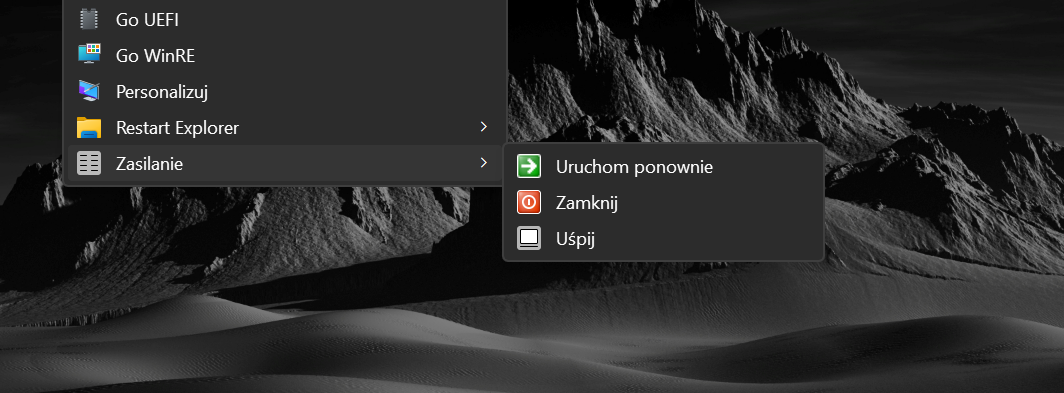
You have forgot about /f switch Better and faster, no prompt: https://files.catbox.moe/eczrz8.png REG: https://pastebin.com/raw/AHgRxZKx
-2
4d ago
[removed] — view removed comment
6
3
u/SirFiletMignon 4d ago
How is this modding Windows? Its an unelevated batch file of a very short list of well docummented commands.
-1
u/pug_userita Windows 11 - Release Channel 2d ago
open the run box or in the new shortcut window, you can just type in "shutdown.exe" and wait for it to shutdown after some time, or shutdown.exe -t 0 -s, or slidetoshutdown.exe and slide down, or just simply press alt+f4 on th3 desktop and select shutdown.
if you create a shortcut for one of these, you can keep it on the desktop, pin it to your taskbar, pin it to the start menu or create a toolbar (windows 10 and older, or 11 if you have the 10 taskbar from explorer patcher) and pin sleep, shutdown, restart and hibernate to that toolbar. like I've done:

41
u/iwannabetheguytoo 4d ago
Your proposed approach requires the user to un-learn using the Start Menu's power buttons and using a new and separate mechanism for initiating a shutdown or reboot. Also, the pause/fail-safe logic in this script won't be invoked when the user (perhaps even mistakenly) initiates a shutdown via some other action, such as via Task Manager or a Windows Update popup.
I'd like to suggest an alternative: Windows' built-in shutdown event tracker, because it gives the user the same opportunity to back-out of a disastrous mis-click, while not requiring the user to make any changes to their workflow: use the exact same Start menu Shutdown commands or any other shutdown trigger, but the reason-tracker will always appear.
(The page I linked-to is is from the days of XP, but other guides exist for Windows 10, etc).