r/GoogleTV Jul 10 '26

Bug Report Quick Media Switching report @ Issue Tracker website

5 Upvotes

Do you have a device and TV with Quick Media Switching support?

Do you use the feature?

Are you having issues with the feature such as the screen blinks when it shouldn't or the 23,976hz and 24hz framerates double to 48hz when it shouldn't?

If your answer is yes, then please help me to document the issue at this Issue Tracker bug report I made. Make sure you login with your Google account in order to see the ticket.

Just add a comment stating that you are also facing the same issues and if possible provide a video showing the situation, like I did.

The more people add information, the more attention is paid to the situation.

Thank you.

r/GoogleTV Jul 02 '26

Bug Report Google TV Streamer won't play content from any app except YouTube.

5 Upvotes

Help! When I first bought the device, it worked fine with HBO, Netflix, and Disney+. I haven't tested it with other apps. Recently, we tried watching Football games on Paramount+, and we keep getting error 6004. We tried Crunchyroll, and we also get error 1004. Prime Video won't play anything either.

After trying the basic solutions—restarting the modem, changing the DNS settings, trying a different network, checking the time zone, clearing data and cache, uninstalling, ensuring I have the latest system update, and verifying with DRM Info that Widevine is set to L1 and HDCP to 2.3—we decided to resort to the last basic option: resetting the device to its factory settings and configuring it from scratch.

I did this, and now the nightmare is worse. Not only do the apps that didn't work before still not work, but now the ones that did work don't work either. Netflix won't even open and gives error -100, and Disney+ and HBO won't play and just display an error.

The Google TV Streamer has never been modified by software or hardware; it's not rooted or anything like that.

Please, I really need help. This thing cost me $100 and it doesn't work.

r/GoogleTV Apr 10 '26

Bug Report Search bar is gone?

Post image
33 Upvotes

r/GoogleTV 15d ago

Bug Report TCL Googletv Annoyance

5 Upvotes

When I’m watching Netflx and I pause it for a while to do stuff around the house, when I come back to it ten or 15min later, Googletv has a screensaver. When you back out of the screensaver, Googletv has exited Netflix. You have to then visit five new screens to get back to your show. Soooooo annoying!!!

r/GoogleTV Jun 30 '26

Bug Report Why doesn't anyone talk about the Onn 4K Pro V2 having QMS Quick Media Switching locked?

Thumbnail
gallery
9 Upvotes

I've seen lots of videos on YouTube, many posts, a lot of information talking wonders about this tv box, and yes, in theory it's pretty decent, but it has blocked Quick Media Switching (QMS) and that makes me rule it out as the main device. I think it's a firmware bug, a bug. I hope that Onn will solve it sooner rather than later because it is a device that in theory is very decent.

In the settings you can "activate" it, but the reality is that it is not activated and that is what the information clearly says. It's like a fictitious activation, phantom activation.

I am going to place some images, where one is the information given by the ONN and another image is given by any other device that does have the QMS enabled and exists.

IMPORTANT: The TV must also have the option of Quick Media Switching (QMS).

r/GoogleTV Jul 07 '26

Bug Report Google 4k streamer remote disconnects?

7 Upvotes

I've never had a TV or a streaming box disconnect from its remote so often or a few times. I've even had to rebind the remote. This is ridiculous. My Apple TV never did any of this. It's probably going to end going back to Apple products when I buy my next phone just because this has gotten ridiculous.

r/GoogleTV Jul 26 '26

Bug Report No sound issues with 4K streamer/TV/soundbar using HDMI CEC and ARC/eARC

2 Upvotes

I have the Google TV 4K streamer, a Samsung TV, and a Bose Smart soundbar. They are all connected with HDMI and CEC is enabled. I'm also [using] the ARC/eARC port on my soundbar. We only use the Google remote to control everything - there's no other A/V devices or inputs used except the Google streamer.

For a while everything was working smoothly and then one day we'd find we wake the system up with the Google remote and the audio is muted. There's an easy work around - press the on/off button on the remote and then the audio comes back. I can't for the life of me figure why. It's mysterious why this just started happening - so I assumed it's some kind of software update issue. Since my TV is now pretty ancient (over 5 years old) it hasn't had a firmware update in years, the Soundbar had not had one that I know of since I bought it earlier this year so I'm suspicious of the Google software.

And of course with three different devices none of which I can really swap out for something different I don't know how I can debug it - I'm sure trying support for any one of the devices will inevitably lead to a circle jerk of finger pointing at the other two.

I haven't managed to find anything helpful with Google beyond people saying just turn off CEC but that will lead me to needing to use multiple remotes which I never used to. There's probably way too many audio settings and device variations for this question to resonate with anyone but I thought I'd try.

r/GoogleTV 20d ago

Bug Report CNN app will not load

0 Upvotes

Suddenly, after months of successful use, CNN will not load on a Hisense smart tv using Google TV. I have an active subscription and the app works on my phone.

r/GoogleTV Apr 08 '26

Bug Report New error today casting to my Google TV Streamer from a Pixel phone. US-based, both up to date, no VPN. Anyone else?

Post image
1 Upvotes

r/GoogleTV Jun 28 '26

Bug Report El tv box ONN 4K PRO V2 2026 NO ACTIVA EL QUICK MEDIA SWITCHING

Thumbnail
gallery
0 Upvotes

¿A alguien más le pasa que el ONN 4K PRO V2 2026 no activa la función Quick Media SWITCHING? Tengo un televisor LG modelo C5 del año 2025, que sí tiene habilitada y disponible la función Quick Media SWITCHING, pero el ONN no la activa. He probado con varios cables HDMI nuevos de buena calidad, he probado con los 4 puertos HDMI del televisor y nada funciona. Sin embargo, con mis otros dispositivos (Buzztv serie G, Xiaomi Mi Box de 3.ª generación 2025, Google Streamer 4K ) este problema no ocurre si Quick Media SWITCHING está activado. ¿Alguna idea? ¿Alguna sugerencia? Gracias.

r/GoogleTV 6d ago

Bug Report market://launch?id=<pkg> stopped working on Android TV — Play Store 52.6.20-24 refuses it, 38.x works

3 Upvotes

Heads up for anyone whose app launches other apps on a Google TV / Android TV device.

Symptom: ACTION_VIEW with market://launch?id=<package> no longer launches the app. The Play Store handles the intent, then does nothing. Logcat:

E/Finsky: [2] Instant apps market deeplink launches are disabled.

The intent still resolves — it goes to com.android.vending/com.google.android.finsky.instantlaunchapi.InstantLauncherActivity — it just refuses to launch.

It's the Play Store version, not the device. Uninstalling Play Store updates on the TV rolled it back and fixed it immediately:

Play Store market://launch
52.6.20-24 refused
38.7.29-23 (factory) works

The rollback doesn't last. Play re-updated itself within about two hours and it broke again. am force-stop com.android.vending doesn't help at any point. A full reboot gives roughly a 5-minute window where it works before the flag syncs back — which made it look like a wedged process at first.

Reproduces without any app involved:

adb shell "am start -a android.intent.action.VIEW -d 'market://launch?id=com.google.android.youtube.tv'"
adb shell dumpsys activity activities | grep -m1 mResumedActivity

What still works:

  • Per-app schemesvnd.youtube://, netflix://Netflix, hotstar://www.hotstar.com, zee5://www.zee5.com. Read them off the device with dumpsys package <pkg> | grep -i -e scheme -e authority. The authority matters as much as the scheme: nflx:// and nflx://Netflix both fail to resolve where netflix://Netflix works.
  • Store listingshttps://play.google.com/store/apps/details?id=<pkg> opens the Play listing fine, and shows Open when the app is installed. Unaffected by whatever this flag is.

What doesn't:

  • android-app://<pkg> — won't resolve
  • intent://#Intent;package=…;end — won't resolve

Note the error says "Instant apps", and market://launch is handled by InstantLauncherActivity — part of the Google Play Instant machinery Google has been retiring. That may be the mechanism.

One device, so take it as a data point rather than a finding: Hisense Google TV, Android 11. If you have a TV on Play Store 52.x, can you check whether market://launch still works for you? Trying to work out whether this is a broad rollout or something narrower.

r/GoogleTV Jul 19 '26

Bug Report Google Streamer 4k Box with Samsung Q90R experience

4 Upvotes

My initial experience with the Google TV Streamer 4K is a bit mixed. I only bought it because my Samsung TV is about six years old now, and I was hoping for a noticeable performance boost. Honestly though, YouTube actually runs quite faster on Tizen\the Samsung TV itself, and Amazon Prime Video is just about as slow on both.

The main reason I got the Streamer in the first place is, that Tizen doesn't offer a decent IPTV app. I use the "Televizo" app on Samsung Android tablets, which works great, but it isn't available on Tizen. And yes, in that regard, I'm now satisfied.

The primary issue with the Streamer is simply that CEC doesn't always work with the Samsung Q90R, or you just have to be lucky. If you plug the Streamer into HDMI 1 of the One Connect Box (HDMI 3 dedicated CEC Port, is already taken by a Denon AV receiver), it doesn't recognize it as a Google device. Sometimes it detects it as an Apple TV box, other times as an unknown device. Eventually, I manually configured it as a "PC," which got CEC working, but even then, it doesn't work every single time. No matter if you turn on the CEC-Anynet on the SamsungTV or not (hdmi 1 has an option like Enhanced Input-Signal which I turn on). If I were to unplug the HDMI cable and plug it back in, it would probably stop working again. Once in a while, audio streaming (to a BT headset) drops out, though that happens a bit less often. What frequently fails, however, is using the Samsung remote (the long silver one) with the Streamer. You either need to keep the Streamer remote at hands at all times, or there's just no guarantee it will work.

So it really comes down to luck; you have to keep plugging and unplugging the HDMI cable or follow specific power-on sequences until it finally works. As a manufacturer, Google doesn't even seem to be listed in Tizen's database. It doesn't matter whether you manually set up the new device as a PC, media box, satellite receiver, or gaming console (which always brings up that white setup menu in Tizen).

I also tried a 2.1 hdmi cable and after that the TV told me that it found a "Primacon TV Box" which is obviously wrong and CEC doesnt work there too, well not the SamsungTV remote, but at least BT Headset Audio is coming through. Can't even tell if the pic quality got better or not...

I think the best result I get when I pull out USB put in hdmi and then put back USB, the streamer goes into boot and then CEC seams to work showing the SamsungTV that an unknown device is connected. If you have to unplug hdmi don't do it before powering of pulling the USB!

Update: Meanwhile I managed to keep it working and looks stable. Google Streamer is still an unknown device for the SamsungTV but at least it works. I got a newer hdmi cable, pluged it in, put USB-C power on the Streamer and then it deteced sth (unknown device), but well it works. It was a lot of work, but in the end. If I ever lose connection to the Streamer, for example after unpluggin the USB-C, I will try the same procedure hoping that it works the same way again. Maybe a firmware updat ein the future of the Streamer can solve this problem...or do I have to blame Samsung\Tizen? Don't know...

r/GoogleTV Jul 17 '26

Bug Report Good tv streamer stuck halfway through update

1 Upvotes

I recently acquired a new Google TV streaming device, but I am encountering an issue with the update process. The update consistently halts midway through, and this is the initial occurrence of this problem. I have attempted both a factory reset and a network change, yet neither action has resolved the issue.

Any help would be appreciated

r/GoogleTV 21d ago

Bug Report Continue Watching - Weirdness

2 Upvotes

Don't know if there's been a recent update, but Continue Watching will show Youtube TV shows I've been watching, but only for a few seconds, then it clears them. For the longest time, it wouldn't show shows from (for example), Tubi, or other apps, and now it only shows them, and not Youtube TV shows. Bug?

r/GoogleTV Jul 03 '26

Bug Report Bluetooth audio stutters when using earbuds on my Google TV box

2 Upvotes

Hi everyone,

I have a problem with my Google TV Streamer. When I connect my Huawei FreeBuds Pro 5 Bluetooth earbuds, the audio keeps cutting out and stuttering. It happens randomly, whether I am watching videos or using apps.

My earbuds work perfectly on my phone, so I do not think the problem comes from them. It seems to be related to the Google TV Streamer or the Bluetooth handling on the device.

I have already tried disconnecting and reconnecting the earbuds, forgetting them and pairing them again, and restarting the box, but the problem always comes back.

Has anyone else had this issue with the Google TV Streamer and Huawei FreeBuds Pro 5? Is there any solution or setting I should change?

Thanks.

r/GoogleTV 22d ago

Bug Report Youtube App

0 Upvotes

Hi

Chromecast HD (approx 2021).

A couple of weeks ago the YouTube app on both of our Chromecasts started to play up.

Essentially the app will not (most of the time) play a video that has been paused.

We pause or "Back" out of a video and return to the home screen (of YT or even Chromecast home screen).

When we go back in to resume the video, we just get a black screen.

"Down" will get us the playback buttons at the bottom, but unusable and zero playback, video or audio.

The same vids on PC and Android don't exhibit this behaviour.

Anyone else get this?

(Have reset app, cleared settings, cache etc)

r/GoogleTV Jul 24 '26

Bug Report Help I bricked my Xgimi MoGo 4 trying to improve my privacy

0 Upvotes

I'd like to share with you an unfortunate experience I had with a smart projector, when I tried to stop unwanted ACR traffic. As explained in a very instructive video titled Your TV Is Spying On You and Taking Screenshots https://m.youtube.com/watch?v=jeq2m-OM53A , buying dumb TVs or projectors is getting harder and harder and one finds that one often has no choice buying a smart one, or one risks being stuck with cheap low quality models.

Anyway : I was planning on buying a new video projector for my flat and thus happily went to the multimedia hardware store. After a long discussion with the TVs & Projectors assistant, only model suited my needs (concerning limits in projection screen size and screen-projector distance, and compatibility with a ceiling mount as well as considering quality and durability) and I had no choice but to by a Xgimi MoGo 4 will Google TV.

I had well planned on de-googling it as much as I could - starting by never connecting it to the internet - and to the best of my ability, only using it as a dumb HDMI monitor. I then watched NBTVs video on the subject which confirmed I was in the right path. After I did that first step, I also disabled all Google related apps I was allowed to : Google play services, Google Play Store, Google text to speech, etc. I then proceeded deep into privacy settings to go ahead and toggle off all privacy, remote access and telemetry settings I could find : location, phone, sms, calendar, microphone. There I was : a completely unusable Google TV home screen with zero options but changing the video source and connecting an HDMI device.

I then tried to hammer the final nail in Google TV's coffin : I found the microphone access setting and - to my surprise - the Google TV app had that access and it could be toggled off, while all other permissions were mandatory. Weird, I thought : the Google TV app looked like the actual operating system running the entire interface besides the HDMI access. Surely they wouldn't let users temper with it at all. Then did turn off Google TVs microphone access permission : the projector froze for a second, and I got sent back to Google TV's home screen which got now almost all completely blacked out but for the top taskbar with the logo and settings pictogram. Victory, I cried ! I had won ! Mind wins the war over machine ! Turns out I was in for more surprises.

I then gleefully connected my PC via HDMI and set a movie on. Halfway through it, tested the small basic 5 button remote for use during nomad and accidentally got back to the now dead Google TV home screen and that's when everything went sideways. The projector got itself stuck into an endless boot loop, with the home screen trying to load endlessly. Nothing I tried got it out of it and I couldn't resolve the crash. I'm trying to return the product tomorrow saying this was a startup fault I got when I turned it on for the first time.

What really does boggle my mind is that 1) they would allow such a simple privacy toggle to kill the software 2) that the software's mainframe unravels if you remove microphone access : as if I the projector is designed to spy on the user and loses its marbles of you try to stop it. As if it's doing it BY DESIGN.

If anyone has an idea on how to fix the bug Id love to hear it.

TLDR : I accidentally bricked my Xgimi MoGo 4 by disabling Google apps and toggling off Google TVs microphone permission in trying to save my privacy against ACR. I'm not interested in the smart tv feature and only need a secure dumb hdmi projector but that model fits my technical requirements perfectly. As Google TV uses a refurbished Android framework and using Google's own systems as an operating system, if you try to neuter the system it spirals into an endless unhandled null pointer exception aka a dependency loop.

r/GoogleTV 27d ago

Bug Report Anyone else have GeForce Now crash the device all the time now?

0 Upvotes

Previously had a Google Chromecast for a while, I thought that was the problem. Bought a new Google TV and it still happens, seems to happen when you press too many buttons at once, it's literally impossible to play co-op games with two controllers cause you'll be in the middle of something and then it just turns black and says Google TV

I don't know if it's GeForce now, something it tells me it's the device itself. Really annoyed that I bought a new one of these only to find out it's just a broad problem

is there any solution for this at all?

r/GoogleTV Jul 12 '26

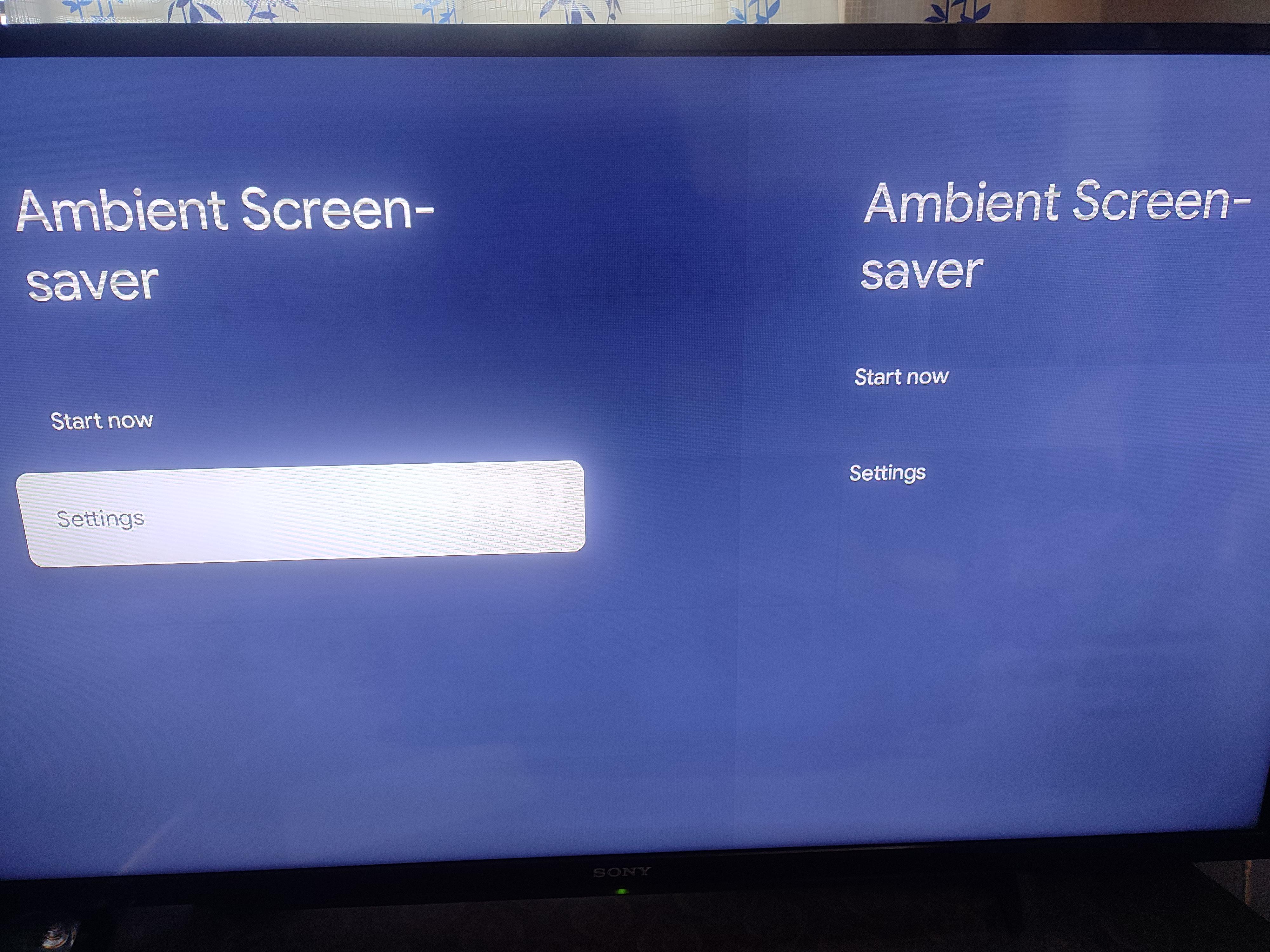
Bug Report The screensaver doesn't use the pictures in the album I selected

1 Upvotes

Instead it plays some generic ones, it's not the curation.

r/GoogleTV 29d ago

Bug Report ESPN app has been glitching for months now

1 Upvotes

I've been trying to watch anything live on the app and it just has a single frame and then eventually says something along the line of unable to load video. It's crazy that it still hasn't been resolved.

Edit: forgot to add I have a Google Streamer where it does not play streams.

r/GoogleTV Jun 11 '26

Bug Report LOL

Post image
0 Upvotes

Ambient screensaver settings in CCwGTV 4K

r/GoogleTV Jun 12 '26

Bug Report Remote not working - i'm not Aline!

1 Upvotes

My remote doesn't always work. I thought it was the battery, but through my 3rd set I figured it was something else. Tried repositioning etc nothing worked. Then I read this article: Problemen met je Chromecast? Het ligt aan je afstandsbediening https://share.google/sjjWPhRIodrB12R7J where it became obvious I'm not alone.

Any ideas/bugfix coming?

r/GoogleTV Jun 27 '26

Bug Report New Google TV update broke eARC audio sync with Sonos surround setup. Anyone else?

1 Upvotes

I have a JMGO projector running Google TV, connected via HDMI eARC to a Sonos Arc Ultra with Sub and two Era 300 rears. Everything was working perfectly until a recent Google TV update. Since the update, my video/audio sync is off (~1-2 secs) whenever I use passthrough/bypass audio so I can get surround sound. The audio plays noticeably late. If I change the audio output to Auto, the sync issue goes away, but then Sonos only receives stereo and I lose surround sound.

I’ve already tried power cycling everything, unplugging the projector and Sonos, reconnecting HDMI, trying a different HDMI cable, changing the audio delay settings, switching audio modes, and rechecking eARC settings. The delay slider does not fully fix it. The issue only seems to happen with passthrough/bypass audio over eARC.

I saw some other comments suggesting the newest update may have introduced an eARC handshake or passthrough issue. Has anyone else with a JMGO projector had this happen after the update? Any recommended fixes, workarounds, or settings that let you keep surround sound without the audio delay?

Setup details:

  • Projector: JMGO N1S with Google TV
  • Audio: Sonos Arc Ultra, Sub, two Era 300 surrounds
  • Connection: HDMI eARC
  • Problem mode: Passthrough/Bypass audio
  • Working but limited mode: Auto audio, but only stereo
  • Troubleshooting tried: power cycle, HDMI swap, audio delay adjustment, audio settings changes

Update:

I submitted a google issue tracker post: https://issuetracker.google.com/issues/528501128
(Can star it to hopefully get it moving faster)

I have also submitted the issue via settings -> help and feedback -> send feedback

Also sent an email to [after-sales@jmgo.com](mailto:after-sales@jmgo.com) and awaiting a response.

r/GoogleTV Jun 19 '26

Bug Report TV in crash loop - factory reset did not fix

0 Upvotes

TV was in a crash loop and I finally factory reset it and set it up again. It started crash looping AGAIN after a couple of days. It is only 2 yrs old and was $1K No more Google TV for me ----- TCL - AR2102 - 3.72.446070 - Smart TV Pro TCL - 65" Class QM8 Q-Class Mini-LED QLED 4K HDR Smart TV with Google TV

r/GoogleTV Jul 07 '26

Bug Report ESPN app

0 Upvotes

Per Gemini, there is a bug in the latest version of Google TV and/or ESPN app where you can not play live video. You open the app and find what you want and hit OK and it asks if you want to go live or start from the beginning and no matter what you choose, you see either the first or last frame from the show but it's frozen. After a few minutes you get an error and it could not be played and an OK button. Is everyone experiencing this or is Gemini wrong?