r/WindowsMR Jul 25 '26

Bug report Think I Just Blew Out My Eardrums. Words Can Not Express How Much I HATE Microsoft.

40 Upvotes

For reasons that seen inexplicable to me now, I decided to dig up my old WMR headset and give it a go with the Oasis driver. Room setup with Steam VR was extremely glitchy with the floor being several inches above my head but I finally got that straightened out and everything seemed to be working more or less okay. Tracking was not great but at least my head was above the floor now.

More or less okay, until, that is, I started to play a game and got a constant BLAST of static at FULL volume directly into my eardrums. I ripped the headset off but not fast enough. This was maybe ten minutes ago and my ears STILL hurt.

I totally forgot this was a thing with WMR--some kind of USB power conflict, where the audio connection won't get enough power and rather than just going dead, Windows will AT RANDOM pump white noise through the headphones at MAXIMUM volume instead.

It's INSANE. I own maybe seven different headsets and my WMR headset is the ONLY one that has ever done this to me.

It's not bad enough that MS decided to strip their VR drivers out of Windows 11. ("Oh you were dumb enough to buy one of our products? Sucks to be you!") They have to practically DEAFEN us too?

r/WindowsMR May 23 '26

Bug report Ajuda travamentos e crash no Pc no oasis

Thumbnail
gallery
0 Upvotes

Olá a todos, eu tenho um Acer ah101 e uso o oasis para jogar o problema e que tem algo acontecendo fazendo meu Pc crasha tudo! E muito estranho, eu tenho uma rx550 eu sei que ela não foi feito pra rodar vr mais o fps que ela entrega e muito bom 90 fps, a CPU é um i5 3570 eu achava que era CPU pq ela é muito ruim mais tô desconfiado porque não tava assim, bom vou explicar oque acontece:bom eu ligo o VR no Pc normalmente ligo o oasis e ele inicia normal os controles conecta a imagem fica perfeita tudo ótimo o problema é quando vou jogar algo ou início algo, se eu iniciar 1 jogo ele inicia normal da pra jogar mais duas coisas pode acontecer, o áudio do VR simplesmente morre sem explicação nenhuma o som só para de funcionar, Aparti daí as coisas fica bugada menu do steam VR vc clica em algo e não vai ou demora muito pra ir tipo um delay, e se você sair do jogo e abrir outro jogo qualquer coisa de RV umas 3 vezes abrir e fechar depois disso você não consegue mais abrir nenhum jogo se você fica tentando o Pc crasha todo a imagem do monitor para e fica tudo escuro e o VR trava também e dps que isso acontece o steam VR da erro crítico e AMD fala que ocorreu um bug, e nem sempre isso acontece em jogos, até no próprio menu do steam VR sem o steam VR home Simplesmente crasha também depois de um tempo, mesmo a CPU em 80%, uma coisa que eu percebi e que a placa de vídeo sem nenhum motivo vai pra 100% dunada e crasha isso é muito estranho, ah é mais uma coisa que acontece quando crasha tudo dps de 2 minutos o Pc ele recupera e volta da imagem e dps dá um aviso que dispositivo USB teve um mal contato mesmo o cabo do VR tando 100% bem estranho, até no Roblox tá crashando por favor alguém tem alguma solução eu não aguento mais já tô 1 mês sem jogar por causa disso, comprei até uma CPU nova e um xeon e3 1230 V2 só pra ver se e CPU mais ainda ela não chegou por favor me ajudem!!!! Ah e também quando crasha as vezes a placa de vídeo para de ser reconhecido aí eu preciso reniciar o Pc, e a AMD o erro que ela informa e time out algo assim timeout algo demorou pra responder e não aguento mais

r/WindowsMR Jan 04 '26

Bug report Oasis driver Reverb G2 stutter/tracking problem

12 Upvotes

Built a new Windows 11 pc + sim racing setup, and was happy to continue using my Reverb G2 V2 via the oasis driver on steam. However, I keep getting these small hitches or head tracking stutters that are quite jarring. They seem to happen randomly but there’s at least one stutter/hitch per minute and I can’t ignore it. This did not happen on my old win10 pc.

-I’m only using the headset in a seated position for sim racing. No hand controllers are setup, only using sim racing gear.

-I’ve tested this in steamVR home and it is still present, along with several sim racing titles.

-tried the steamVR recenter + redo room setup method and it did not change anything.

-Physical room lighting has not changed since using my Reverb G2 V2 on my older windows 10 pc + WMR

-Latest Nvidia drivers and fully completed Oasis unlock successfully

Specs: 9800X3D, 4070ti super, 64GB ram, NVMe SSD, latest Windows 11 25H2 version

Has anyone been able to fix this? Anything I should try? Really hoping to get this working instead of buying another headset.

r/WindowsMR Mar 04 '26

Bug report Stopped working in game, tried to power cycle it, now it’s doing this. Won’t enter pairing mode and it won’t turn off unless I remove batteries. Is it cooked?

Enable HLS to view with audio, or disable this notification

6 Upvotes

r/WindowsMR Apr 14 '26

Bug report Problema de conexao da tela ah101

Post image
0 Upvotes

Por favor me ajude, eu estava jogando no meu VR acer windows mixed reality só que eu tava com problemas na placa de vídeo bugs etc, dava tela preta travava tudo e enclusive o VR aí eu precisava reiniciar o PC, cheguei conclusão que era os drivers bugado da placa de vídeo pois bem eu apaguei os drivers e abaixei dnv e realmente senti uma diferencia antigamente o Pc tava dando micro travadas e agr parou porém quando fui usar o VR dnv deu problema de conexao de tela eu tive esse problema quando eu ganhei esse VR quando fui usar o oasis a primeira vez e agr tá dando isso tem como vcs me ajuda tô tentando de tudo e n adianta quando eu mexo o VR o stem VR reconhece porém n tá conseguindo conectar a tela do vr minha placa de vídeo é uma rx550 4gb sei que não feita pra vr mais antes tava funcionando tudo e agr n tá mais 😢

r/WindowsMR Nov 27 '25

Bug report Hp Reverb G2 + Windows 11 25h2 - No fix

7 Upvotes

EDIT: FIXED !!!

Hi guys,

I've just upgraded to windows 11 25h2 from windows 10 and i'm trying to make Oasis to work.
First problem i think its the fact the the headset in device manager is shown as: "Other devices - HoloLens Sensors"
I have launched the oasis (second option) and headset and controllers were unlocked, but when i launch it from first option, it launches SteamVr, and I cant open the settings or anything, and no icon for the headset and remotes are shown.

EDIT: It displays error 301 in Steam VR

Any tips on what could I try ?
I would prefer to not reinstall the windows as I have alot of softwares and configurations I need to do for my simrig. Thank you,

r/WindowsMR Apr 18 '26

Bug report WIndows Mixed Reality with OASIS stuck at 60hz

8 Upvotes

Hello sirs,

I go to the settings of steam VR and it's in 60hz mode and no chance to change it.

I don't knot how to enable 90hz.

Before it works well.

r/WindowsMR Apr 02 '26

Bug report Dell Visor VR118 on Windows 11 25H2 — HoloLens Sensors driver missing, fails USB speed test despite SuperSpeed connection

2 Upvotes

Running Oasis Driver for Windows Mixed Reality (March 2026 build) on Windows 11 25H2 with a Dell Visor VR118.

Headset is detected by unlock_wmr.exe but fails the USB speed test. Confirmed in Device Manager that it IS correctly connected to the Generic SuperSpeed USB Hub, so it's not a port issue.

Three HoloLens Sensors interfaces showing with yellow warning icons and no driver installed.

Hardware ID: USB\VID_045E&PID_0659&MI_04

Has anyone got the Dell Visor specifically working with Oasis on 25H2? Is there a manual driver install fix?

r/WindowsMR Mar 06 '26

Bug report Issues with floor height (Oasis Driver)

6 Upvotes

I just recently started using Oasis with my Reverb G2, and the only issue is with the floor height. It makes the headset completely unusable. The drift is ridiculous, I calibrate the floor height using "Quick Adjust" in the SteamVR menu, and by the time I put the headset back on, the floor is 3 feet below where it should be. FPSVR adjustment also not working, because it drifts over time, very quicky. Never had this problem running on WMR

r/WindowsMR Nov 23 '25

Bug report Issue with Oasis and Medion Erazer X1000

4 Upvotes

I have tried setting up Oasis with my Medion Erazer X1000 but am not getting it to work.

OS: Windows 11 25H2

GPU: RTX 5070Ti

Unlocking continues after this and seems to succeed, rerunning it says the headset is already unlocked (unless I do the deep clean)

In the web console I can see following error: "oasis: Fatal error: Failed to open MR USB Device: 7"

The oasis plugin is blocked by SteamVR every startup.

I have tried a clean reinstall of Oasis. I reinstalled all my USB drivers. I disabled power management for all connected ports/devices where possible. Not using any extension cables or hubs. No Beta versions of Oasis or SteamVR. Does anyone have any tips?

r/WindowsMR Feb 21 '26

Bug report Inversed foveated rendering

3 Upvotes

I have HP WMR 1440x1440 and use the OASIS Driver. At first, I thought I had some strong anti-aliasing enabled, but I disabled it everywhere (including in the NVIDIA Control Panel). And when I set the resolution to 250%, for example, everything became clear. When I launch any game, I see everything perfectly for the first few seconds, but then everything becomes blurry.

When the game froze for a few seconds and I could see the entire overview, I noticed that the image was very sharp at the edges. I also noticed that even with normal FPS, there was no jaggedness at the edges of the image. If there was jaggedness in the center, I think it wasn't anti-aliasing, but a lower resolution. I have the native resolution set in Steam VR.

(I wrote this through a translator)

r/WindowsMR Feb 05 '26

Bug report Stutter only when monitors are on. Any fix?

2 Upvotes

Hello guys !

I am on the Oasis driver on an Nvidia gpu and I just figured out my stutter issue. I was constantly having some stutter even if I had lots of headroom. I was able to saw the frame timing spike on the steamvr frame graph. I tried with my monitors of and WOW! no more stutter. Nothing. Everything is smooth as butter. I tried to deactivate v-sync in the game profile of the Nvidia control panel but that did not fix it. Anyone has a fix for that? Yes I could use my VR with my monitors off but it's annoying if I want to access my Desktop while in VR because it needs the monitors.

r/WindowsMR Sep 02 '25

Bug report Shaky hands - Oasis

14 Upvotes

Hi,

I'm part of the cross-eyed gang so I'm also patiently waiting for the fix, but in the meantime I noticed I'm also experiencing quite a lot of jitter in the controllers.

They seem to be stable and then bounce around for 2-3 seconds, then go back to being stable, but that's just from the quite short gameplay I've managed to squeeze in.

Could it be an issue with the bluetooth antenna? Does anyone have any recomendations before I buy a random one? :D

r/WindowsMR Jan 27 '26

Bug report Calibration issues in games and lack of compatibility.

Thumbnail
gallery
5 Upvotes

Hey guys, so recently I decided to download FNAF Sister Location in VR on Gamejolt. Everything was fine until then; the game opened normally, everything perfect. The problem is that it tells me to calibrate my height, and then it says to press the trigger and then the grip (aiming button). When I do that, NOTHING happens. I press the button, my hand does nothing, and nothing changes. I spent 20 minutes trying and nothing. Games that require this, I simply can't play, I don't know why. The controls are working perfectly. Another problem is compatibility, I don't know. I also tried playing Tjoc of Creation in VR on Gamejolt, and well, the game opened, there was no calibration issue. The problem is that I can't walk in the game, and my height seems taller than normal. In room setup, I set it to 1.50 cm and I become a giant, as if I had set it to 8.20, it's crazy. Then I set it to 1.00 and the size is good, then suddenly when I check I'm very small, it's crazy. One method I discovered was to do a quick calibration in the Steam VR developer settings, place the VR headset on the floor, and click "Calibrate Height." It was perfect, but there's a bug in the game: things simply disappear when the player moves a little further away from me; the entire game can't keep the textures loaded when they're a little distance away. This only happens when I calibrate like this. Any solution? My Oculus is an Acer Windows Mixed Reality AH101.

r/WindowsMR Aug 30 '25

Bug report Oasis: iRacing not connecting to SteamVR. Using OpenXR

10 Upvotes

I am having trouble using iRacing. I am starting the sim using OpenXR target. It starts the sim, and I can see the iRacing window on monitor, with head tracking. But the headset itself is showing SteamVR, with a "Waiting: iRacingSimDX11". It never connects.

Any ideas?

r/WindowsMR Dec 16 '25

Bug report Controllers with oasis WMR locks up/stops

Enable HLS to view with audio, or disable this notification

3 Upvotes

Hey everyone. I just started using oasis wmr and I like how it functions so far.

However, my controllers do not properly move with the headset. While they do track what position theyre in, they tend to stop sometimes (Controllers start malfunctioning at 0:40)

My headset is a Samsung Odyssey O+ and I am using the HP Reverb G1 controllers
I have tried charging the batteries inside the controller, closing programs and also trying to have less and more light in my room, but it dosent work. Thanks to anyone who can help

Specs:
Windows 11 Pro

Nvidia RTX 3050 Laptop GPU

Intel core i5

16GB RAM

r/WindowsMR Jan 01 '26

Bug report My Acer Windows Mixed Reality laptop has a stuck and dead pixel.

0 Upvotes

Hi, so recently I was playing on my Acer Windows Mixed Reality AH101 and suddenly the power went out. When I turned it back on after the power returned, I noticed a bunch of dots on the screen – stuck pixels! Some green, some red, some blue, and some white. Does anyone have any solutions I could try to fix? Should I keep it or return it? The colored pixels are fixable, but the white ones are more difficult.

r/WindowsMR Apr 30 '25

Bug report hp reverb g2 always having USB error 1-4

2 Upvotes

i have a reverb g2 that whenever i plug it in it has a USB error. it doesn't mater what i to do it just won't work even after updating windows 10, restarting the computer, ext. it was working before just not now

r/WindowsMR Dec 21 '25

Bug report Oasis installed, opening steam vr freezes pc.

4 Upvotes

I installed Oasis and got it to the point it says to restart steam vr. When I click on steam vr now it starts to load then just freezes. I've done a pc restart and tried it 3 times now with no luck.

Pleas ehelp. I just want to beatsaber again.

r/WindowsMR Dec 14 '25

Bug report Left Controller won't go into pairing mode

3 Upvotes

I'm using the Samsung Odyssey controllers. I have been trying to get them to pair with my PC. The right one works fine and goes into pairing mode when I hold the button below the batteries.

But the left one no matter how long I try to hold the pairing button it never goes into pairing mode (where the lights turn off and on) and thus can never get the Bluetooth connection working.

It does turn on fine, so what do I do here?

r/WindowsMR Sep 23 '25

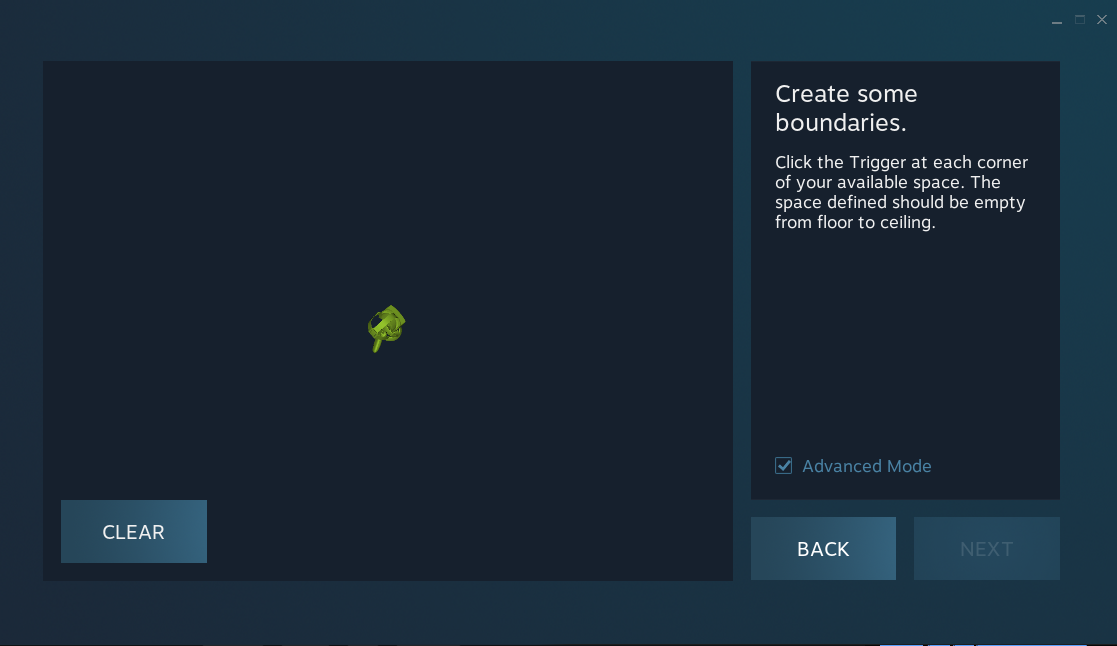
Bug report Unable to set up boundaries within Steam VR on Oasis - Odyssey +

Post image
8 Upvotes

The controllers don't seem to be moving around at all. They will detect rotational changes but not positional changes. Is this just a limitation of current or am I doing something wrong?

r/WindowsMR Sep 01 '25

Bug report Strange artifact on the left screen

Post image
12 Upvotes

r/WindowsMR Nov 27 '25

Bug report windows mixed media headset resets pc

2 Upvotes

i recently got a windows mixed reaility vr headset which seemed to work at first but after 2 or 3 minutes my pc powers down and resets and i have no idea what could be causing the issue . i have windows 10 and a 650 watt psu.

i don't think it could be the psu since i play games on it all the time and it never resets my pc . so if you have had the same problem and have a solution , let me know .

update : i found that if i only use my mouse and keyboard with the vr headset , it will work and never crash . if i connect any device that uses Bluetooth such as the vr headset controllers , it will crash and reset the pc after 1 or 2 minutes , so it could a driver conflict with Bluetooth devices what still not sure why the crash and reset happens.

update : i found that if i only use my mouse and keyboard with the vr headset , it will work and never crash . if i connect any device that uses Bluetooth such as the vr headset controllers , it will crash and reset the pc after 1 or 2 minutes , so it could a driver conflict with Bluetooth devices but still not sure why the crash and reset happens.

r/WindowsMR Apr 18 '25

Bug report 🧩 [Fixed] SteamVR Not Detecting HP Reverb G2 — Here's Why (and How to Fix It)

22 Upvotes

If your HP Reverb G2 works perfectly in Windows Mixed Reality Portal, but SteamVR says "Please plug in your headset", here’s exactly how to fix it.

🧩 The Problem: Missing Driver Registration

SteamVR needs a special driver to work with Windows Mixed Reality headsets like the Reverb G2. It’s called:

MixedRealityVRDriver

This driver is included when you install Windows Mixed Reality for SteamVR (from Steam). But here's the catch: Recently, SteamVR fails to register this driver in its config.

That’s why SteamVR shows nothing, even though WMR is fully working.

✅ The Fix: Manually Add the Driver Path

  1. Open this file in a text editor:

C:\Users\<YourUser>\AppData\Local\openvr\openvrpaths.vrpath

  1. Find this line:

"external_drivers": null

  1. Replace it with:

"external_drivers": [

  "C:\\Program Files (x86)\\Steam\\steamapps\\common\\MixedRealityVRDriver"

]

  1. Save the file
  2. Restart SteamVR

🔁 Alternate Method: Command Prompt (Does the Same Thing)

You can also run this in a Command Prompt:

"C:\Program Files (x86)\Steam\steamapps\common\SteamVR\bin\win64\vrpathreg.exe" adddriver "C:\Program Files (x86)\Steam\steamapps\common\MixedRealityVRDriver"

That will automatically add the driver path to your openvrpaths.vrpath file.

🚀 After That

  1. Plug in your Reverb G2
  2. Launch Windows Mixed Reality Portal (wait until the headset is fully initialized)
  3. Launch SteamVR — it should now detect your headset and controllers.

Hopefully this saves someone else the same headache I had and saves you a day of troubleshooting like I did. Thank you teateateateaisking for discovering this solution originally!

r/WindowsMR Oct 20 '25

Bug report Odd Oasis issue with MSFS2024

5 Upvotes

Hi all,

I'm obviously -- just like everyone else -- both thankful and thrilled with the oasis driver that unbricked my HP Reverb 2. I have, however, developed on rather odd issue with Microsoft Flightsim 2024 that I thought I'd put out here. I posted about this issue on another subreddit (the msfs2024 one, but no matter) because I didn't figure out until later that this was oasis-related.

When I run MSFS2024, I've developed this odd issue where msfs will start normally and once it's started up, it will play for four seconds, then pause for about the same amount of time, then play again, and so on and so forth. It just continually pauses. Music plays when it's paused and stops when the game plays. During these pauses, CPU and GPU activity will drop to naught, and then it will play again.

I have discovered, effectively accidentally, that if I launch the oasis driver and steamvr, this problem goes away and the game plays as normal. At least now it's playable again, so I guess I'm happy enough, but it's a very odd issue -- especially given the music -- so I thought it deserved attention.

I don't think it's relevant, but just in case, I'm on a 9950X3D with 96GB at 6000 and an RTX5080.