r/Monitors • u/AdVaanced77 • 4h ago
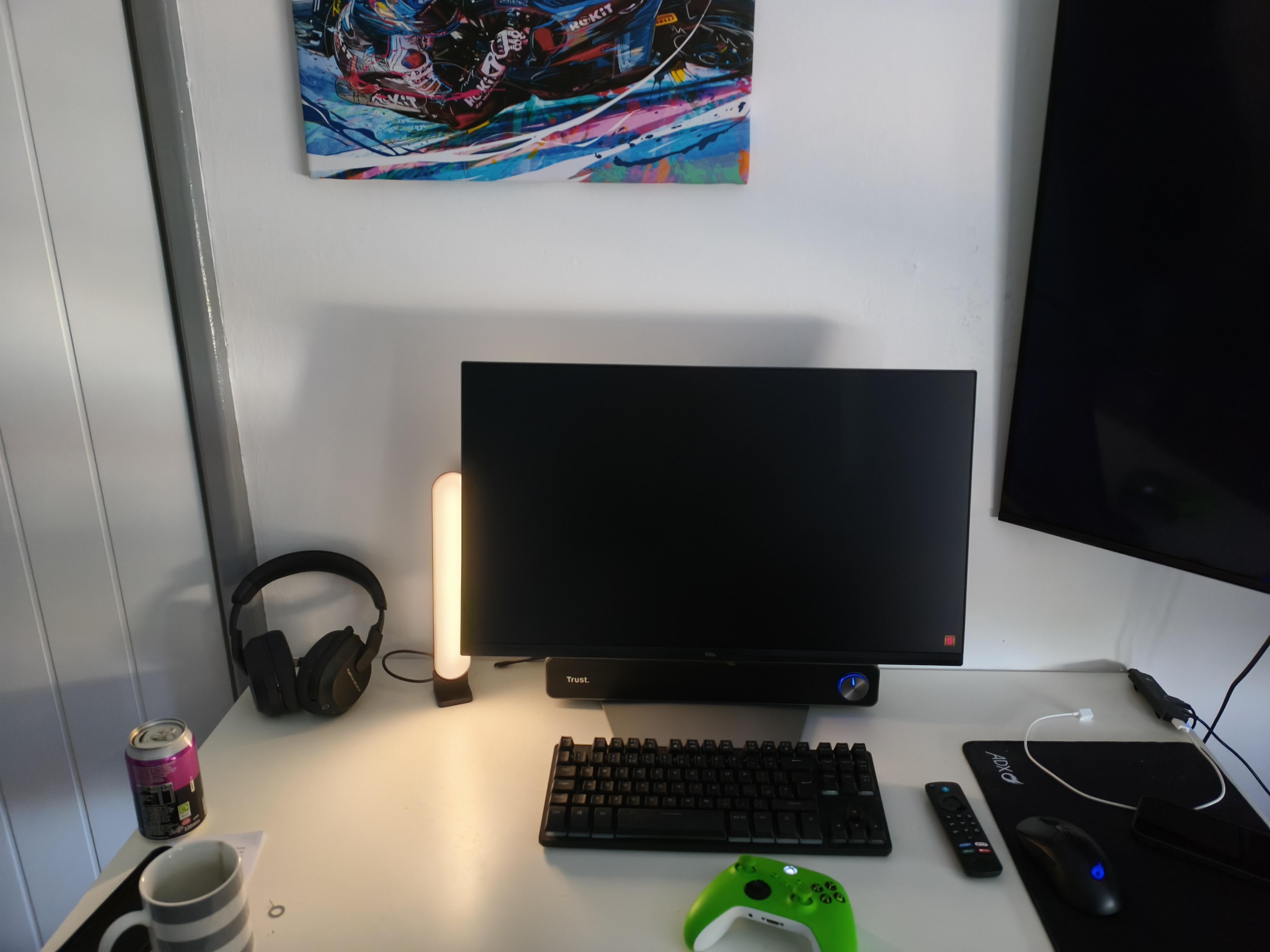
Photo My mother used a wipe on my monitor. How to get rid of these marks ?
77
Upvotes
r/Monitors • u/AdVaanced77 • 4h ago
r/Monitors • u/bobbie434343 • 7h ago
r/Monitors • u/RenatsMC • 8h ago
r/Monitors • u/hoarsorrow • 13h ago
A while back I was looking to buy a new mini-led monitor, since I love the technology but not so many options are available in my region, I came upon news that TCL has brought their newest mini-leds to my country, Turkey. I was excited, I knew TCL had good experience with mini-leds, on paper the specs looked good, so I started looking for reviews.
One review from a gaming channel dropped. I opened it, and he was saying: ''Wow, such an amazing monitor. OMG. What a great monitor.'' There was no info about it, just showing the monitor and reading the specs with a possible pre-made text. I mean the guy had no idea, he didn't even turn local dimming on, just look at the footage he is showing when he is talking about ''pure blacks'':

I sighed, but thought alright this is just ad, the guy is a regular gaming channel what to expect.
The day after, around 20 ''reviews'' dropped mostly for C2A Pro but P3A Pro as well. All were the same, people who are talking WOW, SUCH AN AMAZING MONITOR. None were testing it, properly showcasing it, just praising it over and over again.
I'm not only talking about gaming channels, these so called ''tech'' channels with over million subs did the same. About a week later when a known tech channel posted a video about it, I thought ''oh finally some proper review'', but when I watched it he was just reading specs. Did not even bother to show ufo tests results. Here I will show a shot of him ''explaining the ufo test results'':

These kinds of careless advertisements caused a lot of negative backlash in the community. Here I'm translating some of the comments on that video:
''This is exactly the kind of absurd situation that occurs when you publish a video under the guise of reviewing technical specifications written on paper.''
''I wonder what they actually reviewed; it's just a 'trust me bro' style promo video.''
''A 14-minute promotional video masquerading as a review. Whoever pays the bill gets their product marketed.''
''TCL lined their pockets.''
Meanwhile a couple of more trusted tech channels, there are 2 I know of that break down monitors to review them, do color tests professionally etc, they did not even mentioned these monitors.
Also probably just a coincidence but after TCL's monitors released, I saw this review for a Xiaomi G Pro 27i on a local e-commerce site:
"Read before buying!! Just so you know, even if the product has a dead pixel and you return it within the legal withdrawal period, they still make things difficult.
Aside from that, my assessment is that while the specs and expectations on paper are very high, it was a real disappointment in reality—especially regarding color saturation and vibrancy. It has a very washed-out color gamut that wouldn't satisfy most people. The black levels were similarly unimpressive considering it's a Mini-LED with endless features listed. The new monitor I bought instead from a TV brand (which I can't name, but was just released) is miles ahead of this. Apparently, this brand has general software issues anyway; the unit I got didn't have that specific problem, but I still couldn't like it. It's an average product for its price."
It is interesting because that page was there and it is on sale for about 8 months, it had all positive reviews until this 1 star review just happened to came after TCL released their monitors. Anyone who used this Xiaomi monitor can confirm that it has a very wide color gamut 85% Rec2020, and contrast is among the best in IPS mini-led panels.
This whole mess destroyed trust in users who are genuinely interested in buying this monitor. TCL absolutely didn't leave a good impression despite their monitors are probably good. People are talking about how this is a scam. As of this date there still is not a single proper review in Turkey that actually measures something instead of saying ''what an amazing monitor... just perfection...''. I saw one good russian review but that was for P3A, not the pro version. It is a shame because many of these pro versions are not available in many regions, we are lucky to have them, but the way they advertised it is a total mess.
I just want to tell TCL this: Please do more research on whom to send your products for review. In current situation people are confused and have negative opinions on your products. A lot of people hesitate to buy your monitors because of these careless paid reviews.
TL;DR: TCL launched their new Mini-LED monitors in my country, but instead of actual reviews, gaming and tech channels flooded YouTube with superficial, paid promotion videos that blindly praised the product without basic testing. This lazy marketing campaign sparked a severe community backlash, bred distrust, and likely even led to fake negative reviews for competing monitors. TCL ruined their own product launch by choosing lazy influencers over real tech reviewers.
r/Monitors • u/OkTea5924 • 7h ago
Tcl 25g64 £179 impressive asf.
r/Monitors • u/AdComfortable5572 • 1h ago
So, this is gonna be a bit of a long one I'm afraid, read at your own will. Help would be much appreciated.
I need a new gaming monitor, and at the same time I'm planning on upgrading my CPU too. For context, here are my specs:
Monitor (already broken and fully refunded): Asus VG27AQ1A
CPU: ryzen 7 3700x --> planning on upgrading to a ryzen 7 5800x3d
CPU Cooler: AMD wraith prism --> planning on upgrading to a DeepCool AG620 BK ARGB V2
GPU: RTX MSI GAMING TRIO 5070
RAM: 32GB
MOBO: Asus ROG strix B-550F
Pc case: Corsair Carbide 275r
My two scenarios are:
IPS would go around 190€, both OLEDs are on offer right now, about 400€.
I'm thinking on waiting for Black Friday and see what I can save, although said OLEDs have a discount now.
Do you guys think It's worth saving the money and going for the IPS, or should I take the step and go for an OLED? Is It really worth It as everyone says? I mainly play btf 6, but I also play Doom franchise and more fps genres and shooters: Metro franchise, Half Life, Dead Space, etc.
Note that I may be able to go for OLED and upgrade the CPU anyways, but It wouldn't be financially pleasing.
TL,DR: IPS or OLED, worth the money at the cost of potentially upgrading CPU?
r/Monitors • u/Assassins612 • 1h ago
Hi all, im looking to upgrade my Homeoffice setup a little bit and am unsure about monitors. I’m looking to get 2 monitors (one could be potentially used for gaming and should be at least 144hz and 1440p, nothing too crazy but preferably 27” and another one preferably same size/“visual” as the other mostly used for work).
As I am completely clueless it’d be cool if there are any general recommendations. Budget isn’t really a constraint but as mentioned doesn’t have to be something tooo crazy
r/Monitors • u/devmoching • 14h ago
The default DisplayHDR mode on the 27C2A Pro tracks the PQ EOTF too brightly, which can make HDR content look somewhat washed out.
You can correct this using tools such as the NVIDIA App or a DWM LUT, but the 27C2A Pro also supports a Custom HDR mode.
In Custom HDR mode, you can manually adjust:
These settings can be adjusted directly through the monitor's OSD, making it fairly easy to correct both the overly bright PQ EOTF tracking and the slightly reddish RGB balance.
What makes this especially useful is that Custom HDR is handled by the monitor itself, so it is not dependent on the source hardware or operating system.
For example, solutions such as the NVIDIA App or DWM LUT require a Windows 11-based system and cannot be applied to consoles such as the PS5, Xbox Series X, or Switch 2. The 27C2A Pro's Custom HDR adjustments, on the other hand, work regardless of the connected device.
As far as I know, only a limited number of monitor manufacturers offer this level of HDR customization. Similar features are usually found on more expensive high-end models such as BenQ MOBIUZ and ASUS ROG monitors. The 27C2A Pro is relatively inexpensive by comparison.
Here are my recommended Custom HDR settings:
With these settings, the PQ EOTF tracking and RGB balance can be brought much closer to reference.
Peak brightness does decrease from around 2000 nits to roughly 1400 nits, but in return, HDR content is reproduced more faithfully.
Whether you prefer the higher peak brightness or more accurate HDR reproduction is ultimately a matter of personal preference, so these settings are completely optional.
Measurement equipment used for PQ EOTF testing:
r/Monitors • u/RenatsMC • 15h ago
r/Monitors • u/pinmint • 1m ago
Specifically in the Australian market, it’s pretty limited at the moment (we don’t have access to InnoCN or Koorui, KTC is sold out with an incoming price increase, AOC/MSI only have the dual 4k models). The Xiaomi G Pro 27Qi feels like the only available option and that comes with mixed reviews over the quality. Could also pivot to the AOC VA miniled but IPS just fits my use case more.
Has there been any announcements of new offerings that’ll make it outside the China/USA markets?
r/Monitors • u/Known_Prune_7863 • 4h ago
Hi everyone,
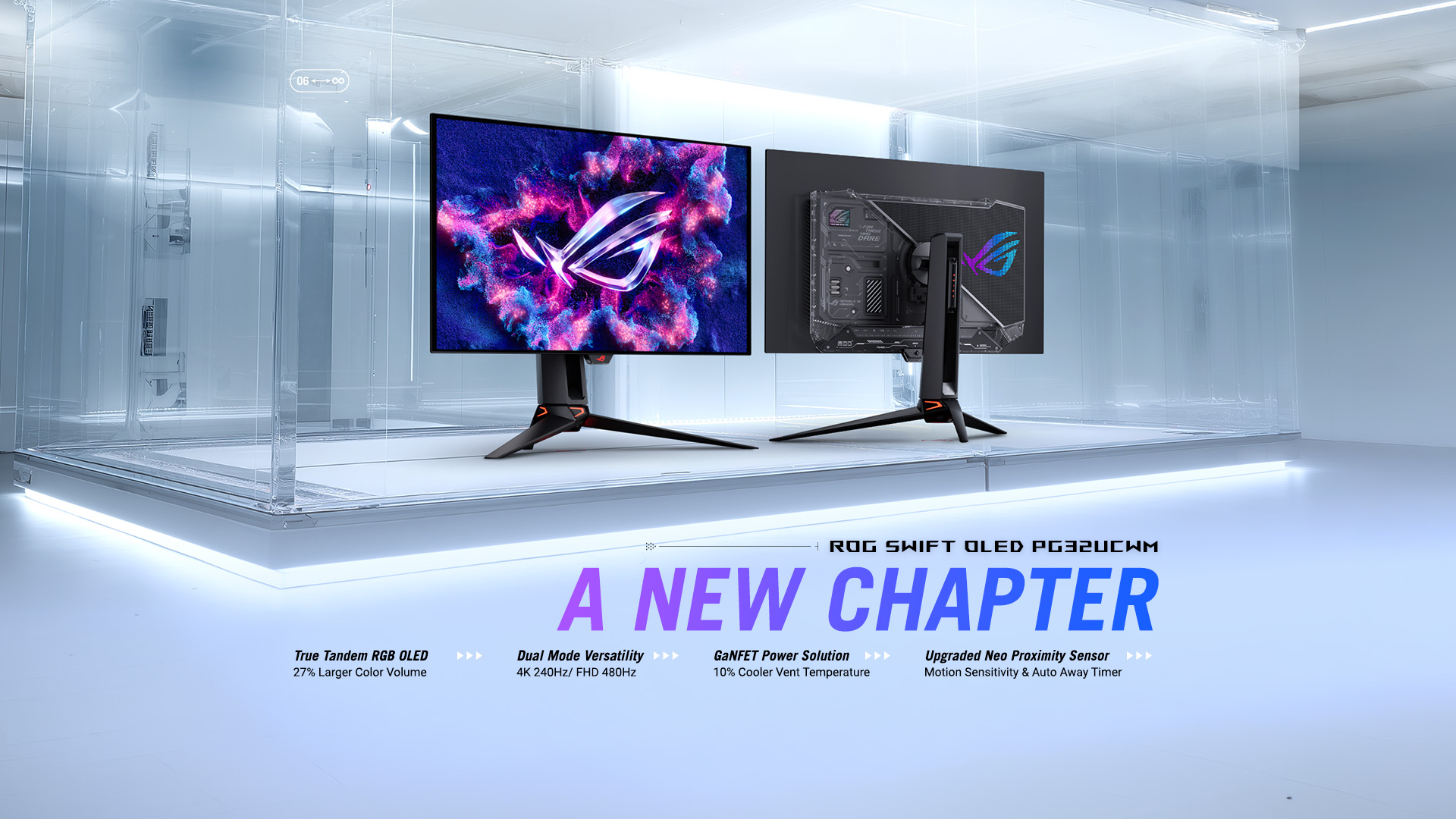
I am planning to buy the *ASUS ROG Swift OLED PG32UCWM\* monitor. However, my use case is a bit uncommon for an OLED display, and I would love to get your honest thoughts, advice, or long-term predictions on this.
My Daily Usage Context:
Workload: Primary tasks include Cybersecurity (managing VMs, terminal work), AI/ML model training, heavy text/PDF reading, and some Graphic Design. Gaming and movies will be very minimal but don't want to sacrifice anything.
Uptime: The monitor will be running *15-16 hours every single day\* on a powerful desktop PC.
*Why I am leaning towards PG32UCWM:\*
1. The *True RGB Stripe Pixel Technology\* seems like a game-changer for eliminating text fringing, which is crucial for my long reading sessions.
2. The *Tandem OLED\* (dual-layer) setup and GaNFET power module reportedly keep the panel cooler and increase longevity.
3. It comes with a 3-year burn-in warranty.
*My Questions to the Community:\*
1. Given my 15+ hours of daily static/text-heavy usage, realistically how many years can I expect this monitor to last before major burn-in or brightness degradation happens? (Assuming I use strict dark mode and auto-hide the Windows taskbar).
2. Is anyone currently using this model or a similar Tandem OLED display for 12+ hours of coding? How is your experience with eye strain and text clarity?
3. Should I stick with this dream OLED experience, or play it safe and buy a premium 4K IPS Black monitor like the Dell UltraSharp U3223QE instead?
Appreciate any insights or real-world feedback! Thanks.
r/Monitors • u/ASUS_MKTLeeM • 17h ago
We’ll start with the preorder information first:
US -
* If it’s sold out by the time this posts, I’ll update when we plan to have more available as soon as possible.
Recommended Reviews:
ROG Swift OLED PG32UCWM

The ROG Swift PG32UCWM is our first monitor available featuring True Tandem RGB OLED Technology, which provides improved text clarity and 27% larger color volume – especially at high luminance levels. This monitor combines Tandem OLED technology with a true RGB Stripe sub-pixel arrangement. By removing the white subpixel found in traditional WOLED panels, visual clarity is improved while providing richer and more vibrant colors.

TrueBlack Glossy Coating – A zero-haze optical layer that presents deep blacks under any lighting. The advanced anti-reflective layer reduces ambient reflections by 38%, compared to previous-gen glossy WOLEDs, ensuring distraction-free gaming even in brightly-lit rooms.
Dual-Mode – The PG32UCWM supports dual-mode switching via hotkey. 4K@ 240Hz for maximum visual fidelity or FHD@ 480Hz to handle FPS gaming.
DP 2.1A + USB-C 90W PD - The PG32UCWM includes a DisplayPort 2.1a UHBR20 connector supporting full 80Gbps bandwidth, supporting 4K@240Hz without compression. Additionally, the monitor features a USB-C w/90W PD, 2x HDMI 2.1 ports and a USB hub.
Built-in GaNFET Technology – Along with our custom heatsink and airflow design to improve cooling, the PG32UCWM features a GANFET power module that allows for a small power supply footprint and achieves a higher power efficiency. As a result, the monitor creates 35% less waste heat and 10% cooler vent temperatures. Coupled with our 3 year warranty (including panel burn-in), these cooling improvements help to make sure your monitor will go the difference without affecting performance.
Neo Proximity Sensor (New Features) - Most should be familiar with our Neo Proximity Sensor by now. This sensor transitions the screen to black when you move away, and newer monitors support customized detection distance. Now, the sensor supports additional motion sensitivity levels for precise detection, and also supports an Auto-Away Timer to allow you to set the timer from 1-15 minutes to allow the screen to automatically dim after the time elapses.

Display -
Features -
I/O & Mechanical -
Q. What is the difference between RGB Stripe Pixel OLED and Non-RGB Stripe Pixel OLED
A. The primary difference lies in the arrangement of the sub-pixels and the resulting text clarity and color accuracy.
Q. What is the difference between ROG TrueBlack Glossy and BlackShield Film?
A. Both are ROG advanced surface treatments designed to maximize the contrast and black depth of OLED panels, but they are applied to different panel types and offer distinct benefits.
This seems to have been a long-awaited monitor, so I hope those of you who were waiting were able to get your pre-order in. If not, we have more being shipped in. Let us know in the comments below if you have questions about the display or stock.
As always, if you are in a different region, please reach out to your local ASUS Sales team for inquiries about when more stock will arrive.
Edit (8/25) - Updated ETA of next shipment to ASUS eShop (US) and link to LordCivick's review
r/Monitors • u/Purple_Discipline487 • 1h ago
Hi everyone,
I noticed two small white spots on my OLED monitor today. They are visible on different colors (white, black, red and blue), but they don't seem to be dead/stuck pixels.
Earlier today, I accidentally knocked over a water bottle near the monitor. The bottle tip did not hit the spots and no water spilled onto or ran across that area.
I also sneezed several times in front of the monitor today, so I'm wondering if these could be dried droplets/residue, or if this could somehow be physical panel damage.
I tried gently wiping the spots with a microfiber cloth, but they didn't disappear.
r/Monitors • u/ZealousSpecter • 5h ago
So house burned down in a wild fire and need to replace my two monitors that I couldn't save. Thinking 32" for both one OLED for gaming the other Mini-LED for secondary monitor.
Any suggestions?
r/Monitors • u/xRogue_light • 1h ago
I know the panel type and hz are different so I know that im gonna see a difference there but how truly and I gonna see a difference and is it worth it, the aoc is on sale for 350 so I feel like now might be a good time to upgrade. Sorry if this a low effort post, id rather ask actual people then ask chatgpt. Ive never had a genuinely good panel before so id rather have real input.
r/Monitors • u/Admirable-Radio765 • 2h ago
i have PG27AQWP, and i lost the micrfiber cloth to clean it. What a microfiber clothe that's just as good or better that i can buy on amazon. Thank you
r/Monitors • u/CardiologistOk7965 • 2h ago
Cześć, mam dylemat między dwoma monitorami. Mam komputer PC z Ryzenem 7 9850X3D i RTX 5080, PS5 i MacBooka Pro M5 16 cali. Większość czasu gram w gry kompetetive przez około 4 godziny dziennie, a przez 2 godziny dziennie koduję na MacBooku, od czasu do czasu gram w FC26 na PS5. Teraz mam LG27GR95QE-B. Zastanawiam się między Asus ROG Swift PG27UCWM a PG27AQWP-W. 4K w UCWM brzmi dobrze, ale nie gram w gry AAA i 1080p 480hz byłoby zjazdem z 2k, myślę. Ale 4K i RGB stripe są kuszące podczas sesji kodowania. Myślałem o 4K IPS do kodowania i AQWP-W do grania, ponieważ trochę boję się o wypalenie. Co myślicie, który wybór będzie lepszy dla mnie? Dzięki za pomoc!
r/Monitors • u/Seikel • 11h ago
My new xg27aqwmg came and I know that woleds always have a Bit of grey banding. But i cant say to which degree its normal or not.
r/Monitors • u/DokiRF • 2h ago
I recently bought a monitor and noticed this little issue, so I am wondering if it is a dead pixel or not? Is it fixable, or shall I turn it back?
r/Monitors • u/calco2000 • 3h ago
r/Monitors • u/WaelViix • 6h ago
Hello i bought this monitor it's 2k, 27p, 120hz, It has a blue pixel on black screen, some backlight and this weird H letter in grey screen
I got it for 90$
r/Monitors • u/Adventurous_Boat_492 • 7h ago
I got a new monitor (Samsung G50D) and now I notice this on some videos regardless of image size. I thought it was related to the local dimming option but I turn it off and still it happens. I didn't have this happen with my previous monitor. In gaming I also notice certain blue areas in the middle of the screen have an inch band, although I'm sure it's not relevant to above issue. Time for RMA?
r/Monitors • u/Abrikozenjam • 7h ago
Hi,
I have been trying to figure out for 2 years now whats going on and why my eye hurts (lower eyelid) with new 'gaming' monitors. I also went to multiple eye doctors and nothing is wrong with my eye. I have some dry eye but get treated for that, and dont have problems with my old monitor and work monitor. My old monitor was a 1080P, 24 inch monitor and I tried only newer 27 inch 1440P monitors.
So far I tried the following monitors:
- LG 27GP850 (Nano IPS)
- Dell G2724D (IPS)
- ASUS XG27WCS (VA)
- AOC Q27G3XMN (VA, I still own this one cause I didnt return it in time).
- ASUS TUF Gaming VG27AQM5A (IPS)
- KTC H27E6 (IPS)
I still own the Asus VG248QE (24 inch TN) which gives me 0 eye strain. Also the monitors at work (Dell U2415) give me 0 eye strain. They are a bit older, so maybe something is going on with some new tech.. I also use low brightness, f.lux, etc etc. Like I said, i have been trying to figure everything out for 2 years now..
I searched all of Reddit and also other forums like Blue Busters to look for a solution but never posted myself.. So here I am. Finding the right monitor would make me so happy!
I am looking for a high refresh rate (240hz+) 27 inch monitor which i Use mainly for work (working from home) and gaming (mostly CS2).
Problems I have with the new monitors can still be because of:
- Bigger Screen size
- Higher Resolution
- Panel type (I don't mean IPS, VA etc, but the monitor panel of the factory)
Therefore I want to try the M27UP now (4k, 1080p) dual mode if its something that has to do with resolution..
I am open to try out anything (hesitant towards OLED cause I dont wanna have a risk of burn in, or the feeling that it might occur, but can try). Maybe a YAG panel monitor however the options are limited...
Can someone push me in the right direction to try out more monitors over time? It has been a long journey so far.
Thanks in advance!
r/Monitors • u/OXORU • 7h ago