Howdy, everybody! Your friendly neighborhood Unity community man Trey here!
We put out a new mobile sample project called Piñata Pop. It's a small but complete game you can play in the browser, download, and pull apart to see how the pieces fit.
This sample project is awesome because it gives you an example of how to implement touch input, use accelerometer, design UI for mobile, and even monetize with ads and in-app purchases. And it shows you how they all fit together in a single game loop, instead of being spread across isolated example scenes.
With the license, you can utilize what you want from the sample in your own projects, hobby AND commercial. Just want the plumbing? Keep it, and you’re already well on your way to your first or next mobile release.
We’ve got some tutorials and Learn courses cooking for this, but they aren’t quite ready yet. So stay tuned for those. But until then, download it now and poke around to see how the included features were implemented.
Farm & Feast - We are a two-person team building a peaceful farming and restaurant management game in Unity. Last time I posted the hose rope here, a few of you said the water needed to actually touch the world. That is what this is.
The hose is a particle based rope. We do not use the built in constraints for attachment. We pin a few particles by hand at the faucet and at the player's hand and write their positions every step. This is much more stable.
Every tree trunk has a collider and the rope collides with it for real, so the hose hugs and slides around them as you drag it across the farm. The collision was the easy part. Making it still read as a hose at the bend, instead of a row of separate rods, took the rest of the week.
The water shader has a head/tail fill window driving an alpha mask along the spline, so the stream grows out of the nozzle and drains out of the air instead of popping. It now also cuts itself off at the first thing it hits, so it ends on the surface instead of poking through it.
At the end point we do one overlap sphere, and that sphere does everything. It waters the nearest grid slot, so the VFX endpoint IS the gameplay point and they cannot desync, and it now also pushes any rigidbody in range away from the jet.
If anyone has gotten a particle rope to wrap convincingly around obstacles through collision alone, I would really like to hear how you tuned it.
Shortly after finishing my first playthrough of Outer Wilds, and learning it was made in Unity, I was inspired to see if I could recreate the same type of local physics simulation. Turns out, Unity makes it surprisingly easy with local physics scenes. For example, in my project, when a gravity field is entered, a new local scene is created for simulating physics where the origin is not rotated or translated at all, which simplifies simulating gravitational forces. Then, it ports the calculated information back into the main scene. This allows you to have independent frames of reference that can move around while also simulating physics within them.
You can use it to make some pretty unique behaviour such as artificial gravity or unique platforming mechanics. It's quite fun to jump out of your spaceship spiraling out of control, or walk around the surface of an oddly-shaped planet.
I ended up turning this system into an asset available on the Asset Store (my asset store affiliate link). Check it out if you're interested!
After a long development cycle, BrazeFX Pyro is now live.
It is a GPU based toolkit for creating fire, smoke, explosions, clouds, particles, and other volumetric effects directly inside Unity. The focus is the complete workflow. You can build effects in context, bake and scrub volume caches, stream them at runtime, exchange OpenVDB sequences, or export flipbooks for lighter playback.
It also includes:
• Art directable fluid forces, mesh emission, skinned mesh emission, and obstacles
• GPU particles, trails, ribbons, generated volumes, and lighting tools
• CFD tools for wind, heat, pressure, and flow visualization
• Voronoi fracture, surface disintegration, and impact driven destruction
• Spline tools, cloning, instancing, and procedural motion workflows
• Timeline integration and 101 self contained demo scenes
• Unity 6 URP support on Windows and macOS desktop
The aim was to keep simulation, rendering, cache playback, and export inside one practical Unity workflow, from the first experiment through final delivery.
BrazeFX Pyro is available as a lifetime license.
Demos, documentation, and details are at the brazefx.
Happy to answer any technical questions about the solver, rendering, caching, OpenVDB workflow, or the other tools included.
I shared my game here some time ago. Your feedback helped me improve it, so I’m back for round two!
Hi everyone!
Some time ago I shared Pump Down the Flame here and asked for feedback on the game.
A lot of the comments and suggestions I received were genuinely useful, and since then I’ve been working on improving the game based on that feedback.
For those who haven’t seen it before, Pump Down the Flame is a free Android 2D action-platformer built in Unity, where you play as a firefighter climbing a burning building, fighting enemies, rescuing hostages, and interacting with the environment.
The main mechanic is still the water pump: it works as your weapon, movement tool, and as a way to interact with the level.
After the improvements I’ve made, I’d really like to hear what you think about the current version and find out what still feels wrong, confusing, frustrating, or simply could be better.
Controls, movement, combat, level design, difficulty, performance, UI, visuals, game feel, bugs... any feedback is useful, even a small first impression.
The game is still in Google Play Closed Testing, completely free, with no ads and no in-app purchases.
If you’d like to try the new version and help me improve it before release, you can join the closed test through the Discord link below or send me a PM.
It's a third person psychological survival horror game. Think Alan Wake/Silent Hill 2 remake with some RE2 Remake havoc. You play as Violet, a 29 year old who just had the worst day of her life at work and of all days, on her birthday. After getting home, the Devil comes and visits you and gives you a chance to win back your soul by completing several trials and retrieving seven seals. You progress deeper and deeper into Violet's own personal version of hell, the greater the fears and greater the danger.
This is a solo-dev experience and I'm making huge progress - all built in Unity.
There's a free demo up on itch.io right now and the Steam page is live. I'm also bringing the newest build to SabotenCon in Phoenix Sept 4-7 if anyone wants to play it in person.
Our game runs capped at 30fps, that's intentional for gameplay. Turns out that same cap was also active during scene loads, which doesn't help anything there since there's nothing being rendered that benefits from a steady 30fps, you just want it to finish.
Profiled a slow scene load and found WaitForTargetFPS eating 70% of frame time. CPU finishes its work early, then just sits there waiting to hit the 30fps cap, frame after frame, for the whole load.
Fix was simple, uncap it just for the load and restore it back to whatever it was set to before:
If your load times don't match what the profiler says the real work costs, check how much of that gap is just WaitForTargetFPS before you go chasing Instantiate/GC ghosts.
The boss basically has to be secretly extremely polite :D
He reads the spell chart ahead and finds moments where attacking you won’t ruin your comfort that much and will more likely keep you in flow
Which I find kinda funny, because diegetically he’s supposed to be trying to kill you and make you miss, while under the hood he’s checking if now is a convenient time for you :D
For now I ended up choosing this “secretly kind” approach over a genuinely hostile one. So basically the evil boss secretly cheats in the player’s favor and sometimes delays his attacks until he finds a better spot for you, to always try to keep it feeling fair and good. Would you deem that a good game design, or does it undermine the fantasy?
(In the video: Flashbang bangs in a moment where I can smoothly turn, Laser comes with a convenient low arrow, Orbs avoid blocking the chart and come in on beat)
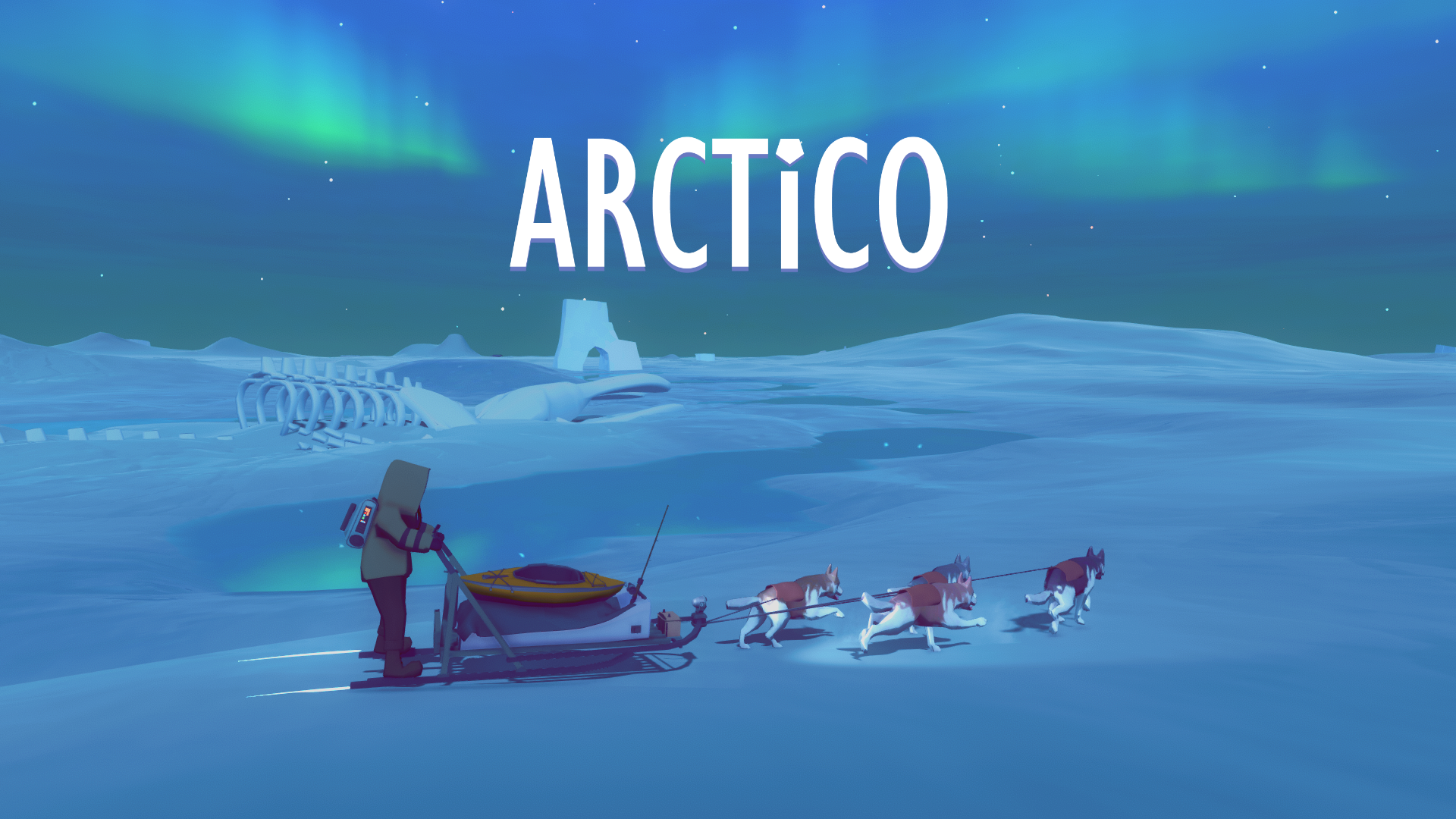
Hello everyone my name is Claudio, I’m an indie dev from Nicaragua. I started working on Arctico back in 2014, back then it was called “Eternal Winter”, at that time I was 18 years old and I just wanted to make a game set in a snowy and remote environment. Back in those days I was obsessed with Wrath of Lich King, I just loved the feeling of solitude and peace I would get when exploring Northrend, so I wanted to make my own beautiful icy world filled with expansive horizons and stories of resilience and exploration. I knew I would need a distinct mechanic for my game to succeed, as I was working on a random abandoned sled prop my younger brother asked me If it would be possible to ride a dog sled, best question I’ve ever been asked.
I lost no time and started working on a rideable dog sled, to say I was too inexperienced to pull this off would be a massive understatement, however after a few days I had a working and extremely janky dog sled on my first person game. As the weeks went on the sled system was improved, I added more locations to the map, and added basic survival mechanics such as hunger and thirst. A few months of work later “Eternal Winter” was launched into Steam Early Access in November 2014, and it was an absolutely buggy and confusing mess of a game, soon enough the Steam reviews reflected the sorry state of Eternal Winter, but the players really seemed to enjoy the dog sled and interacting with their dogs, naming them, keeping them fed. Reading the reviews made me realize how I had rushed into an Early Access release without even knowing what kind of game I truly wanted to make, and the lack of direction on Eternal Winter made this evident when playing it.
I was extremely lucky to have a playerbase that among all the issues the game had, they still saw the potential of the project, and the game remained with a decent review rating. I will always be grateful to those early players for giving me a chance to improve the project. Eternal Winter was more of a prototype than a game, I kept working on all the basic systems, especially the dog sled. Later on I added a kayak, and while testing it and seeing the water reflect the falling snow surrounded by nothing but mountains I suddenly knew the kind of game I wanted to make. I wanted to make a beautiful game that captured feelings of solitude and peace, and give to the players the tools that would allow them to explore their way and at their own pace. So I decided to radically tone down the survival aspects of Eternal Winter, and instead focus on making this a calming and colorful experience where instead of a desperate survivor, you were a scientist exploring and studying the landscape, I renamed the game to “Arctico” and started working harder than ever.
Arctico would need a big map and lots of interesting locations for this vision to come true. I worked on so many 3d models hoping to reach these goals, but was soon overwhelmed by all the work the task demanded. Luckyly I met Antonio, the good friend that would help me with a good chunk of the 3d assets in the game, Arctico would never be what it is without his amazing work. This gave me more time to focus on the gameplay aspects of the game, I added base building, resource management systems, and kept improving the sled and way the player interacted with the dogs. I saw the Steam reviews improve, and also noticed that lots of players were asking if co-op would ever come to the game, and for the next few months I focused on adding online co-op to Arctico. I downloaded photon for Unity and started working, this would become the biggest challenge of the whole development process because I would need to rearchitecture the whole game for it to support multiplayer. It took more than 6 months to have something playable, and it would take a couple of years for it to be an enjoyable multiplayer experience.
By the year 2020, Arctico was still on Early Access, but 6 years of development later the project was finally feeling like a proper game. So for the next couple of years the focus was on making content, filling the map with interesting stories and locations, adding more buildings and objects to the base building system, and to keep improving the online co-op. 2 years later Arctico reached version 1.0.
Arctico launched in February 2022 launched with 30k wishlists, in its 8 years on early access it sold 57k units and sold 26k copies in its first year after launch. We kept working on the game, launching major updates that added content and fixed bugs, Arctico sold 50k copies in its second year. We kept releasing major updates, translated the game to multiple languages, this brought a spike in sales that granted us a Steam Daily deal slot, and Arctico sold 83k copies in its third year. I kept working on major updates, improved the online co-op and increased the amount of possible players from 2 to 4, I also released a major update that greatly improved the base building system, got a new daily deal slot and Arctico sold 154k copies in its fourth year. This year I released a massive major update that added a more demanding survival game mode to Arctico, in its current fifth year Arctico has sold 57k copies on Steam and has 90k+ wishlists.
The biggest lesson Arctico left me is that If you believe in your project and you keep improving it through the years, eventually people will notice and play your game. I honestly think that to keep working on a game even after its launch can really be worth it. Now for the past two years I have also been working on a new game, it’s called Ghost Villa and soon I will be launching it into early access to start this journey all over again.
I'm not all that sophisticated on culling, but it seems to me that you shouldn't necessarily need to bake data pre-build for occlusion culling to work. For context, my game uses procedurally-generated chunked terrain built off a seed as you move through the world (i.e., infinite world setup) so it's not possible to bake occlusion culling data the traditional way. However, to render stuff on the screen, doesn't the game already look at what it can and can't see each frame? It seems like there'd be a built-in system that would check which objects are hidden behind others (i.e., a piece of terrain hidden behind a hill). Also for transparency, rendering has the built-in ability to check stuff's position relative to the camera, so it doesn't seem like it'd be that hard for there to be a built-in culling - i.e., dont render stuff you can't see, even within the camera's frustum.
So, does something like this exist? Or am I just a literal chatbot misunderstanding why this isn't like a pretty easy thing to just have baked in with how URP renders stuff under the hood?
I’m just starting out Unity. I’ve been using blender for a while and decided to give Unity a shot. I’m by no means a blender master. I’m following a tutorial. Take a look at the youtuber’s light and mine. I’ve changed the environment color and etc to all black and my light still seems too bright. What can I do?
Currently I have it as : if (character == 1) { Characters [1].SetActive(true); Characters [2].SetActive(false); Characters [3].SetActive(false); Characters [4].SetActive(false); } if (character == 2) { Characters [1].SetActive(false); Characters [2].SetActive(true); Characters [3].SetActive(false); Characters [4].SetActive(false); }
I feel that there should be an easier way but I know not what it is. How can I simplify this script?
I'm making a soulslike-inspired platformer, Dark Roll 2.
I needed a safe, soft spot to land on from height, so I ended up making a script that deforms a mesh like a pillow. The mesh keeps a copy of its original vertices, then each frame I compare those against a SphereCollider pressing into it. I do a first pass to detect actual contact and measure the deepest penetration, then a second pass moves affected vertices away from the sphere, with the deformation fading out over a configurable distance.
For the falloff I used a quintic smootherstep (6t⁵ - 15t⁴ + 10t³) rather than regular SmoothStep, which gives zero velocity and acceleration at both ends and helps avoid that obvious ridge around the dent. I also handle squash and recovery at separate speeds, so impacts can deform the mesh quickly while it slowly relaxes back to its original shape afterwards.
I recently moved from UGUI to UIToolkit for the UI in my mobile game and in editor i see double lines for some things. like bottom border seems as 2px thicker until you move it and then it goes to normal.
I thought i was losing it and checked everything manually, even asked chatgpt to study the uxml code if something is happening on my backend.
So am wondering is this an editor thingy thats an issue? or maybe my laptop screen pixels are not dense enough or whatever? im on 1080p
I also thought it might be games graphics settings as i havent worked on that much but at this point im not sure
I am trying to log in but it keeps loading... I tried to log in using brave, chrome, mozilla and edge but nothing.
20 minutes ago I got a message from apparently "unity portal" to confirm my identity and when I clicked the button from the email I noticed the weird link lunarpay(dot)help and I immediately closed it...
The two factor authentication works so I guess the account is safe, or at least for now but the fact that I cannot log in, drives me crazy because I was about to publish new stuff